Home>Shop>Drones>DJI Matrice 5TD Combo with O4 and AP1 (EU) SP Plus incl. CAA
DJI Matrice 5TD Combo with O4 and AP1 (EU) SP Plus incl. CAA
Autonomous Aerial Intelligence, Advanced Thermal Imaging and Enterprise-Grade Mission Safety.
Introductie
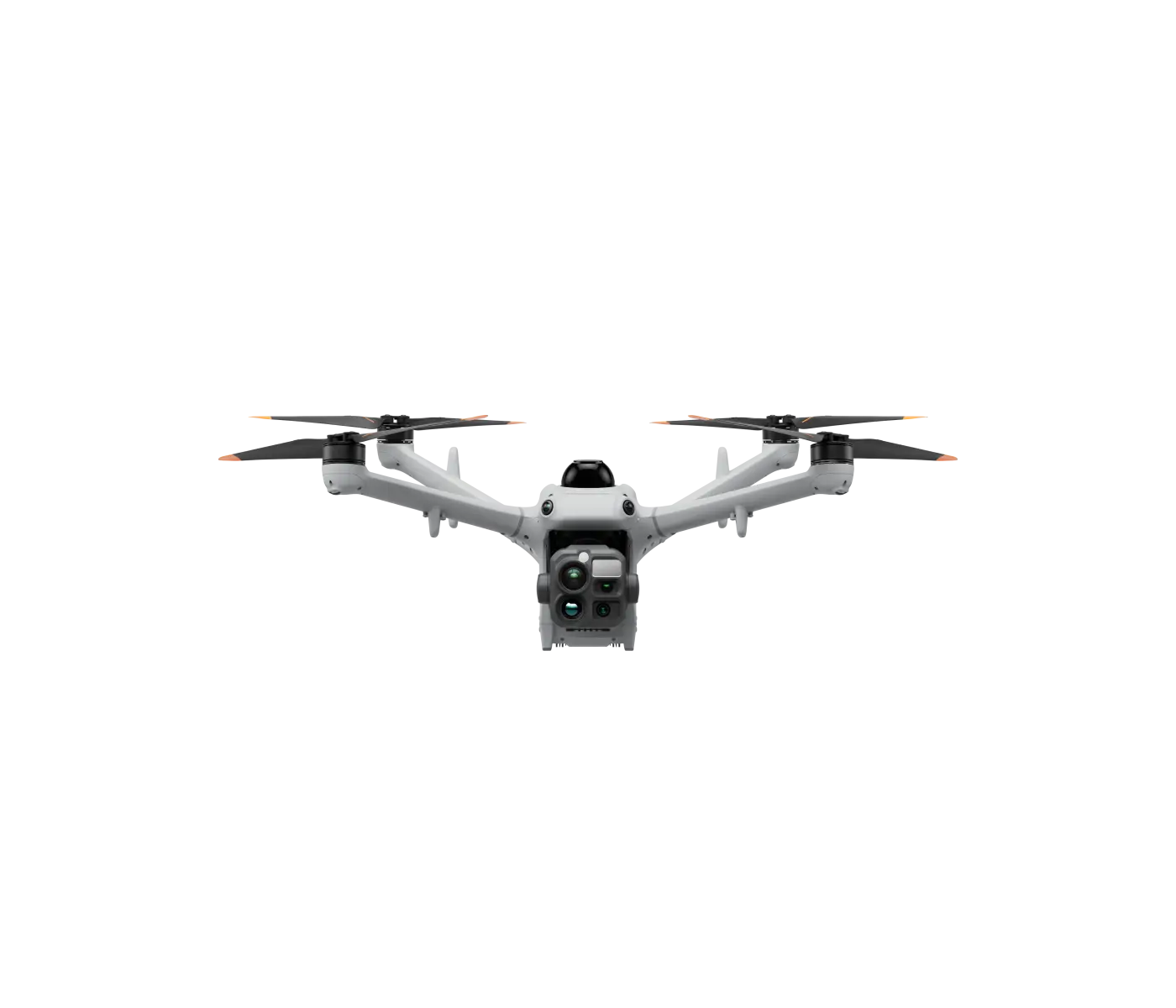
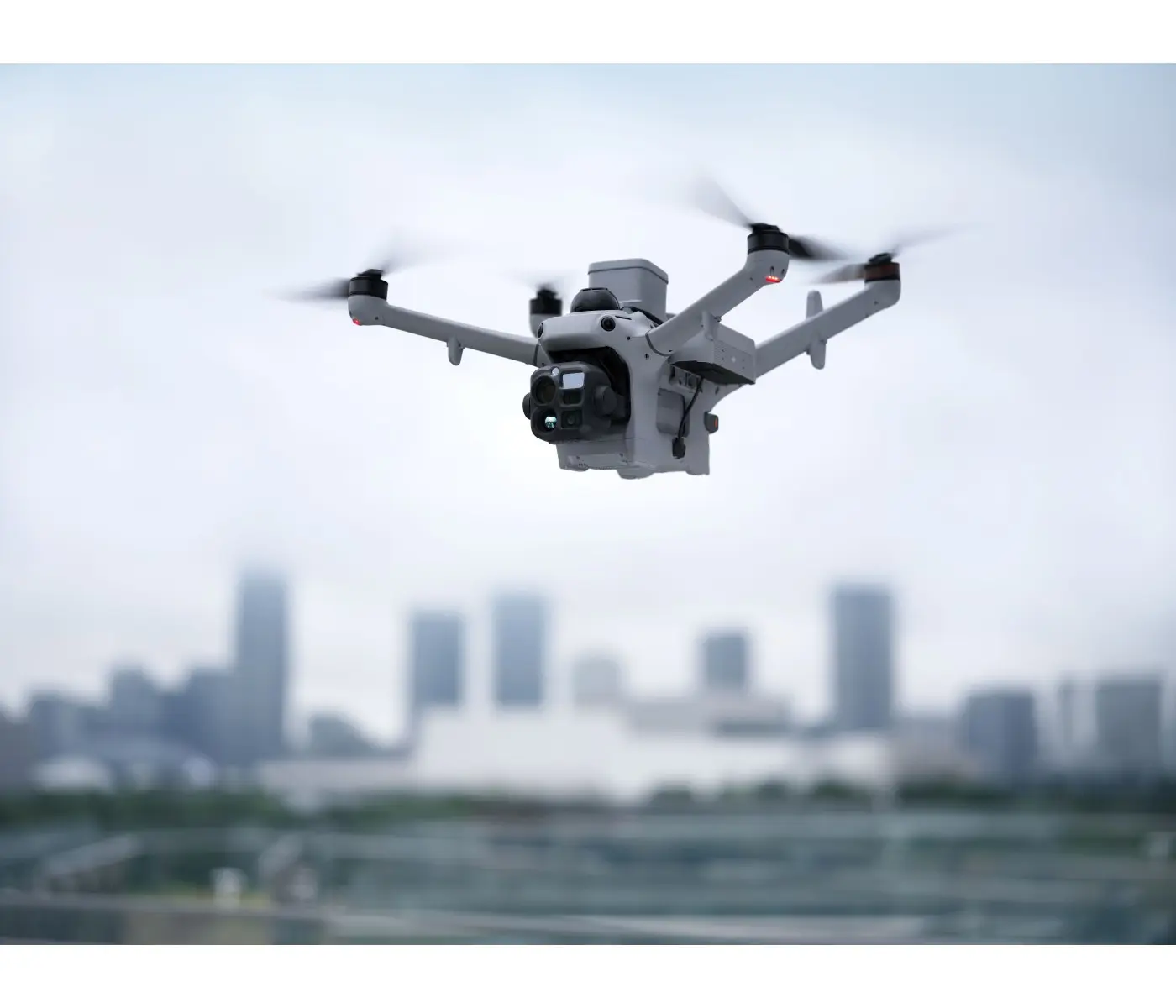
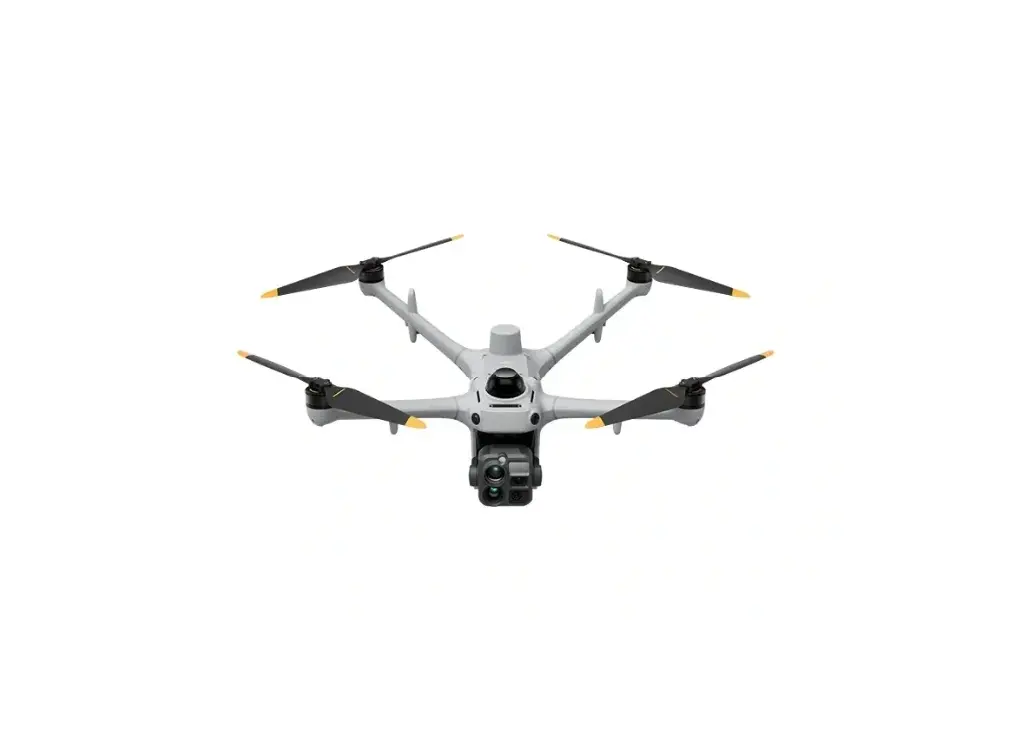
De DJI Matrice 5TD Combo with O4 and AP1 is een krachtige stap voorwaarts in geautomatiseerde bedrijfsdrone-operaties. Speciaal ontwikkeld voor organisaties die betrouwbare luchtvaartintelligentie, snelle inzetbaarheid en geavanceerde veiligheidsfuncties nodig hebben, brengt dit professionele pakket de Matrice 5TD multi-sensorvliegtuig samen met het DJI O4 Ground Station en de DJI AP1-parachute.
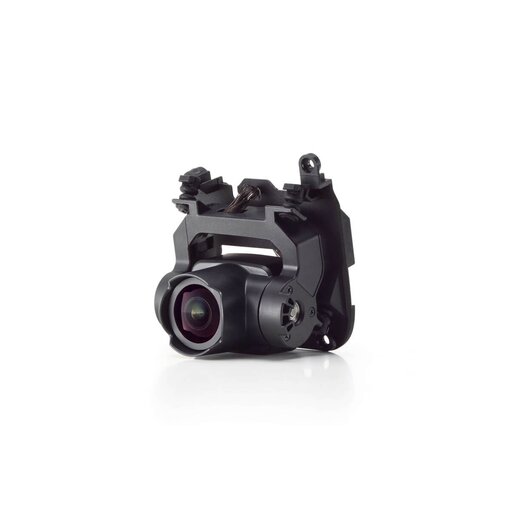
Ontworpen voor integratie met DJI Dock 4, maakt de Matrice 5TD een nieuwe benadering mogelijk voor inspectie van infrastructuur, openbare veiligheid, hulpverlening en bewaking op afstand van faciliteiten. Het geavanceerde beeldvormingssysteem combineert native 1280 × 1024 thermische camera, drie 50 MP optische camera’s, krachtige telezoom en nauwkeurige laserafstandsmeting.
Met intelligente obstakeldetectie, on-board AI-detectie en tot 59 minuten vliegtijd levert het toestel de capaciteiten die nodig zijn voor complexe professionele missies. Het meegeleverde O4 Ground Station ondersteunt betrouwbare communicatie, terwijl de AP1-parachute een extra laag noodbescherming biedt.
Onovertroffen thermische intelligentie en multi-sensorbeeldvorming
Meer zien, eerder detecteren en beter beslissen
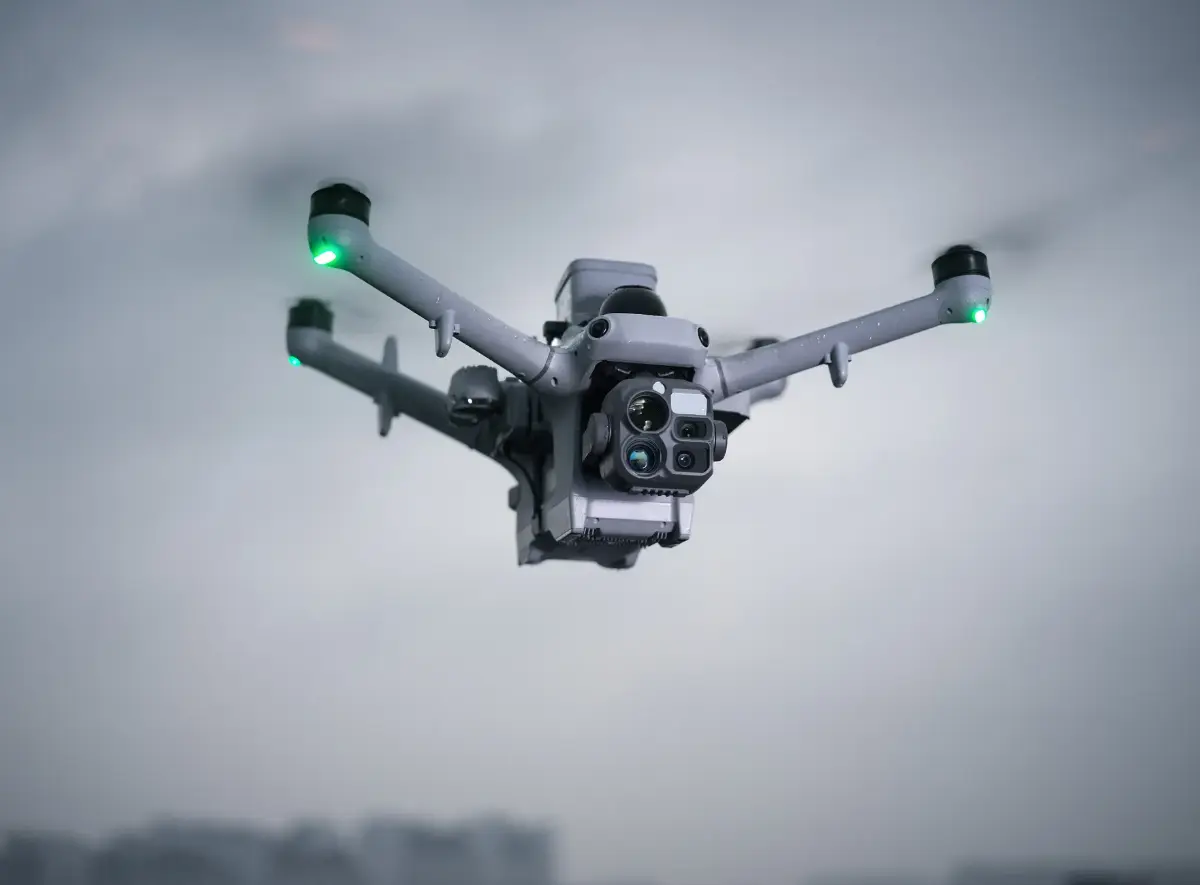
De Matrice 5TD verandert luchtobservatie in bruikbare intelligentie dankzij het geavanceerde multi-sensorbeeldvormingssysteem. Door high-resolution zichtbare-lichtcamera’s te combineren met native 1K infraroodtechnologie kunnen operators infrastructuur onderzoeken, potentiële temperatuurafwijkingen identificeren en objecten op afstand beoordelen zonder van vliegtuig te wisselen.
De geïntegreerde thermische camera legt 1280 × 1024 infraroodbeelden vast en biedt uitzonderlijke details voor professionele inspecties en bewaking in het donker. De Ultra-High-Resolution-modus verbetert de beeldoutput verder, waardoor operators belangrijke thermische patronen in complexe omgevingen beter kunnen onderscheiden.
Functies voor fusie van zichtbaar licht en infrarood bieden extra context door structurele details te combineren met thermische informatie, wat het eenvoudiger maakt de locatie en relevantie van gedetecteerde afwijkingen te begrijpen.
Ultra-High-Resolution-modus: Verbetert thermische output tot 2560 × 2048 voor veeleisende observatietaken.
Drie 50 MP visuele camera’s: Combineer groothoek-, medium-telefoto- en telefotoperspectieven in één geïntegreerd systeem.
11× optische telefoto: Onderzoek verre apparatuur en infrastructuur zonder onnodig dichtbij te komen.
Tot 176× hybride zoom: Breidt observatiemogelijkheden uit voor gespecialiseerde inspectietoepassingen.
3 km laserafstandsmeter: Ondersteunt doelafstandsbepaling en positionering onder gespecificeerde omstandigheden.
Geautomatiseerde operaties met DJI Dock 4
Een nieuwe standaard voor remote luchtinzet
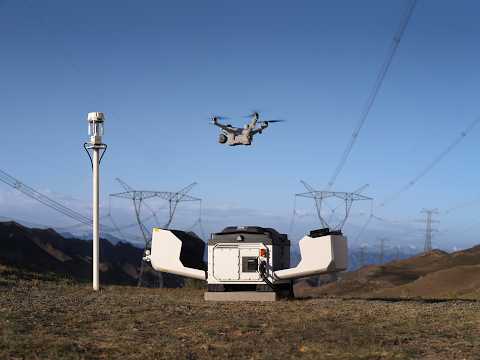
De Matrice 5TD is speciaal gebouwd voor geautomatiseerde missies met het compatibele DJI Dock 4-systeem. Samen ondersteunen ze op afstand beheerde luchtwerkwijzen die de noodzaak voor personeel om fysiek aanwezig te zijn bij elke inspectielocatie verminderen.
Via DJI FlightHub 2 kunnen geautoriseerde operators missies plannen, vluchtactiviteiten monitoren, live video bekijken en herhaalbare inspectieroutes beheren vanaf een centraal platform.
Wanneer ingezet met Dock 4 kan het toestel snelle incidentrespons en routinematige monitoring van infrastructuur ondersteunen. De geautomatiseerde batterijwisseltechnologie van Dock 4 is ontworpen om de doorlooptijd tussen ondersteunde missies te verminderen en zo de operationele paraatheid te verbeteren voor organisaties die afhankelijk zijn van frequente luchtdekking.
Dock 4-compatibiliteit: Specifiek ontworpen voor DJI’s geautomatiseerde docking-ecosysteem.
Remote missiebeheer: Ondersteunt vluchtplanning, monitoring en operationele controle via DJI FlightHub 2.
Snel inzetbaar: Ondersteunt geautomatiseerde lancering en dispatch voor tijdkritische operaties.
Geautomatiseerde batterijwissel: Compatibele Dock 4-systemen kunnen batterijwissels uitvoeren in ongeveer 25 seconden onder gespecificeerde omstandigheden.
Herhaalbare inspectieroutes: Zorg voor consistente monitoring van infrastructuur en aangewezen operationele gebieden.
Live luchtintelligentie: Biedt externe teams tijdige visuele en thermische informatie.
Intelligente obstakeldetectie en AI-gestuurde awareness
Geavanceerde navigatie voor complexe omgevingen
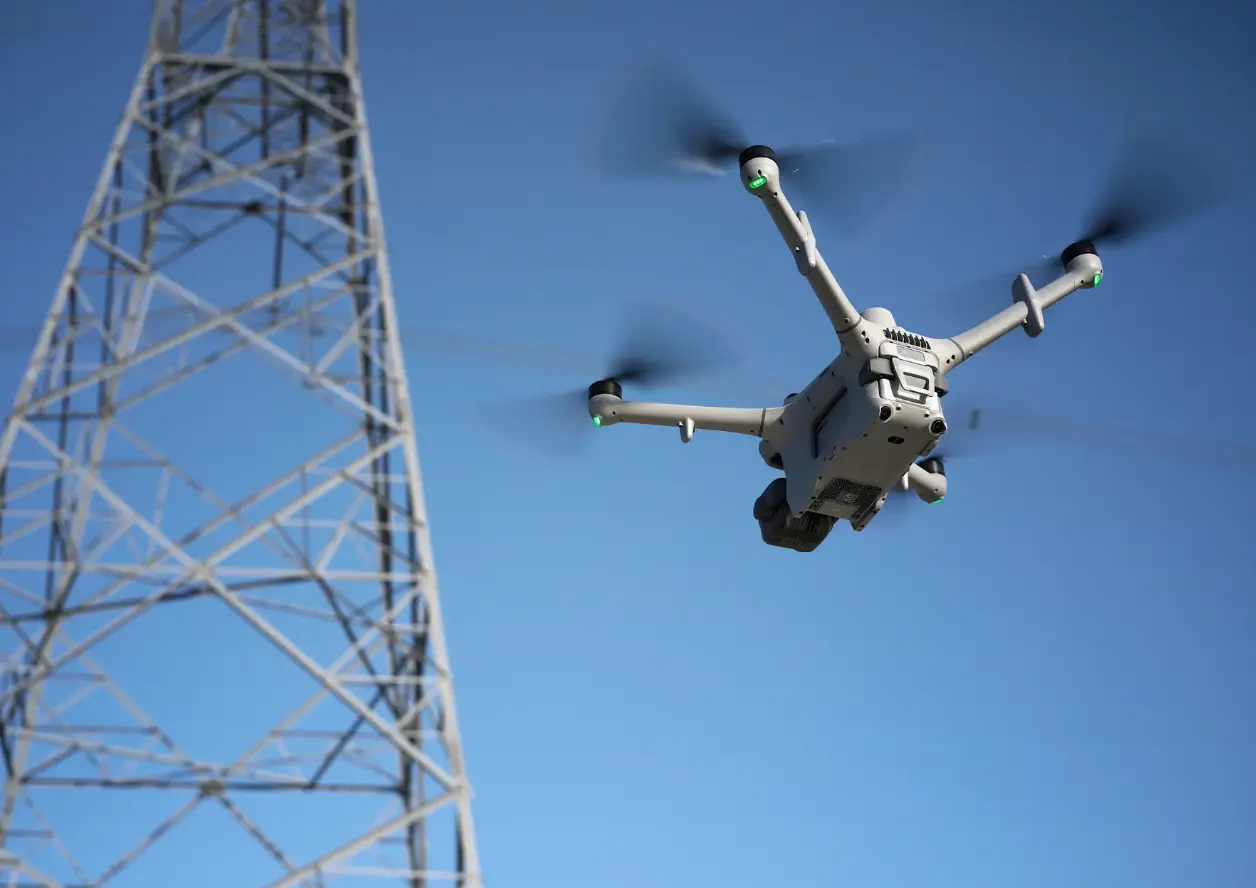
Professionele dronemissies vinden vaak plaats rond elektrische infrastructuur, industriële installaties en andere uitdagende omgevingen waar situationeel bewustzijn essentieel is.
De Matrice 5TD combineert roterende LiDAR, millimetre-wave radar en omnidirectionele zicht-sensoren om obstakeldetectie over complexe vluchtpaden te ondersteunen. Deze complementaire technologieën leveren aanvullende omgevingsinformatie, ook onder geselecteerde omstandigheden met weinig licht.
De on-board AI-capaciteiten ondersteunen intelligente herkenning van 17 objecttypes, waarmee operators relevante onderwerpen kunnen identificeren en de operationele efficiëntie tijdens ondersteunde missies kunnen verbeteren.
Roterende LiDAR: Ondersteunt omgevingssensoring rondom het vliegtuig.
mmWave-radar: Biedt aanvullende obstakeldetectie-informatie in uitdagende omstandigheden.
Omnidirectioneel zicht: Verbetert het bewustzijn van obstakels rondom het vliegtuig.
Draadniveau-obstakeldetectie: Ondersteunt detectie van geselecteerde dunne obstakels, inclusief hoogspanningskabels, onder gespecificeerde omstandigheden.
17 AI-objecttypes: Ondersteunt intelligente objectherkenning voor compatibele enterprise-workflows.
Laaglicht-sensoring: Helpt het omgevingsbewustzijn te behouden tijdens ondersteunde nachtoperaties.
Professionele vluchtprestaties onder zware omstandigheden
Ontworpen voor betrouwbaarheid, uithoudingsvermogen en operationele flexibiliteit
De Matrice 5TD combineert verlengd vlieguithoudingsvermogen met een robuust enterprise-vliegtuigontwerp, waardoor het geschikt is voor uitdagende veldoperaties.
Met tot 59 minuten maximale vliegtijd volgens DJI’s gespecificeerde laboratoriumomstandigheden kan het toestel tijdens één missie aanzienlijke gebieden bestrijken. De IP55-geclassificeerde constructie biedt bescherming tegen stof en water binnen gepubliceerde gebruikslimieten.
Ontworpen voor temperaturen van -40°C tot 50°C, ondersteunt het toestel inzet over een breed scala aan zware omgevingen. Geïntegreerde anti-ice propellers bieden extra mogelijkheden voor correct beheerde koude-omstandigheden.
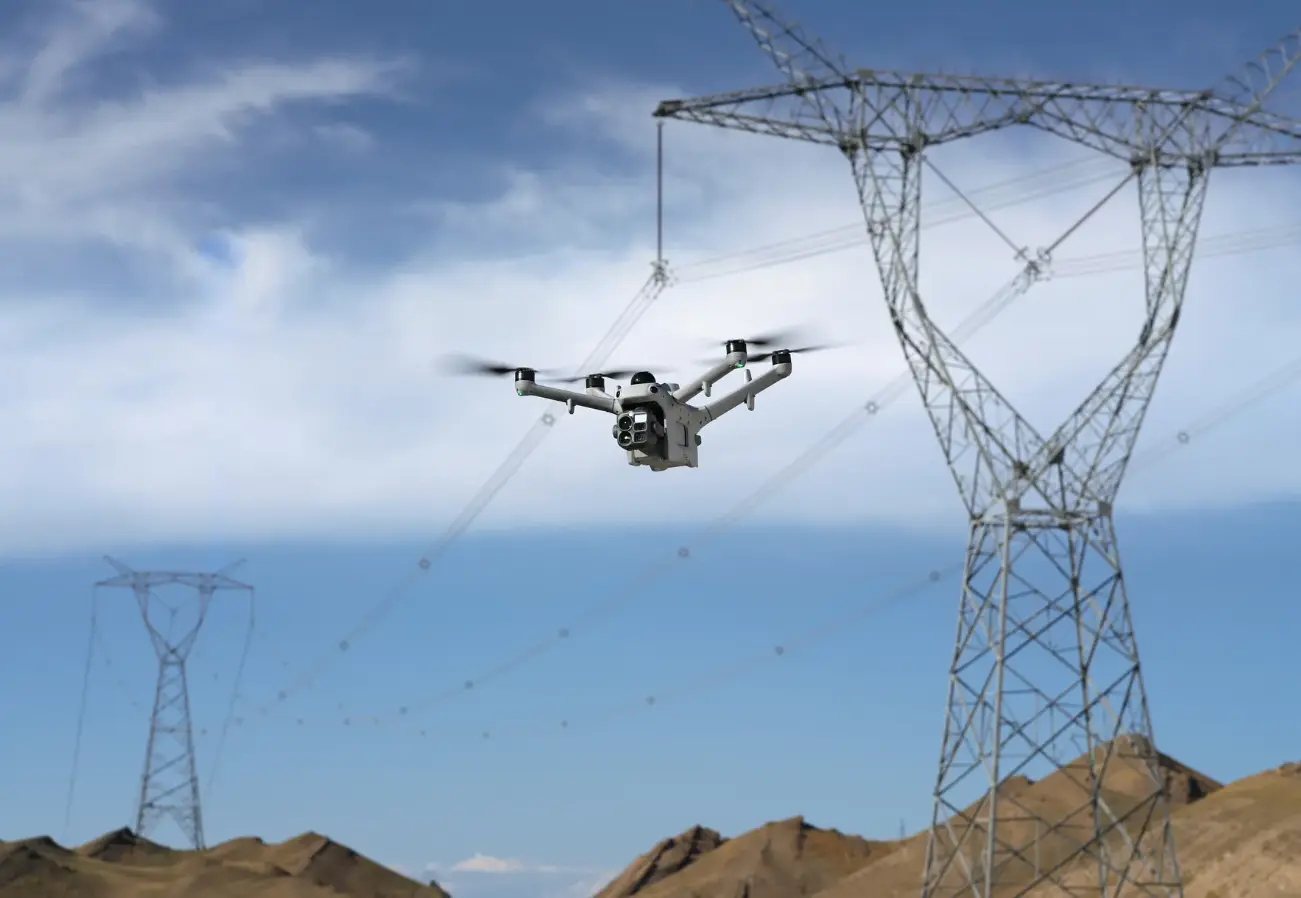
Tot 59 minuten maximale vliegtijd: Ondersteunt verlengde missies onder gespecificeerde testcondities.
21 m/s maximale FlyTo-snelheid: Maakt snelle verplaatsing naar aangewezen doelen mogelijk tijdens ondersteunde FlyTo-taken.
IP55 omgevingsbescherming: Ontworpen voor veeleisende professionele gebruiksomgevingen.
-40°C tot 50°C bedrijfsbereik: Ondersteunt inzet in een breed temperatuurbereik.
Geïntegreerde anti-ice propellers: Helpen vluchtoperaties te ondersteunen in geschikte koude-omstandigheden.
Geïntegreerde RTK-positionering: Ondersteunt nauwkeurige positionering en herhaalbare geautomatiseerde workflows.
Geavanceerde communicatie en AP1-parachutebescherming
Betrouwbare connectiviteit met een extra laag veiligheid
Dit professionele combo combineert het DJI O4 Ground Station met de DJI AP1-parachute om communicatie en noodbescherming te ondersteunen in veeleisende enterprise-operaties.
Het O4 Ground Station biedt een compatibele communicatie-interface voor DJI Dock 4-deployments en ondersteunt remote vluchten en videotransmissie onder geschikte omstandigheden.
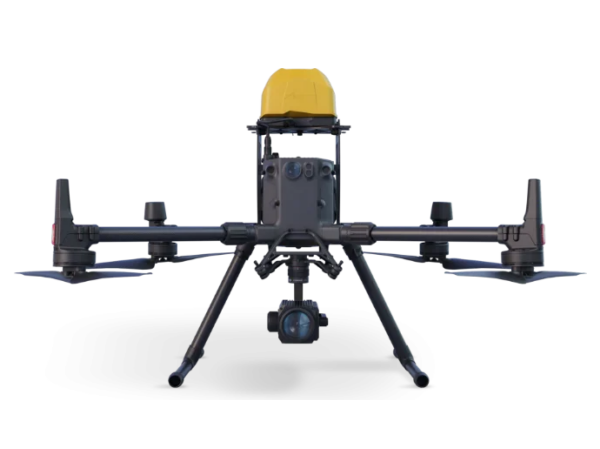
De AP1-parachute introduceert een toegewijd nooddaalsysteem ontworpen voor de Matrice 5TD. Deze ondersteunt automatische en handmatige inzet onder toepasselijke voorwaarden en bevat onafhankelijke veiligheidsfunctionaliteit.
Samen vormen deze componenten een gespecialiseerde basis voor organisaties die geavanceerde communicatie en gestructureerde operationele veiligheid vereisen.
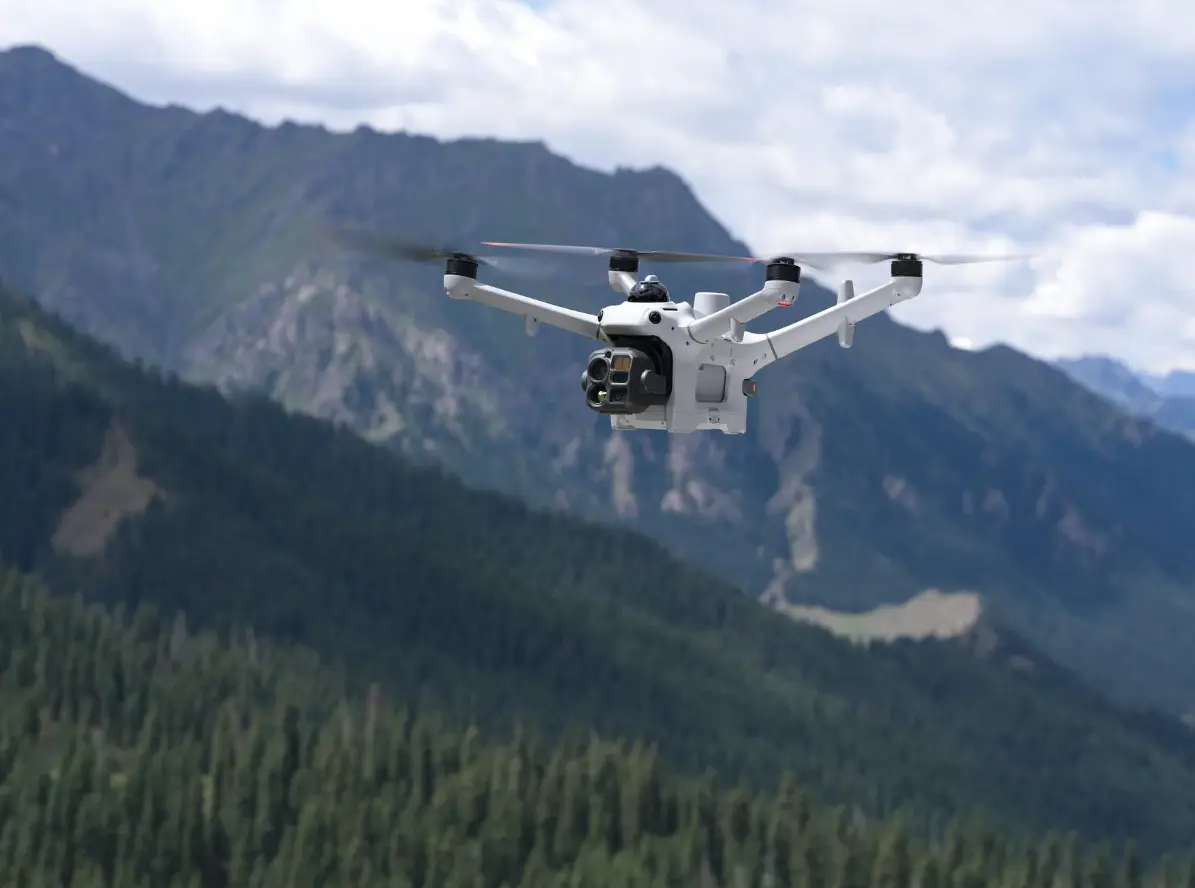
Inclusief DJI O4 Ground Station: Ondersteunt communicatie voor compatibele Matrice 5TD- en Dock 4-deployments.
O4 enterprise-transmissie: Biedt professionele video- en regelconnectiviteit binnen ondersteunde regionale limieten.
Inclusief DJI AP1-parachute: Voegt een nooddaalcapaciteit toe voor kwalificerende situaties.
Automatische en handmatige inzet: Ondersteunt aangewezen automatische triggers en geautoriseerde operatoractivatie.
Onafhankelijke flight termination-link: Biedt een toegewijde veiligheidscommunicatiefunctie.
DJI Care Enterprise Plus: Bevat het gespecificeerde Europese beschermingspakket, onder voorbehoud van toepasselijke servicevoorwaarden.
Praktische toepassingen
Intelligente luchtoperaties in kritieke sectoren
De DJI Matrice 5TD Combo is ontworpen voor organisaties die herhaalbare luchtobservatie, remote missiebeheer en betrouwbare visuele intelligentie nodig hebben.
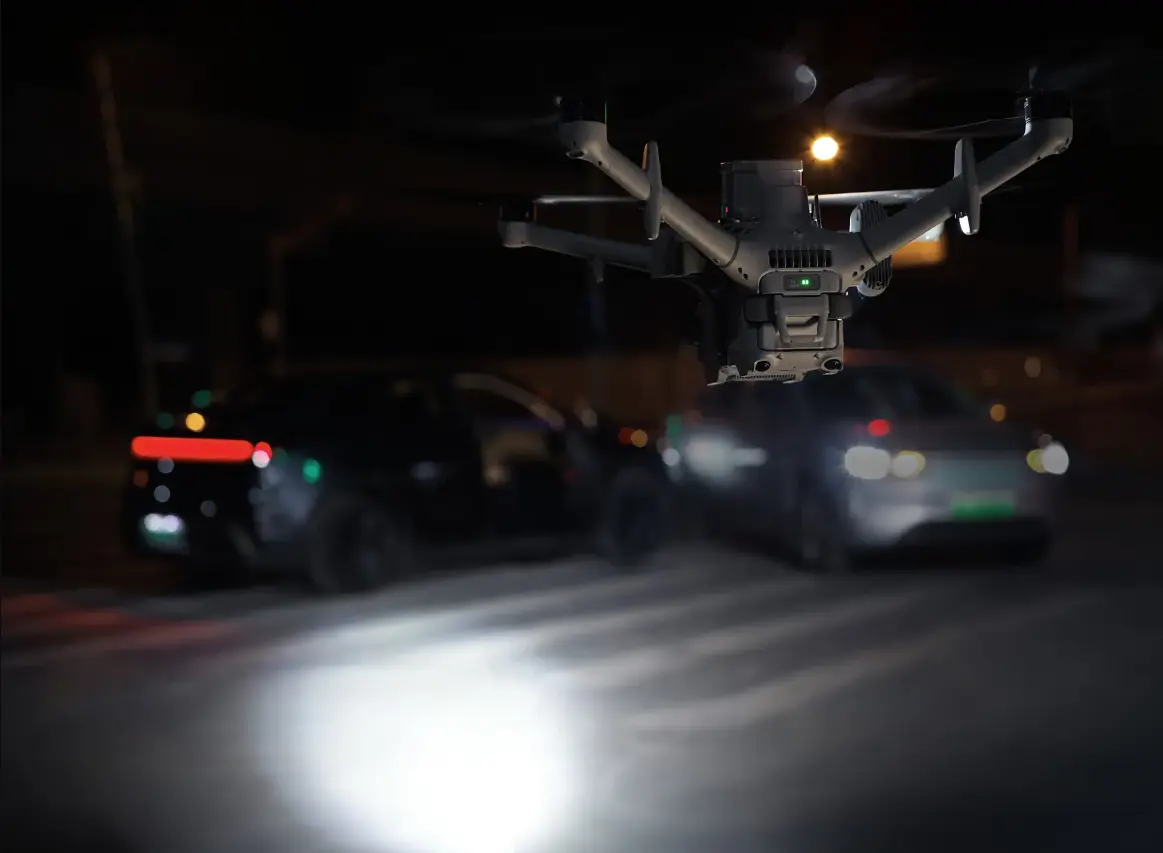
Geautomatiseerde infrastructuurinspectie: Voer herhaalbare inspecties uit van bruggen, elektriciteitsinstallaties en industriële faciliteiten.
Drone als eerstehulpverlener: Ondersteun hulpdiensten met snelle inzet en live situationeel inzicht.
Thermische energie-inspectie: Identificeer potentiële thermische afwijkingen in geschikte elektrische en energie-infrastructuur.
Openbare veiligheid: Bied luchtperspectieven tijdens geautoriseerde nood- en surveillancetaken.
Monitoring van industriële faciliteiten: Ondersteun geplande observaties van grote terreinen en kritieke assets.
Search and Rescue: Combineer thermische beeldvorming, optische zoom en remote inzet om respons-teams te assisteren.
Milieumonitoring: Voer herhaalbare luchtobservaties uit ter ondersteuning van beoordeling en documentatie.
Waarom de DJI Matrice 5TD Combo with O4 and AP1 essentieel is
De DJI Matrice 5TD Combo with O4 and AP1 biedt een complete basis voor organisaties die investeren in geavanceerde remote luchtoperaties.
De native 1K thermische beeldvorming, high-resolution optische camera’s, intelligente obstakeldetectie en AI-gestuurde functies leveren de capaciteiten die nodig zijn voor professionele observatie en inspectie. Het meegeleverde O4 Ground Station ondersteunt communicatie-infrastructuur, terwijl de AP1-parachute een belangrijke noodveiligheidsfunctie toevoegt.
Wanneer geïntegreerd met DJI Dock 4 en DJI FlightHub 2 maakt de Matrice 5TD deel uit van een krachtig geautomatiseerd lucht-ecosysteem dat herhaalbare missies, snelle respons en continue operationele awareness kan ondersteunen.
DJI Matrice 5TD Combo with O4 and AP1 (EU) SP Plus incl. CAA
Dock
What are the key upgrades in DJI Dock 4 compared with DJI Dock 3?
DJI Dock 4 offers the following major upgrades over DJI Dock 3: 1. Adds a battery swapping mechanism, allowing a battery swap to be completed in just 25 seconds. 2. Expands the operating temperature range to -40° to 50° C (-40° to 122° F). 3. Integrates the video transmission and RTK modules into the O4 Ground Station, which is required for use and enables more flexible deployment. 4. The batteries in the battery compartment can also serve as backup power for the dock. 5. Supports Wi-Fi QuickTransfer, enabling high-speed transfer of media files back to the dock after the aircraft lands. 6. The O4 Ground Station supports video transmission over the sub2G frequency band, improving anti-interference performance.* 7. Supports deployment near high-rise buildings and in other complex scenarios.**
* Supported operating frequencies and their availability vary by country/region. For details, please refer to local laws and regulations. ** Deployment near high-rise buildings depends on satellite positioning system coverage, currently supporting most regions in the Asia Pacific. When deploying the dock, install the O4 Ground Station in an open area. Before deployment, conduct an on-site survey of the O4 Ground Station installation location using a Matrice 4 Series or Matrice 4D aircraft. For coverage details and deployment instructions, refer to the text-decoration: none; " href="https://enterprise.dji.com/dock-4/downloads" target="_blank">Installation and Setup Manual.
How long does DJI Dock 4 take to swap the aircraft battery? What is the minimum interval between two consecutive operations?
The battery swap takes 25 seconds, measured from the time the dock cover is fully closed. The minimum interval between two operations is 45 seconds.*
Data was obtained in a controlled test environment and is for reference only. * This refers to the time from when the aircraft lands after the previous flight to when it takes off again after the battery swap is completed.
How do I swap the battery of an aircraft used with DJI Dock 4?
Three methods are available: 1. After the aircraft completes an operation and returns to the dock, if the battery level is below 79%, the dock will automatically swap the battery. 2. Go to DJI FlightHub 2 and navigate to Devices > select the corresponding device > Device Maintenance >Remote Debugging >Dock Control > Manual Swap, and select the battery in the corresponding slot to perform the swap. 3. Connect a mobile phone to the dock, open the DJI Enterprise app, tap Debug >Battery Swap > Manual Swap, then select the battery in the corresponding slot to perform the swap.
How many batteries can the battery compartments of DJI Dock 4 accommodate at most?
The dock has four battery compartments, each designed to hold one battery. To ensure proper operation of the battery-swapping mechanism, no more than three of the four compartments may contain a battery at any given time.
How do I enable backup battery power for DJI Dock 4?
When grid power supply is unavailable, short-press and then press and hold the multifunction button inside the power distribution cabinet to enable backup battery power*. When grid power supply is available, backup power will be enabled automatically, and no additional action is required.
* Make sure that at least one battery is installed in the dock’s battery compartments. After AC power is disconnected, if the battery level of the installed battery/batteries in the battery compartments is above 10%, the backup battery can automatically power the dock. Short-press and then press and hold the multifunction button to disable or enable backup battery power.
How do I power off DJI Dock 4?
If at least one battery is installed in the dock’s battery compartments, turn off the AC power switch first. Then short-press and press and hold the multifunction button inside the power distribution cabinet to disable backup battery power. If no battery is installed in the dock’s battery compartments, simply turn off the AC power switch.
How do I reset the battery swapping turntable of DJI Dock 4?
Two methods are available: 1. Ensure that the battery swapping turntable is free of foreign objects, then press and hold the battery installation/removal confirmation button on the power distribution cabinet panel for 10 seconds to reset the turntable.* 2. Power off the dock and then power it back on. The battery swapping turntable will automatically reset.
* If the battery installation or removal operation times out, the battery compartment indicator will stop blinking rapidly, and the system will not respond when the battery installation/removal confirmation button is pressed and held. In this case, short-press the battery installation/removal selection button to reset the battery swapping turntable. A timeout is triggered if no operation is performed within 3 minutes after a battery is installed or removed.
Does DJI Dock 4 support edge computing?
Yes. Edge computing is supported via the O4 Ground Station, which can be connected to an external switch for data communication.
Does DJI Dock 4 support private 4G enhanced video transmission?
DJI Dock 4 is compatible only with DJI Matrice 5TD.
How do the cooling and heating systems of DJI Dock 4 operate?
Cooling: The cooling function will be enabled when the ambient temperature exceeds 5° C (41° F), the battery in the dock’s battery compartment is charging, and the battery temperature exceeds 35° C (95° F). Cooling will be disabled after the battery stops charging and the temperature drops below 30° C (86° F). Heating: The heating function will be enabled when the ambient temperature is below 5° C (41° F), and both the temperature inside the dock and the battery temperature are below 35° C (95° F). Heating is disabled when either the temperature inside the dock or the battery temperature is above 35° C (95° F).
The cooling and heating logic may change as it is optimized through firmware updates. Actual operation may vary.
What are the installation environment requirements for DJI Dock 4?
DJI Dock 4 should be installed in an environment with stable power supply and network connectivity, at an altitude of no more than 5,000 meters. The O4 Ground Station must be installed in an open and unobstructed location. Before permanently installing the station, use the aircraft to conduct a site survey and select the installation location. For details, please refer to the Installation and Setup Manual.
What are the maximum wind speed and rainfall intensity under which DJI Dock 4 can operate normally?
The maximum wind speed is 12 m/s, and the maximum rainfall intensity is 2 mm/h.
Does the backup power supply of DJI Dock 4 support aircraft charging?
No.
Can DJI Dock 4 continue operations after a grid power outage?
Yes. After a grid power outage, the dock can continue operating by using the batteries in its battery compartments to swap the aircraft battery.
With grid power, a single battery in the dock’s battery compartment is enough for a swap; without grid power, at least two batteries are required.
How does the aircraft achieve precision landing at DJI Dock 4?
The aircraft first returns to the departure point using RTK positioning, then uses LiDAR and visual SLAM to build an environmental map. It then combines this map with the visual markers on the dock’s landing pad to achieve precise positioning and landing.
How do I purchase DJI Dock 4?
Please contact your local DJI dealer.
Which aircraft can be used to conduct site surveys for DJI Dock 4?
DJI Matrice 4 Series and DJI Matrice 4D Series.
The aircraft and remote controller must be updated to the latest firmware.
Can DJI Dock 4 be used without connecting to the O4 Ground Station?
No. It must be used with the O4 Ground Station.
Is the mounting hole pattern of DJI Dock 4 compatible with DJI Dock 3?
Yes. Both use a 400 mm × 400 mm mounting hole pattern.
What are the minimum network bandwidth requirements for DJI Dock 4?
The dock connects to the network via an Ethernet port with auto-negotiation. A Gigabit Ethernet connection is recommended. Both uplink and downlink bandwidth must exceed 20 Mbps, and 40 Mbps or higher is recommended when no external devices are connected. Network latency should be no more than 100 ms for a better user experience.
What is the operating noise level of DJI Dock 4?
Less than 60 dB in Silent mode; 65 dB in Normal mode.
O4 Ground Station
What precautions should be taken when installing the O4 Ground Station for use with DJI Dock 4?
The O4 Ground Station should be installed in an elevated, open, and unobstructed location, away from interference from communications equipment and obstructions caused by metal objects. It should be securely mounted on the ground or a wall. The cable run between the dock and the O4 Ground Station should be 1.5 to 80 meters. To ensure the quality of the video transmission signal between the O4 Ground Station and the aircraft while it is in the dock, maintain a clear line of sight between the two during deployment.
What are the main functions of the O4 Ground Station?
It provides the dock with video transmission, RTK base station functionality, network connectivity, data processing, among other functions.
How do the O4 Ground Station and the dock communicate?
The O4 Ground Station and the dock are connected via an Ethernet cable. With Power over Ethernet (PoE), the cable transmits network data while also providing a stable power supply to the O4 Ground Station.
Can the O4 Ground Station connected to DJI Dock 4 be used with other aircraft?
The O4 Ground Station connected to the dock can only be used with the paired aircraft. It cannot be used as a roaming station to connect to other aircraft.
Aircraft
What upgrades does DJI Matrice 5TD offer compared with Matrice 4TD?
Compared with DJI Matrice 4TD, DJI Matrice 5TD includes the following major upgrades: 1. The video transmission operating frequency band has been expanded to include sub2G, improving video transmission interference resistance. 2. Features built-in dual 4G enhanced video transmission modules.* 3. Provides a maximum flight time of up to 59 minutes.** 4. Supports operation in ambient temperatures ranging from -40° to 50° C (-40° to 122° F). 5. Infrared thermal camera resolution has been upgraded to 1280 × 1024, and the ultra-telephoto camera has been upgraded to 11× zoom. 6. Integrates a customizable multi-color warning light. 7. Integrates LiDAR and millimeter-wave radar. 8. Supports a maximum payload of 450 g, provides three external interfaces, and allows payload accessories to be mounted on the top and both sides of the aircraft body. 9. Onboard AI detection now supports 17 object types.
* 4G is not supported in some countries or regions. Please contact your local dealer for details. ** Measured under the following conditions: in a windless laboratory environment at 20 meters above sea level, with the aircraft flying forward without payload at a constant speed of 15 m/s from 100% battery level until 0%. Results may vary depending on the environment, actual use, and firmware version.
What is the IP rating of DJI Matrice 5TD?
IP55.
What precautions should be taken when using the infrared thermal camera of DJI Matrice 5TD?
DO NOT expose the infrared camera lenses to strong sources of energy such as the sun, lava, or a laser beam. Otherwise, the camera sensor may be burned, leading to permanent damage.
Why can the arms of the DJI Matrice 5TD be moved, and why are there visible gaps at the base of the arms?
DJI Matrice 5TD incorporates rotational dampers at the base of each arm to reduce arm vibration, ensuring reliable, long-term flight in various environments. Slight arm rotation and visible gaps at the arm bases are normal and are part of the vibration reduction design. Do not forcibly move or swing the arms during transport to avoid damage.
What precautions should be taken when using the anti-ice propellers of the DJI Matrice 5TD?
The anti-icing effectiveness of the propellers decreases over time with use. Replace the propellers at least every 12 months or every 500 flight hours, whichever comes first. Do not scratch the propeller surfaces or touch them directly with your fingers. Do not use oil-based or alcohol-based solvents to clean the propellers, as this may damage the anti-icing layer on the surface. Each set of propellers is matched for dynamic balance. When replacing propellers, use propellers from the same package. Do not mix them with propellers from other packages. If a propeller becomes deformed or damaged during use, replace it promptly. When replacing propellers, also replace the matching washers and screws. Do not reuse the washers or screws. When replacing the propeller clamp, make sure the locating pin on the propeller clamp is seated in the corresponding mounting hole on the motor.
Why are the propeller tips of the DJI Matrice 5TD curved?
To provide better noise reduction.
Does DJI Matrice 5TD support manual flight using a remote controller?
No.
How do I use the built-in 4G Enhanced Transmission modules of DJI Matrice 5TD?
DJI Matrice 5TD features built-in dual 4G modules. A SIM card can be inserted. After confirming that your data plan has sufficient balance, enable 4G through either of the following paths:
Device Status Window > Remote Debugging, then turn on the 4G switch Devices > Device Maintenance > Remote Debugging > Aircraft Control, then turn on the 4G switch
4G is not supported in some countries or regions. Please consult your local dealer for details.
Does DJI Matrice 5TD support mounting multiple payloads at the same time?
Yes. It can carry up to three payloads at the same time, with two side mounting points and one top mounting point.
What routine maintenance is required for DJI Matrice 5TD?
Basic Maintenance (every 6 months): Deep cleaning, component inspection, firmware updates, and calibration. Regular Maintenance (every 12 months or 500 flight hours, whichever comes first): Deep cleaning, component inspection, firmware updates, calibration, and replacement of wear parts. Deep Maintenance (every 36 months or every 1,000 flight hours, whichever comes first): Deep cleaning, component inspection, firmware updates, calibration, replacement of wear parts, and propulsion system replacement.
Does DJI Matrice 5TD support precision mapping?
Yes. At an altitude of 120 m in classic route aerial photography (orthographic or oblique area routes, non-Terrain-Follow) at 12MP, Matrice 5TD achieves an aerial-triangulation checkpoint accuracy of 10 cm. This data was measured at a DJI official test facility.
Specific test conditions: (1) In a well-lit environment with clearly defined angular surface features, using an O4 Ground Station calibrated via custom network RTK, planning non-Terrain-Follow area routes in FlightHub 2 at default speed, 70% side overlap, and 80% frontal overlap, capturing 12MP wide-angle images. (2) Reference markers were bare, hard materials conforming to a diffuse reflection model. (3) Post-processing and modeling using DJI Terra or FlightHub 2.
Does DJI Matrice 5TD support smart oblique capture?
Yes.
What certification class has DJI Matrice 5TD obtained in the EU?
It is certified as C5 and C6 under EU regulations.
Battery
How do I charge the DJI Matrice 5TD battery?
The battery will automatically charge after it is installed in the dock’s battery compartment.
How long does it take to charge a DJI Matrice 5TD battery?
At an ambient temperature of 25° C (77° F), it takes 27 minutes to charge a battery in the battery compartment from 15% to 95%. The dock can charge up to two batteries simultaneously.
Can the DJI Matrice 5TD battery be used in low-temperature environments?
Yes. The battery has the same operating temperature range as the aircraft. In low-temperature environments, the battery automatically heats itself and maintains its temperature.
What is the cycle life of the DJI Matrice 5TD battery?
Provided that the battery is stored above 35° C (95° F) for no more than a cumulative total of 100 days within a 12-month period, the battery can reach up to 400 charge cycles. Long-term storage at high temperatures will affect battery stability. Please replace the battery as prompted.
How should the DJI Matrice 5TD battery be stored and maintained when not in use for an extended period?
Store the battery at an ambient temperature of around 25° C (77° F) whenever possible. Avoid direct sunlight and storage at extremely low temperatures. Check the battery level every six months, and recharge it promptly if the battery level is too low.
What are the regulations and precautions for transporting the DJI Matrice 5TD battery?
When transporting batteries, store them separately in dedicated flame-retardant bags or explosion-proof containers to avoid short circuits. Secure the batteries properly and do not leave them loose, as jolts during transit could cause them to be crushed or damaged by impact, potentially resulting in an accident.
Speaker
What functions does the DJI AS2D Speaker support?
The DJI AS2D Speaker supports real-time broadcasting, recorded broadcasting, media import, and text-to-speech, making emergency search and rescue and other operations more efficient and flexible.
How does the DJI AS2D Speaker differ from the DJI AS1 Speaker?
Loudness is increased to more than double that of the previous generation, reaching 120.5 dB at 1 m. The speaker is mounted facing downward, significantly improving loudness at ground level. Supports AI-powered text-to-speech*, delivering a more natural-sounding voice.
* Only supported on DJI FlightHub 2 Public Cloud.
Which aircraft is compatible with the DJI AS2D Speaker?
DJI Matrice 5TD.
What precautions should be taken when installing the DJI AS2D Speaker?
Install the speaker on the left side of the aircraft using the Matrice 5TD accessory mount, and tighten the mounting screws during installation. Install the speaker before powering on the aircraft. Do not install the speaker while the aircraft is powered on. Make sure the plug is securely inserted. Do not pull the cable forcibly, as this may compromise water resistance or cause damage. Tighten the connector screws properly. Do not overtighten them, as this may cause damage. After installation, connect to the internet and follow the prompts to activate the speaker and calibrate the compass. If prompted to update the firmware, update it promptly to the latest version.
What precautions should be taken when using the DJI AS2D Speaker?
Note the following when using the speaker: 1. After the speaker is installed, the aircraft’s propulsion performance and flight endurance will be affected. Fly with caution. 2. Playing single-frequency sounds is not recommended, as this may cause irreversible damage to the speaker. 3. The speaker is very loud. DO NOT use it at close range or in urban areas with a high concentration of noise-sensitive buildings, as this may cause injury or pose a hazard.
Which languages does the DJI AS2D Speaker support for text-to-speech?
Supports Mandarin Chinese, English, Japanese, Korean, French, Spanish, and German. Only Mandarin Chinese and English support both male and female voices, while the other languages support female voices only.
What are the tips for using the real-time broadcasting feature of the DJI AS2D Speaker?
For optimal live broadcasting performance, use a handheld microphone. If using a computer microphone, speak as close to it as possible and maintain a steady pace. Press the backtick key (`) to activate real-time broadcasting. You can map the PTT button on the handheld microphone to the backtick key (`) for quick PTT broadcasting.
How do I update the firmware of the DJI AS2D Speaker?
After the speaker is installed on the aircraft, its firmware will be updated together with the aircraft firmware. The firmware can be updated in either of the following ways: 1. Perform a one-click update on the Device Management page in DJI FlightHub 2. 2. Connect the aircraft to a computer and update it using DJI Assistant 2 (Enterprise Series).
What is the effective broadcast range of the DJI AS2D Speaker?
400 meters.
What is the IP rating of the DJI AS2D Speaker?
IP55.
Spotlight
What functions does the DJI AL2D Spotlight support?
The DJI AL2D Spotlight supports four lighting modes: Floodlight, Spotlight, Both On, and Auto. It also supports two alert modes: Fast Strobe and Slow Strobe, and allows gimbal follow to be enabled or disabled.
What are the differences between the DJI AL2D Spotlight and the DJI AL1 Spotlight?
The brightness has been significantly increased to 2.6 times that of the previous generation. A new dual-lens high-brightness spotlight has been added, supporting both spotlight and floodlight modes. Upward illumination is supported at angles up to +90°.
Which aircraft are compatible with the DJI AL2D Spotlight?
It is compatible only with the DJI Matrice 5TD aircraft.
What precautions should be taken when installing the DJI AL2D Spotlight?
Install the spotlight on the right side of the aircraft using the Matrice 5TD accessory mount, and make sure the mounting screws are securely tightened. Install the spotlight before powering on the aircraft. Do not install the spotlight while the aircraft is powered on. Make sure the plug is securely inserted. Do not pull the cable with excessive force, as this may compromise water resistance or cause damage. Tighten the connector screws properly. Do not overtighten them, as this may cause damage. After installation, connect to the internet and follow the prompts to activate the spotlight. If prompted to update the firmware, update it promptly to the latest version.
What precautions should be taken when using the DJI AL2D Spotlight?
Note the following when using the spotlight: 1. After the spotlight is installed, the aircraft’s propulsion performance and flight endurance will be affected. When the spotlight is turned on, visual obstacle sensing is disabled and only the mmWave radar and LiDAR remain active, reducing omnidirectional obstacle sensing performance. Fly with caution. 2. DO NOT point the spotlight directly at anyone’s eyes, as this may cause eye injury. 3. The spotlight may become hot after prolonged operation. Avoid touching it to prevent burns.
What are the tips for using the DJI AL2D Spotlight?
When using the spotlight during high-altitude flights, water vapor and suspended particles in the atmosphere may make the image appear washed out. It is recommended to enable the electronic defogging function for better image quality. To minimize the impact on the aircraft’s flight endurance, reduce the spotlight brightness as appropriate and turn it on only when needed.
Does the DJI AL2D Spotlight support disabling gimbal follow function?
In the spotlight settings, you can choose to disable the gimbal follow function. Please note that once disabled, the spotlight will maintain its current angle; when re-enabled, the spotlight will automatically adjust to align with the gimbal’s orientation. The gimbal follow function will remain enabled by default after the aircraft restarts.
How do I update the firmware of the DJI AL2D Spotlight?
After the spotlight is installed on the aircraft, its firmware will be updated together with the aircraft firmware. The firmware can be updated in either of the following ways: 1. Perform a one-click update on the Device Management page in DJI FlightHub 2. 2. Connect the aircraft to a computer and update it using DJI Assistant 2 (Enterprise Series).
What are the transportation and storage precautions for the DJI AL2D Spotlight?
The product may be damaged or malfunction if subjected to impact. Handle with care during installation and use. DO NOT drop the product.
What is the IP rating of the DJI AL2D Spotlight?
IP55.
Parachute
What precautions should be taken when installing the DJI AP1 Parachute?
Install the parachute on top of the aircraft using the Matrice 5TD accessory mount, and make sure the mounting screws are securely tightened. Do not connect or disconnect the parachute while the aircraft is powered on. Install the parachute before powering on the aircraft. Do not install the parachute while the aircraft is powered on. Make sure the plug is securely inserted. Do not pull the cable with excessive force, as this may compromise water resistance or cause damage. Tighten the connector screws properly. Do not overtighten them, as this may cause damage. After installation, connect to the internet and follow the prompts to activate the parachute. If prompted to update the firmware, update it promptly to the latest version.
Does the DJI AP1 Parachute support manual deployment?
Two manual parachute deployment methods are available: 1. Manual deployment: Users can trigger parachute deployment in the DJI FlightHub 2 interface. 2. Flight Termination System (FTS) deployment*: When using the parachute in countries or regions such as EU member states and the United Kingdom, users can enter the aircraft serial number (SN) and verification code on the Flight Termination System page in DJI FlightHub 2 to manually trigger the Flight Termination System and deploy the parachute.
* The parachute deployment function in DJI FlightHub 2’s Flight Termination System is available in the following countries or regions: EU member states, including Austria, Belgium, Bulgaria, Croatia, Cyprus, the Czech Republic, Denmark, Estonia, Finland, France, Germany, Greece, Hungary, Ireland, Italy, Latvia, Lithuania, Luxembourg, Malta, the Netherlands, Poland, Portugal, Romania, Slovakia, Slovenia, Spain, and Sweden, as well as the United Kingdom, Norway, Iceland, Switzerland, Liechtenstein, Serbia, and Georgia. The Flight Termination System page is available at: https://fh.dji.com/fts/index.html.
Under what conditions will the DJI AP1 Parachute deploy automatically?
1. When the built-in sensors of the aircraft or parachute, such as the IMU, detect abnormal aircraft attitude or speed, the system automatically deploys the parachute.* 2. Users can also create a Geocaging boundary in DJI FlightHub 2**. The parachute will automatically deploy when the aircraft flies outside the boundary.
* The parachute will automatically deploy when the aircraft attitude or speed becomes abnormal. To reduce the risk of damage to nearby equipment or property caused by close-range deployment, the parachute will not automatically deploy if the 3D infrared sensing system is functioning properly and the aircraft is within 10 meters of the dock, even when the aircraft attitude or speed becomes abnormal. ** The Geocaging feature is supported in the following countries or regions: EU member states, including Austria, Belgium, Bulgaria, Croatia, Cyprus, the Czech Republic, Denmark, Estonia, Finland, France, Germany, Greece, Hungary, Ireland, Italy, Latvia, Lithuania, Luxembourg, Malta, the Netherlands, Poland, Portugal, Romania, Slovakia, Slovenia, Spain, and Sweden, as well as the United Kingdom, Norway, Iceland, Switzerland, Liechtenstein, Serbia, and Georgia.
What is the maintenance interval for the DJI AP1 Parachute?
Maintenance is required every six months or at a shorter interval. During maintenance, check whether the connectors are loose, whether the parachute indicator status is normal, and whether the parachute protective cover is loose. If any abnormality is found, replace the affected component promptly.
Can the DJI AP1 Parachute be reused after deployment?
The parachute is a single-use safety device and cannot be reused. The entire parachute system must be replaced after deployment. To ensure system effectiveness and flight safety, it is recommended that the product be retired and replaced three years after activation, even if its daily self-test results are normal.
Does installing the DJI AP1 Parachute affect the aircraft's obstacle sensing?
After the parachute is mounted, the Matrice 5TD aircraft will automatically adjust its obstacle sensing capabilities. In this case, its ability to sense small obstacles behind and above the aircraft will be affected. Pay close attention to the surroundings behind and above the aircraft during flight to ensure flight safety.
Application
What new features have been added to the DJI Enterprise app?
The DJI Enterprise app integrates and enhances the former Deployment and Debugging features and DJI FlightHub Mobile, serving as a lightweight mobile extension of DJI FlightHub Web. In addition to retaining existing device deployment and maintenance capabilities, it adds convenientlive streaming and remote control; coordination across air and ground, including annotations and one-tap dronedispatch; task management; andpush notifications.
What SDKs does DJI Matrice 5TD support for development?
DJI Matrice 5TD supports Payload SDK and Cloud API. For technical support, please contact dev@dji.com.
How can I get information and technical support for the "Intelligent Developer Program" for DJI Matrice 5TD?
You can visit the DJI Developer Platform for more information, or contact dev@dji.com for technical support.
Vul hieronder je gegevens in, dan nemen we zo spoedig mogelijk contact met je op.
Offerte aanvragen voor: DJI Matrice 5TD Combo with O4 and AP1 (EU) SP Plus incl. CAA
Vul hieronder uw gegevens in, en wij nemen snel contact met u op met een passende offerte!
We gebruiken cookies op onze website om je de meest relevante ervaring te bieden door jouw voorkeuren en herhaalde bezoeken te onthouden. Door op "Accepteren" te klikken, geef je toestemming voor het gebruik van ALLE cookies. Je kunt echter de Cookie-instellingen bezoeken om gecontroleerde toestemming te geven.
Deze website maakt gebruik van cookies om uw ervaring tijdens het navigeren door de website te verbeteren. Van deze cookies worden de cookies die zijn gecategoriseerd als noodzakelijk in uw browser opgeslagen omdat ze essentieel zijn voor het functioneren van de basisfuncties van de website. We gebruiken ook cookies van derden die ons helpen te analyseren en te begrijpen hoe u deze website gebruikt. Deze cookies worden alleen met uw toestemming in uw browser opgeslagen. U hebt ook de mogelijkheid om deze cookies uit te schakelen. Maar het uitschakelen van sommige van deze cookies kan gevolgen hebben voor uw surfervaring.
Functionele cookies helpen bij het uitvoeren van bepaalde functionaliteiten, zoals het delen van de inhoud van de website op sociale mediaplatforms, het verzamelen van feedback en andere functies van derden.
Cookie
Looptijd
Omschrijving
__cf_bm
30 minutes
Cloudflare set the cookie to support Cloudflare Bot Management.
_sn_n
1 year
SleekNote sets this cookie to ensure that the user only gets the Sleeknote popup on the first visit.
wp-wpml_current_language
session
WordPress multilingual plugin sets this cookie to store the current language/language settings.
Analytische cookies worden gebruikt om te begrijpen hoe bezoekers interageren met de website. Deze cookies helpen informatie te verstrekken over statistieken zoals het aantal bezoekers, bouncepercentage, verkeersbronnen, enzovoort.
Cookie
Looptijd
Omschrijving
__kla_id
1 year 1 month 4 days
Klaviyo sets this cookie to collect information on the visitor’s behavior. This information is used for internal analytics and to optimise the website. It also registers if the visitor has subscribed to a news letter.
_drip_client_*
1 year 1 month 4 days
Drip sets this cookie to track user behaviour on a website and to collect information about the user's preferences and interests.
_ga
1 year 1 month 4 days
Google Analytics sets this cookie to calculate visitor, session and campaign data and track site usage for the site's analytics report. The cookie stores information anonymously and assigns a randomly generated number to recognise unique visitors.
_ga_*
1 year 1 month 4 days
Google Analytics sets this cookie to store and count page views.
_gat
1 minute
Google Universal Analytics sets this cookie to restrain request rate and thus limit data collection on high-traffic sites.
_gat_UA-*
1 minute
Google Analytics sets this cookie for user behaviour tracking.
_gcl_au
3 months
Google Tag Manager sets the cookie to experiment advertisement efficiency of websites using their services.
_gid
1 day
Google Analytics sets this cookie to store information on how visitors use a website while also creating an analytics report of the website's performance. Some of the collected data includes the number of visitors, their source, and the pages they visit anonymously.
_sn_a
1 year
SleekNote sets this cookie to measure visitor analytics. in order to identify the visitor across sessions, a visitor ID is set.
CONSENT
2 years
YouTube sets this cookie via embedded YouTube videos and registers anonymous statistical data.
SNS
session
This is an analytic cookie used to collect information like how the website is being used and to check how effective the marketing campaigns are.
Noodzakelijke cookies zijn absoluut essentieel voor het goed functioneren van de website. Deze cookies zorgen voor basisfunctionaliteiten en beveiligingskenmerken van de website, anoniem.
Advertentiecookies worden gebruikt om bezoekers relevante advertenties en marketingcampagnes aan te bieden. Deze cookies volgen bezoekers over websites heen en verzamelen informatie om aangepaste advertenties te kunnen tonen.