

Home > Shop > DJI O4 Air > DJI O4 Air Unit Pro
€249,00€205,79
Excl. BTW
Incl. BTW
Product niet op voorraad
✔ Klantbeoordeling: 9,6 / 10
✔ Gratis verzending bij bestellingen boven €99
✔ Standaard EU-garantie inbegrepen
✔ Veilige betalingen met SSL-versleuteling
✔ Persoonlijke klantenservice
✔ Snelle & betrouwbare levering
✔ Meerdere betaalmethoden beschikbaar
✔ ISO 9001 gecertificeerd


✔ Klantbeoordeling: 9,6 / 10
✔ Gratis verzending bij bestellingen boven €99
✔ Standaard EU-garantie inbegrepen
✔ Veilige betalingen met SSL-versleuteling
✔ Persoonlijke klantenservice
✔ Snelle & betrouwbare levering
✔ Meerdere betaalmethoden beschikbaar
✔ ISO 9001 gecertificeerd
✔ Klantbeoordeling: 9,6 / 10
✔ Gratis verzending bij bestellingen boven €99
✔ Standaard EU-garantie inbegrepen
✔ Veilige betalingen met SSL-versleuteling
✔ Persoonlijke klantenservice
✔ Snelle & betrouwbare levering
✔ Meerdere betaalmethoden beschikbaar
✔ ISO 9001 gecertificeerd
€249,00€205,79
Excl. BTW
Incl. BTW
Product niet op voorraad
✔ Klantbeoordeling: 9,6 / 10
✔ Gratis verzending bij bestellingen boven €99
✔ Standaard EU-garantie inbegrepen
✔ Veilige betalingen met SSL-versleuteling
✔ Persoonlijke klantenservice
✔ Snelle & betrouwbare levering
✔ Meerdere betaalmethoden beschikbaar
✔ ISO 9001 gecertificeerd

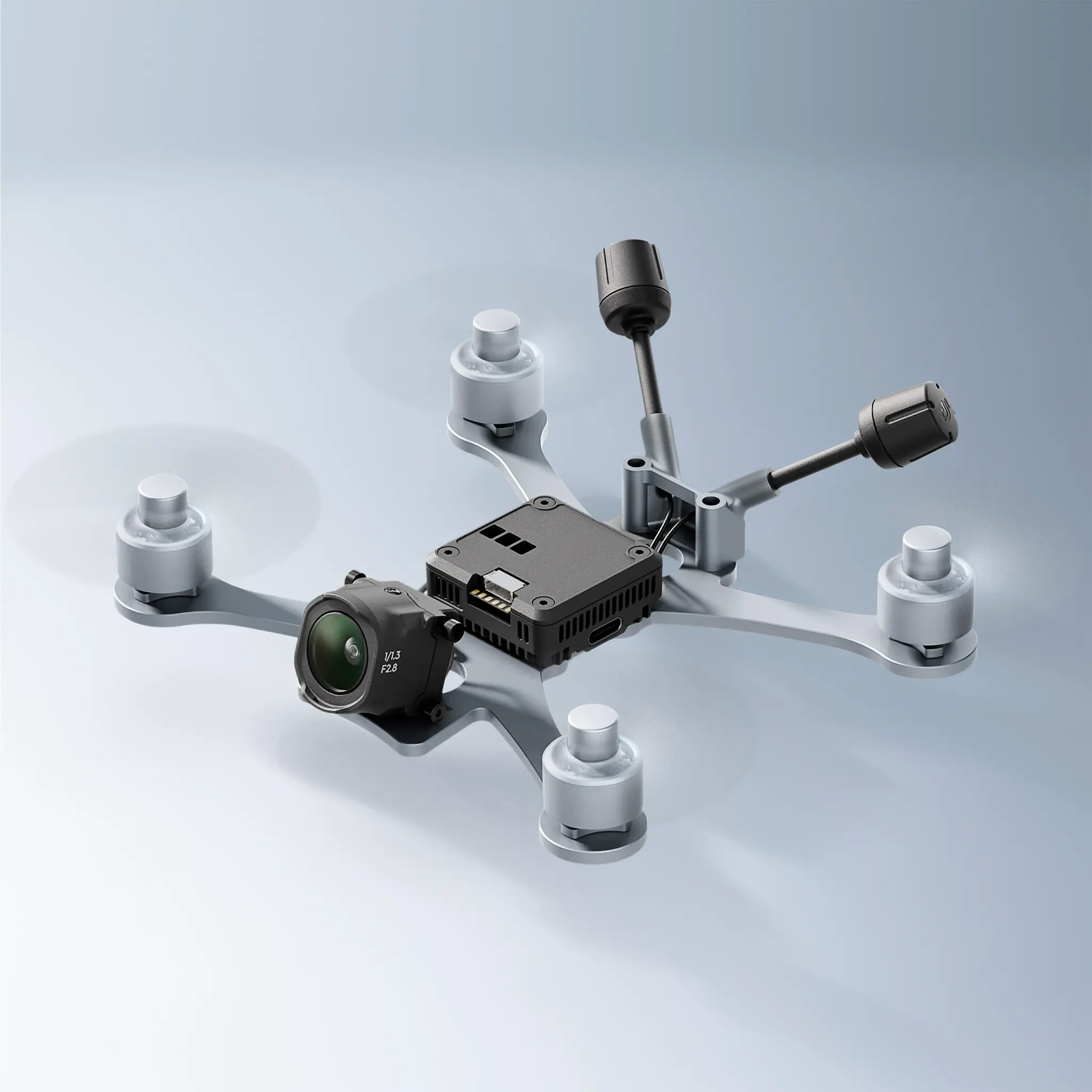
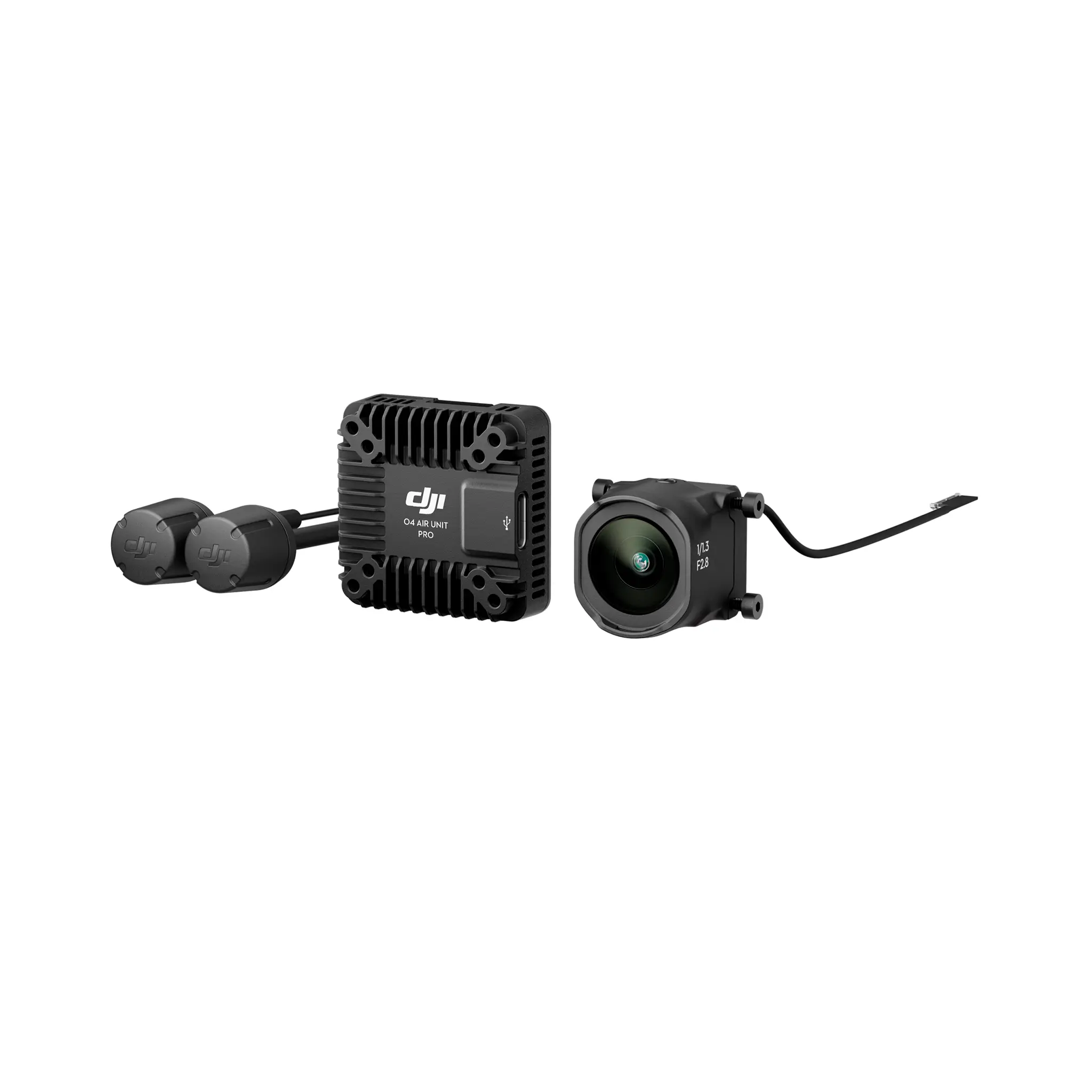
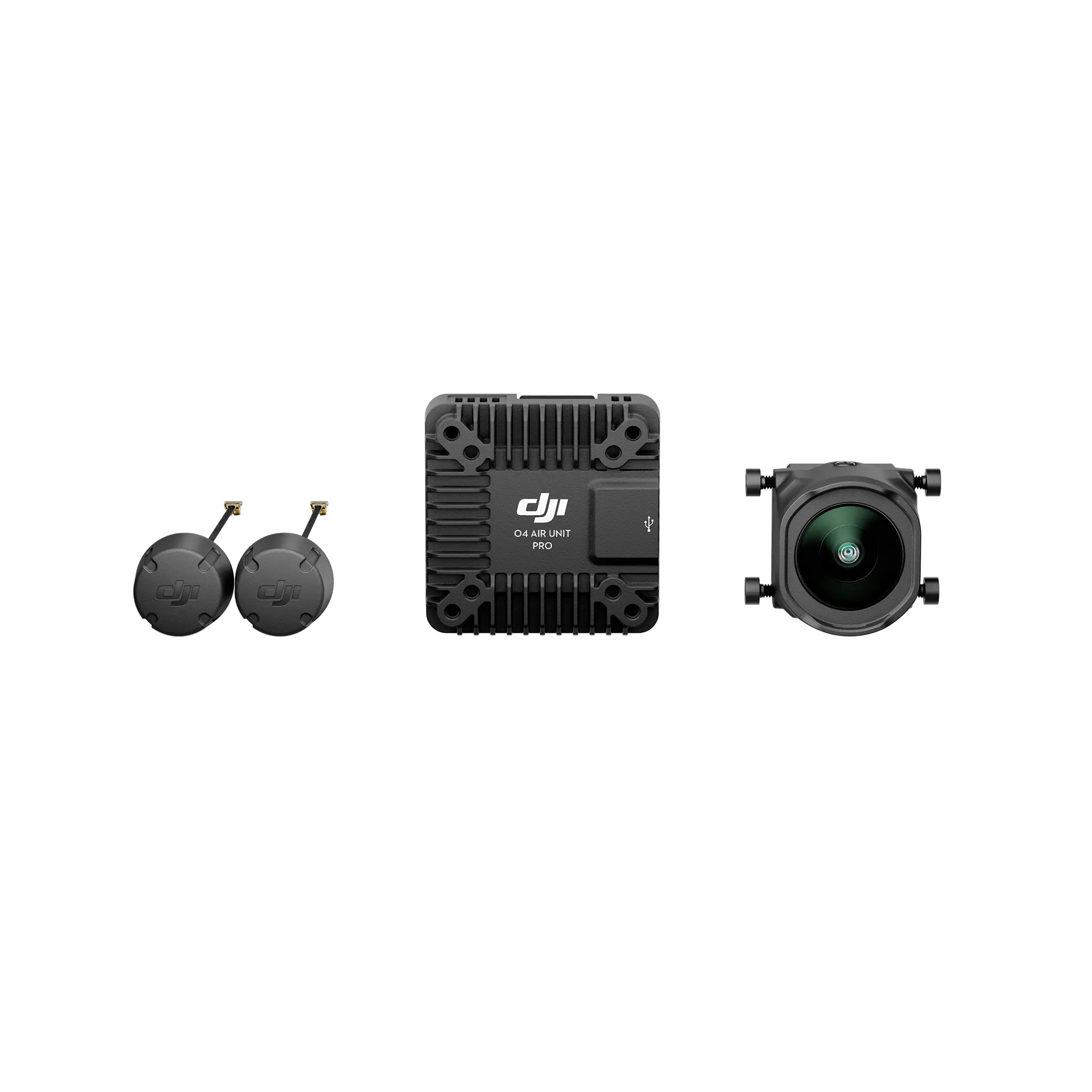
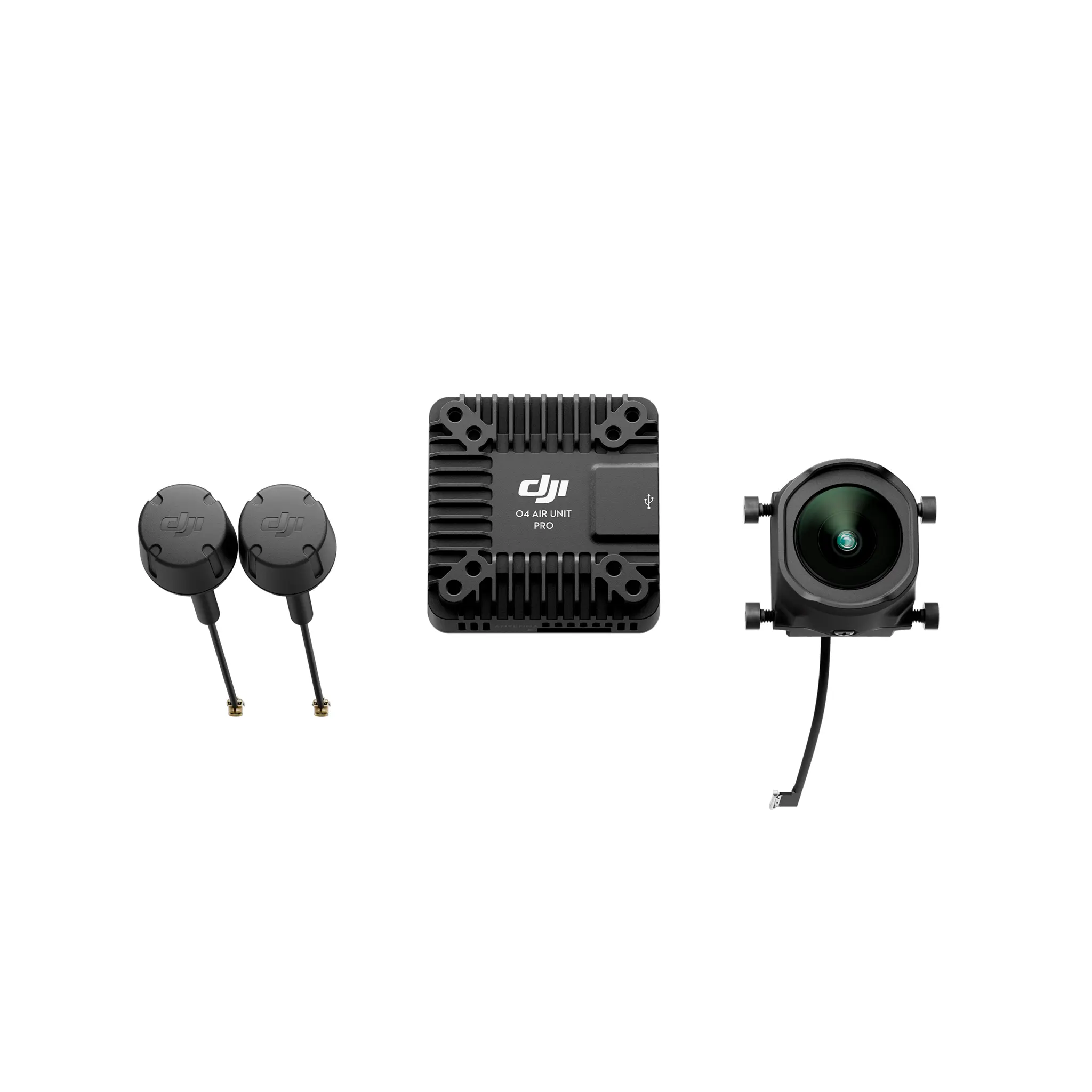
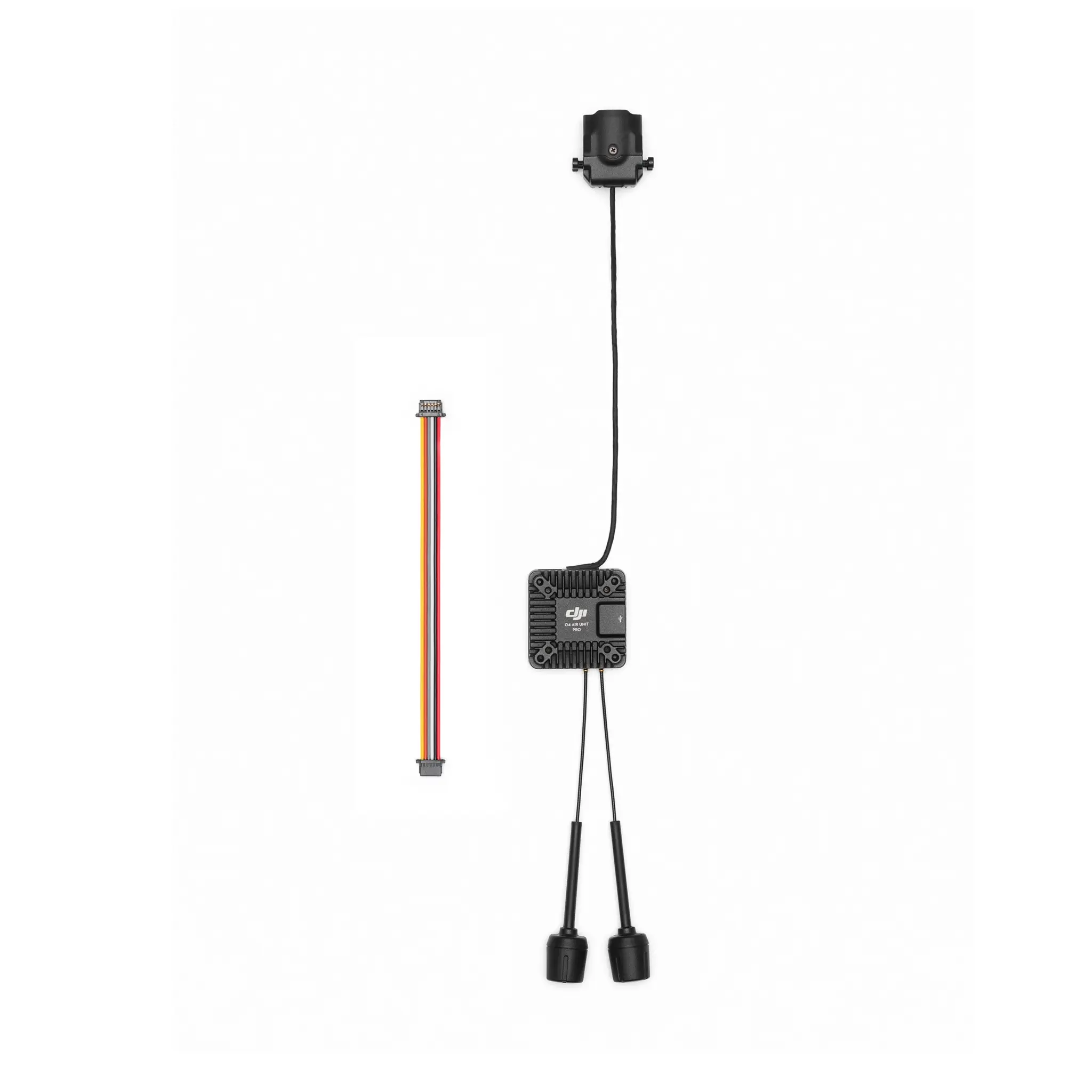
De DJI O4 Air Unit Pro is een high‑end digitale videotransmissie‑en‑opname unit voor FPV‑drones, ontworpen voor piloten die superieure beeldkwaliteit én realtime FPV‑ervaring willen combineren. Hij integreert een geavanceerde camera‑module met ultrabreed gezichtsveld en een krachtige transmissiemodule, en levert vloeiende FPV‑video’s met minimale vertraging.
| Product | DJI O4 Air Unit Pro |
| EAN | 6941565997449 |
| Gewicht Air Unit module (zonder camera) | ±15,6 g |
| Gewicht met camera | ±32 g |
| Gewicht antenne | ±2,1 g per stuk |
| Afmetingen transmissiemodule | 33,5 × 33,5 × 13 mm |
| Afmetingen cameramodule | 25,55 × 20 × 23,30 mm |
| Afmetingen coaxkabel | 140 mm |
| Afmetingen 3‑in‑1 kabel | 100 mm |
| Afmetingen antenne | 110 mm |
| Werkfrequentie | 5,170–5,250 GHz / 5,725–5,850 GHz (afhankelijk van regio) |
| EIRP | 5,1 GHz: < 23 dBm (CE); 5,8 GHz: < 33 dBm (FCC), < 14 dBm (CE), < 30 dBm (SRRC) |
| Laagste Latentie | Goggles 3: ~15 ms; Goggles N3: ~19 ms; Goggles 2/Integra: < 30 ms |
| Max. videotransmissiebereik | 15 km (FCC), 8 km (CE/SRRC) – getest in open buitenomgeving |
| Live View kwaliteit | 1080p @ 30/48/50/60/100 FPS |
| Maximale Bandbreedte | 60 MHz |
| Antenne | 2 antennes, 2T2R |
| Camerasensor | 1/1.3″ CMOS |
| Videoresolutie | Tot 4K @ 120 FPS; 2.7K; 1080p (diverse framerates) |
| Videoformaat | MP4 (H.265) |
| Kleurmodus | Normal, D‑Log M (10‑bit) |
| Stabilisatie | RockSteady 3.0+, Gyroflow ondersteuning |
| Ingangsspanning | 7,4–26,4 V |
| Bedrijfstemperatuur | -10 °C tot 40 °C |
| Interne opslag | 4 GB |
| Ondersteunde SD‑kaarten | Tot 512 GB (aanbevolen: Lexar & Kingston U3 A2 V30 microSDXC) |
| Compatibele Flight Controllers | Betaflight 4.3.0 en hoger |
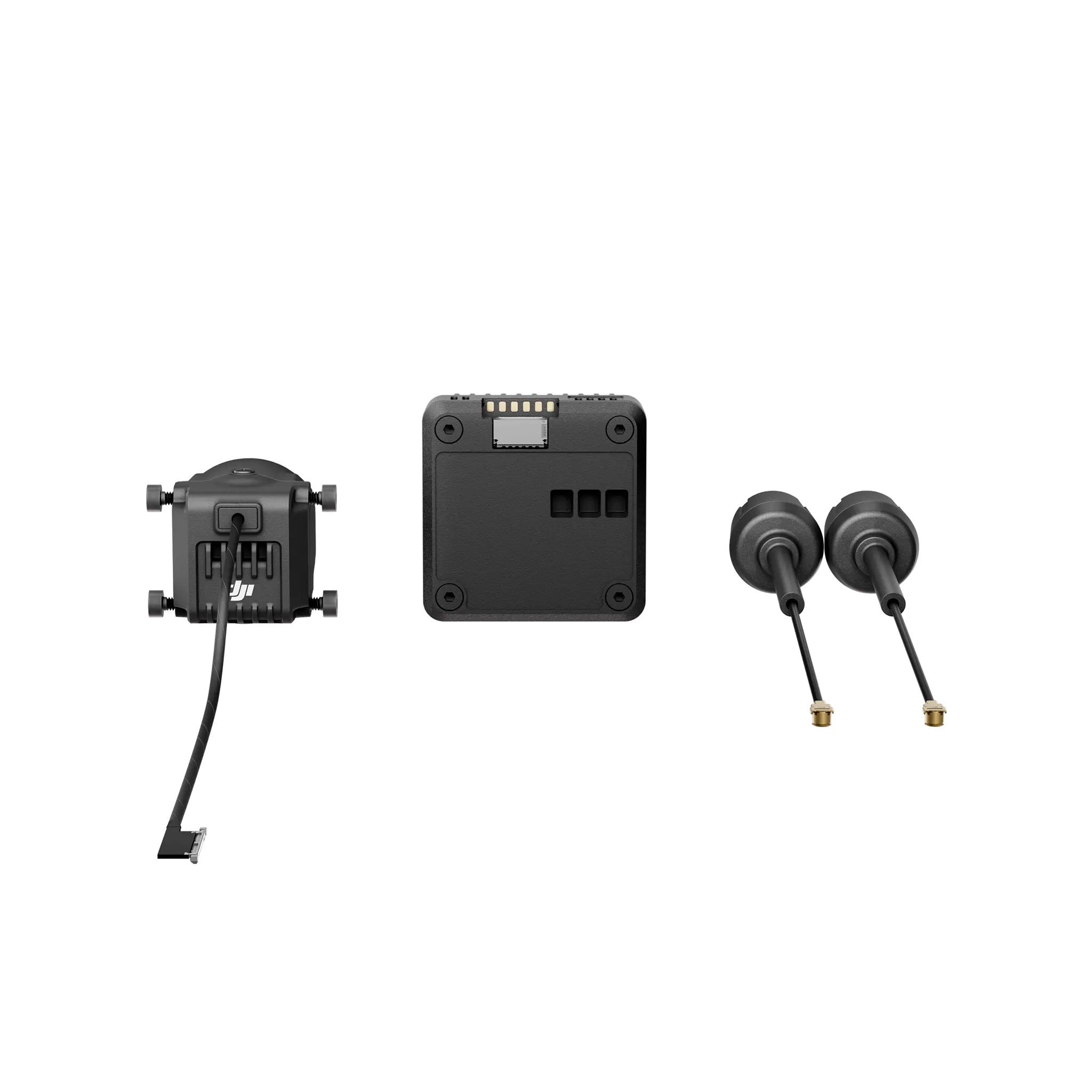
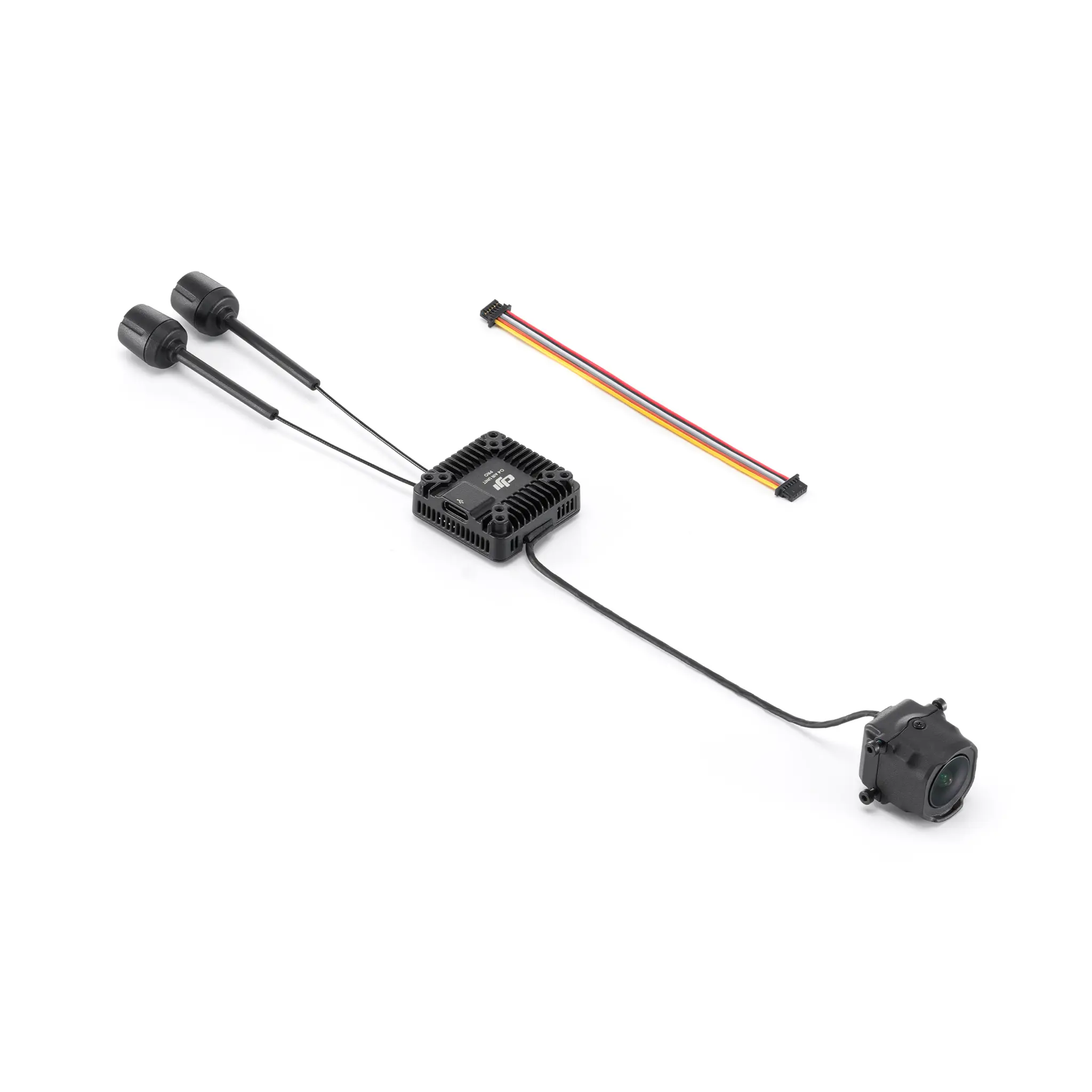
| 1 x DJI O4 Air Unit Pro cameramodule |
| 1 x DJI O4 Air Unit Pro transmissiemodule |
| 2 x DJI O4 Air Unit Pro antennes (2T2R) |
| 1 x DJI O4 Air Unit Pro 3‑in‑1 kabel |
| DJI Goggles 3 / N3 + FPV Remote Controller 3 |
| DJI Goggles 2 / Integra + FPV Remote Controller 2 |

The DJI O4 Air Unit Series includes two products, both equipped with the DJI O4 video transmission system. Compared to the previous generation, these products offer users a new experience with lower latency, longer range, and more ways to play.
The DJI O4 Air Unit is compact and lightweight, with a mounting hole distance of 30 × 30 mm, a height of only 6 mm, and a weight of just 8.2 grams, making it ideal for beginners in the FPV drone community. The DJI O4 Air Unit is perfectly compatible with 2-inch and smaller frames, and it is also suitable for installation on racing frames for practice. It features a 1/2-inch image sensor, capable of shooting up to 4K/60fps video, with a minimum transmission latency of 20 milliseconds and a maximum transmission distance of 10 kilometers. Additionally, it comes with 23GB of built-in storage, making it an excellent choice for difficult aerial acrobatics and beginners, offering excellent bang for the buck.
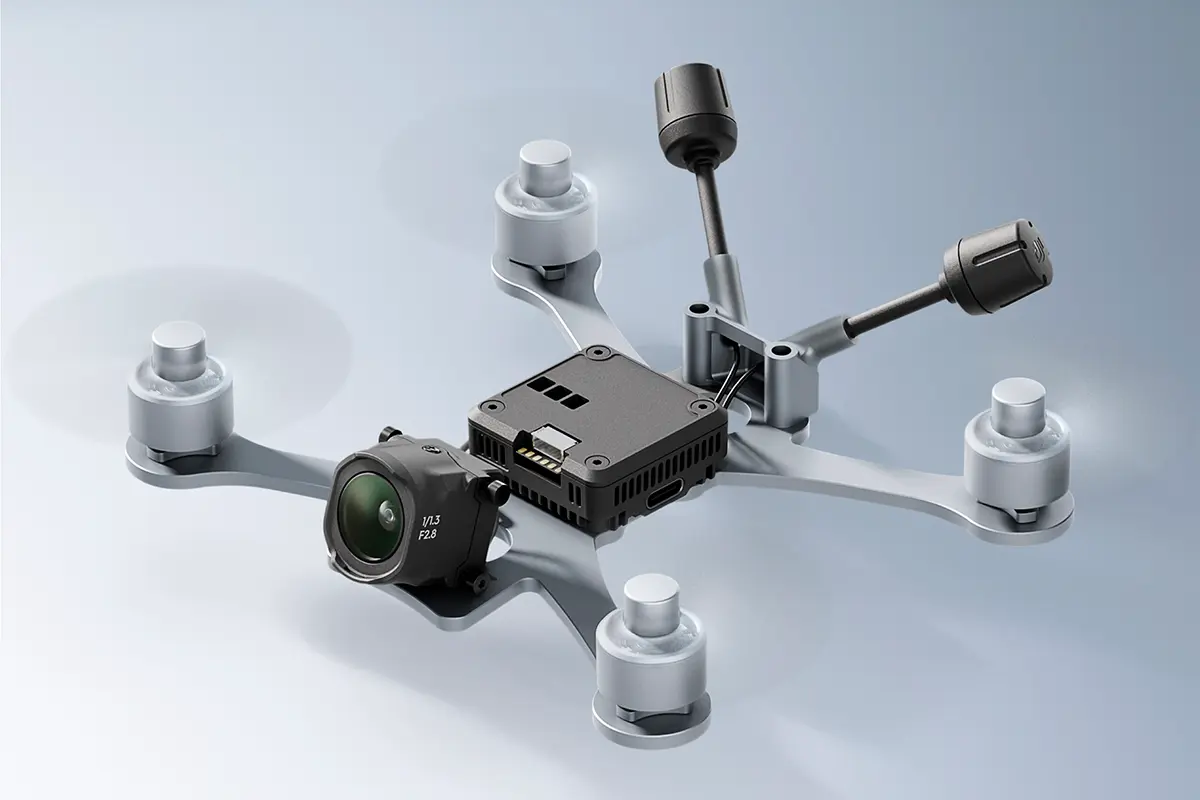
DJI O4 Air Unit Pro is powerful and is the ideal choice for FPV users. It is compatible with frames of 3 inches and above, including professional FPV such as the X8. The DJI O4 Air Unit Pro is equipped with a 1/1.3-inch image sensor, capable of shooting up to 4K/120fps video, and supports 10-bit D-Log M color mode. It is compatible with the same ND filters as the DJI Avata 2, providing ample flexibility for professional shooting and post-production. When the racing mode is activated, the minimum transmission latency can reach 15 milliseconds, and the maximum transmission distance can reach 15 kilometers. Whether flying in a specific area or on a long-distance flight, it provides users with an exceptional flying experience.
* The values of various parameters are measured in a controlled test environment. Please refer to the official website for details.
DJI Goggles 3 / DJI Goggles N3 + DJI FPV Remote Controller 3
DJI Goggles 2 / DJI Goggles Integra + DJI FPV Remote Controller 2
* Third-party flight goggles are not supported.
* Supports third-party remote controllers with other protocols, but an additional receiver is required.
* To use the DJI FPV Remote Controller, the flight control protocol must be set to SBUS.
Yes.
The DJI O4 Air Unit Series has introduced a racing mode feature, which can fix the recording and video transmission specifications at 1080p/100fps, set the channel mode to manual mode, and is compatible with the racing frequency points used in analog video transmission, divided by Race Band. When using with other racing drones that use analog video transmission, it is recommended to keep the goggles at least one meter apart and manually select the distribution frequency and adjust the appropriate video transmission power.
* Enable racing mode, requires DJI Goggles 3 or DJI Goggles N3.
The DJI O4 Air Unit Series and DJI O3 Air Unit only support partial accessory compatibility. Please carefully check the accessory compatibility list before purchasing, or consult DJI Support.
Shared accessories include: 3-in-1 cable*, video transmission antenna (only for DJI O4 Air Unit Pro).
Non-shared accessories include: camera module, image transmission module, ND filter set, camera coaxial cable.
* DJI O4 Air Unit Series and DJI O3 Air Unit transmission wiring sequence are consistent.
The DJI O4 Air Unit Series has significantly improved cooling capabilities compared to the DJI O3 Air Unit.
After enabling the ground low-power mode, the DJI O4 Air Unit can remain on standby for up to 2.5 minutes*, and the DJI O4 Air Unit Pro can remain on standby for up to 20 minutes*.
If you do not need to record videos while on standby on the ground, it is recommended to keep the low power mode on.
If the ambient temperature exceeds 25°C, it is recommended to use external cooling methods to dissipate heat for the Air Unit.
*Data were tested at an ambient temperature of 25℃.
No.
The DJI O4 Air Unit Series supports adjusting flight controller parameters, but the flight controller should support Canvas mode.
No.
No.
The dimensions of the transmission module and camera module of the DJI O4 Air Unit Series are different from those of the DJI O3 Air Unit. Please adjust the frame according to the corresponding dimensions before installation.
Yes. Currently, the replaceable accessories include: DJI O4 Air Unit transmission module, camera module, and antenna.
Please purchase related accessories at DJI Store, and follow the tutorial video for replacement.
I. Installation and Debugging Instructions:
1. The DJI O4 Air Unit Series standby time on the ground (with ground low power mode enabled): 3 minutes (ambient temperature 25℃). O4 Air Unit Pro standby time on the ground (low power mode enabled): Maintain thermal balance (ambient temperature 25℃).
2. When assembling the DJI O4 Air Unit Series, ensure that the image transmission RX is connected to the flight controller TX, and the image transmission TX is connected to the flight controller RX.
3. The DJI O4 Air Unit Series has two sets of temperature control strategies for the standby state and the flight state. It can apply different temperature control strategies according to the current state.
a. In the standby state, the protection system will be activated to automatically shut down the air unit when the temperature threshold is exceeded.
b. If the temperature threshold is exceeded during flight, an over-temperature warning will be displayed, and recording will stop. If the temperature continues to rise, the transmission bitrate will decrease, with a maximum of 50 Mbps.
II. Installation Suggestions:
1. The basic principle is to facilitate heat dissipation.
2. When routing the cables, please do not bend, twist, or bind the camera coaxial cable forcefully. Especially avoid folding the base of the coaxial cable at an angle greater than 90°, to prevent damage to the coaxial cable and issues such as screen flickering.
3. It is recommended to install the air unit in a position close to the propellers (distance between the air unit and the propellers within 10 mm), so that the downwash airflow can be effectively utilized. Try to avoid an installation position far from the propellers.
4. It is recommended to use a heat conductive material to connect the frame and the air unit. This will dissipate heat to the carbon plate and the other non-conductive metal components of the frame. Conducting heat will extend the operating time.
5. Do not install the air unit in an enclosed area.
6. After the air unit is powered on, its metal shell will become hot. Therefore, the air unit should not be installed in a position easily accessible or held by hand.
7. Please do not forcefully tighten the screws on the drone body to avoid stripping the threads.
Mechanical vibration at certain frequencies may result in abnormal EIS performance of DJI O4 Air Unit Series . The principles are as follows:
I. IMU Resonance
The usual ESC PWM control frequency is 24 kHz by default, and the camera IMU frequency is approximately 24-30 kHz. If there is no effective vibration absorbing measure, the motor vibration may be transmitted to the camera IMU, causing resonance because the frequencies coincide. The resonance will affect the IMU data accuracy and EIS performance of the video stabilization application.* As a result, the processed video image shakes, but the live view image is not affected. Usually, frames with TPU or vibration absorbing rubber are not prone to IMU resonance.
* Video stabilization application refers to either the DJI O4 Air Unit Series EIS function or third-party video stabilization software. II. Propeller Vibration
If the rolling shutter effect appears in both the live view and the video image, it is usually because the propeller vibration (frequency is approximately a few hundred Hz) is transmitted to the camera through the aircraft frame.
Follow the steps below to troubleshoot and fix the image stabilization issue:
Rule out the IMU resonance issue.
1. Remove the propellers from the aircraft. Make sure that the camera is securely mounted and the aircraft is placed in a stationary position on the ground. Then, enable RockSteady and start recording.
2. Start the motors and slowly push the throttle to the full throttle position. Observe the live view in the goggles. If the live view is not shaking, stop the motors and stop recording. Otherwise, check the camera and make sure that it is securely mounted.
3. Export the recorded video and check it. If the video image shakes, the issue is most likely caused by the resonance between the frame and the camera IMU.
In this case, refer to the following solutions:
a. Change the ESC PWM control frequency to 48 kHz or 96 kHz and test again.
b. If the video image shakes after solution a is adopted, apply a softer vibration absorbing structure between the camera and the aircraft frame. Repeat the above testing procedures until the video image does not shake.
After ruling out the IMU resonance issue, check if the video image has the rolling shutter effect caused by propeller vibration.
1. Install the propellers back and make sure that the propellers are not damaged. Fly the aircraft and start recording with RockSteady enabled.
2. Check the video image after the flight. If the video image does not have a rolling effect, the debugging is completed.
3. If the video image has a rolling shutter effect, try the following solutions:
a. Adjust the vibration absorbing structure between the camera and the aircraft frame again.
b. Adjust the tightness of the screws that fasten the camera to the aircraft frame.
If the issue still exists after all of the above methods are completed, contact DJI Support.
* Due to the significant weight difference between the DJI O4 Air Unit and the DJI O4 Air Unit Pro, the DJI O4 Air Unit requires a softer vibration damping structure compared to the DJI O4 Air Unit Pro to achieve the same effect.
The DJI O4 Air Unit Series supports Betaflight 4.3.0 and INAV 8.0.1, along with their respective later versions.
It must be powered by the flight controller or battery to activate the transmission module.
Please ensure the video transmission channel is set correctly and check if the video transmission OSD is turned on.
De DJI O4 Air Unit Series omvat twee producten, beide uitgerust met het DJI O4 video transmissiesysteem. Vergeleken met de vorige generatie bieden deze producten gebruikers een nieuwe ervaring met lagere latentie, een groter bereik en meer manieren om te spelen.
De DJI O4 Air Unit is compact en lichtgewicht, met een montagegatafstand van 30 × 30 mm, een hoogte van slechts 6 mm en een gewicht van slechts 8,2 gram, waardoor het ideaal is voor beginners in de FPV drone gemeenschap. De DJI O4 Air Unit is perfect compatibel met frames van 2 inch en kleiner, en is ook geschikt voor installatie op raceframes voor oefendoeleinden. Het heeft een 1/2-inch beeldsensor, in staat om tot 4K/60fps video op te nemen, met een minimale transmissielatentie van 20 milliseconden en een maximale transmissiedistance van 10 kilometer. Daarnaast heeft het 23GB ingebouwde opslag, wat het een uitstekende keuze maakt voor moeilijke luchtacrobatiek en beginners, met een uitstekende prijs-kwaliteitverhouding.
De DJI O4 Air Unit Pro is krachtig en de ideale keuze voor FPV-gebruikers. Het is compatibel met frames van 3 inch en groter, inclusief professionele FPV zoals de X8. De DJI O4 Air Unit Pro is uitgerust met een 1/1.3-inch beeldsensor, in staat om tot 4K/120fps video op te nemen, en ondersteunt de 10-bit D-Log M kleurmodus. Het is compatibel met dezelfde ND-filters als de DJI Avata 2, wat voldoende flexibiliteit biedt voor professionele opnamen en post-productie. Wanneer de race-modus is geactiveerd, kan de minimale transmissielatentie 15 milliseconden bereiken en de maximale transmissiedistance tot 15 kilometer. Of je nu in een specifiek gebied vliegt of een langeafstandsvlucht maakt, het biedt gebruikers een uitzonderlijke vliegervaring.
* De waarden van verschillende parameters zijn gemeten in een gecontroleerde testomgeving. Raadpleeg de officiële website voor meer details.
DJI Goggles 3 / DJI Goggles N3 + DJI FPV Remote Controller 3
DJI Goggles 2 / DJI Goggles Integra + DJI FPV Remote Controller 2
* Derde partij vlieg-brillen worden niet ondersteund.
* Ondersteunt derde partij afstandsbedieningen met andere protocollen, maar een extra ontvanger is vereist.
* Om de DJI FPV Remote Controller te gebruiken, moet het vluchtcommandoprotocool zijn ingesteld op SBUS.
Ja.
De DJI O4 Air Unit Series heeft een racemodus functie geïntroduceerd, waarmee de opname- en videotransmissiespecificaties kunnen worden vastgezet op 1080p/100fps, de kanaalmodus op handmatige modus kan worden ingesteld, en is compatibel met de racefrequentiepunten die worden gebruikt in analoge video-overdracht, verdeeld door Race Band. Bij gebruik met andere racedrones die analoge video-overdracht gebruiken, wordt aangeraden om de goggles ten minste een meter uit elkaar te houden en de distributiefrequentie handmatig te selecteren en het juiste videotransmissievermogen aan te passen.
* Race-modus inschakelen, vereist DJI Goggles 3 of DJI Goggles N3.
De DJI O4 Air Unit Series en DJI O3 Air Unit ondersteunen slechts gedeeltelijke accessoirescompatibiliteit. Controleer zorgvuldig de accessoirescompatibiliteitslijst voordat je koopt, of neem contact op met DJI Support.
Gedeelde accessoires zijn onder andere: 3-in-1 kabel*, video transmissie antenne (alleen voor DJI O4 Air Unit Pro).
Niet-gedeelde accessoires zijn onder andere: camera-module, beeldtransmissiemodule, ND-filterset, camera coaxiale kabel.
* De transmissiekabel volgorde van de DJI O4 Air Unit Series en DJI O3 Air Unit is consistent.
De DJI O4 Air Unit Series heeft aanzienlijk verbeterde koelcapaciteiten in vergelijking met de DJI O3 Air Unit.
Na het inschakelen van de laag-verbruikmodus kan de DJI O4 Air Unit tot 2,5 minuten* in stand-by blijven, en de DJI O4 Air Unit Pro kan tot 20 minuten* in stand-by blijven.
Als je geen video’s hoeft op te nemen terwijl je in de stand-by modus op de grond bent, wordt aangeraden om de laag-verbruikmodus ingeschakeld te houden.
Als de omgevingstemperatuur meer dan 25°C bedraagt, wordt aangeraden om externe koelmethode te gebruiken om warmte voor de Air Unit af te voeren.
* Gegevens zijn getest bij een omgevingstemperatuur van 25℃.
Nee.
De DJI O4 Air Unit Series ondersteunt het aanpassen van vluchtcontrollerparameters, maar de vluchtcontroller moet Canvas-modus ondersteunen.
Nee.
Nee.
De afmetingen van de transmissiemodule en cameramodule van de DJI O4 Air Unit Series zijn verschillend van die van de DJI O3 Air Unit. Pas het frame aan volgens de bijbehorende afmetingen voordat je gaat installeren.
Ja. Momenteel omvatten de vervangbare accessoires: DJI O4 Air Unit transmissiemodule, cameramodule en antenne.
Koop gerelateerde accessoires bij de DJI Store en volg de instructievideo voor vervanging.
I. Installatie- en debuginstructies:
1. De standby tijd van de DJI O4 Air Unit Series op de grond (met ingeschakelde laag-verbruikmodus): 3 minuten (omgevingstemperatuur 25℃). Standby tijd van O4 Air Unit Pro op de grond (laag-verbruikmodus ingeschakeld): Houd thermische balans aan (omgevingstemperatuur 25℃).
2. Bij het monteren van de DJI O4 Air Unit Series, zorg ervoor dat de beeldtransmissie RX is verbonden met de vluchtcontroller TX, en de beeldtransmissie TX is verbonden met de vluchtcontroller RX.
3. De DJI O4 Air Unit Series heeft twee sets temperatuurcontrolestrategieën voor de standby- en vliegtoestand. Het kan verschillende temperatuurcontrolestrategieën toepassen afhankelijk van de huidige staat.
a. In de standby-toestand wordt het beschermingssysteem geactiveerd om de air unit automatisch uit te schakelen wanneer de temperatuurdrempel wordt overschreden.
b. Als de temperatuurdrempel tijdens de vlucht wordt overschreden, wordt een over-temperatuur waarschuwing weergegeven en stopt de opname. Als de temperatuur blijft stijgen, zal de transmissiesnelheid dalen, met een maximum van 50 Mbps.
II. Installatiesuggesties:
1. Het basisprincipe is om warmteafvoer te vergemakkelijken.
2. Bij het aanleggen van de kabels, buig, draai of bind de camera coaxiale kabel niet geforceerd. Vermijd vooral het vouwen van de basis van de coaxiale kabel onder een hoek van meer dan 90°, om schade aan de coaxiale kabel en problemen zoals flikkerende schermen te voorkomen.
3. Het wordt aanbevolen om de air unit in een positie dicht bij de propellers te installeren (afstand tussen de air unit en de propellers binnen 10 mm), zodat de neerwaartse luchtstroom effectief kan worden benut. Probeer een installatiepositie ver weg van de propellers te vermijden.
4. Het wordt aanbevolen om een thermisch geleidende materie te gebruiken om het frame en de air unit met elkaar te verbonden. Dit zal warmte naar de carbonplaat en andere niet-geleidende metalen componenten van het frame afvoeren. Warmtegeleiding zal de bedrijfstijd verlengen.
5. Installeer de air unit niet in een afgesloten ruimte.
6. Na inschakelen, zal de metalen behuizing van de air unit warm worden. Daarom mag de air unit niet op een positie worden geïnstalleerd die gemakkelijk toegankelijk of met de hand vast te houden is.
7. Draai de schroeven op de drone niet te strak aan om te voorkomen dat de schroefdraad versleten raakt.
Mechanische vibratie op bepaalde frequenties kan resulteren in abnormale EIS-prestaties van de DJI O4 Air Unit Series. De principes zijn als volgt:
I. IMU Resonantie
De gebruikelijke ESC PWM controlefrequentie is standaard 24 kHz, en de camera IMU frequentie is ongeveer 24-30 kHz. Als er geen effectieve trillingsabsorberende maatregel is, kan de motorvibratie naar de camera IMU worden overgebracht, wat resonantie veroorzaakt omdat de frequenties samenvallen. De resonantie beïnvloedt de nauwkeurigheid van de IMU-gegevens en de EIS-prestaties van de video stabilisatietoepassing.* Als gevolg hiervan trilt het verwerkte video-beeld, maar de live-weergave wordt niet beïnvloed. Gewoonlijk zijn frames met TPU of trillingsabsorberende rubber niet gevoelig voor IMU-resonantie.
* De video-stabilisatie applicatie verwijst zowel naar de DJI O4 Air Unit Series EIS-functie of derdepartij video-stabilisatiesoftware. II. Propeller Vibratie
Als het rolling shutter-effect verschijnt in zowel de live-weergave als het video-beeld, is dit meestal omdat de propeller-vibratie (frequentie is ongeveer een paar honderd Hz) naar de camera wordt overgebracht via het vliegtuigframe.
Volg de onderstaande stappen om het probleem met beeldstabilisatie op te lossen:
Sluit probleem IMU-resonantie uit.
1. Verwijder de propellers van het vliegtuig. Zorg ervoor dat de camera stevig is gemonteerd en het vliegtuig in een stilstaande positie op de grond is geplaatst. Schakel vervolgens RockSteady in en begin met opnemen.
2. Start de motoren en druk langzaam het gas naar het maximale gasniveau. Observeer de live-weergave in de goggles. Als de live-weergave niet trilt, stop de motoren en stop met opnemen. Anders, controleer de camera en zorg ervoor dat deze stevig is gemonteerd.
3. Exporteer de opgenomen video en controleer deze. Als het video-beeld trilt, is het probleem hoogstwaarschijnlijk veroorzaakt door de resonantie tussen het frame en de camera IMU.
In dit geval, raadpleeg de volgende oplossingen:
a. Wijzig de ESC PWM controlefrequentie naar 48 kHz of 96 kHz en test opnieuw.
b. Als het video-beeld trilt na oplossing a, pas een zachtere trillingsabsorberende structuur toe tussen de camera en het vliegtuigframe. Herhaal de bovenstaande testprocedures totdat het video-beeld niet meer trilt.
Na uitsluiting van het IMU-resonantieprobleem, controleer of het video-beeld het rolling shutter-effect vertoont veroorzaakt door propeller-vibratie.
1. Plaats de propellers terug en zorg ervoor dat de propellers niet beschadigd zijn. Vlieg het vliegtuig en begin met opnemen met RockSteady ingeschakeld.
2. Controleer het video-beeld na de vlucht. Als het video-beeld geen rollend effect heeft, is de debugging voltooid.
3. Als het video-beeld een rolling shutter-effect heeft, probeer dan de volgende oplossingen:
a. Pas de trillingsabsorberende structuur tussen de camera en het vliegtuigframe opnieuw aan.
b. Pas de strakheid aan van de schroeven die de camera aan het vliegtuigframe bevestigen.
Als het probleem nog steeds bestaat na al deze bovenstaande methoden, neem dan contact op met DJI Support.
* Vanwege het significante gewichtsverschil tussen de DJI O4 Air Unit en de DJI O4 Air Unit Pro, vereist de DJI O4 Air Unit een zachtere trillingsdempende structuur vergeleken met de DJI O4 Air Unit Pro om hetzelfde effect te bereiken.
De DJI O4 Air Unit Series ondersteunt Betaflight 4.3.0 en INAV 8.0.1, samen met hun respectieve latere versies.
Het moet worden van stroom voorzien door de vluchtcontroller of batterij om de transmissiemodule te activeren.
Zorg ervoor dat het videotransmissiekanaal correct is ingesteld en controleer of de video transmissie OSD is ingeschakeld.
| Product | DJI O4 Air Unit Pro |
| EAN | 6941565997449 |
| Gewicht Air Unit module (zonder camera) | ±15,6 g |
| Gewicht met camera | ±32 g |
| Gewicht antenne | ±2,1 g per stuk |
| Afmetingen transmissiemodule | 33,5 × 33,5 × 13 mm |
| Afmetingen cameramodule | 25,55 × 20 × 23,30 mm |
| Afmetingen coaxkabel | 140 mm |
| Afmetingen 3‑in‑1 kabel | 100 mm |
| Afmetingen antenne | 110 mm |
| Werkfrequentie | 5,170–5,250 GHz / 5,725–5,850 GHz (afhankelijk van regio) |
| EIRP | 5,1 GHz: < 23 dBm (CE); 5,8 GHz: < 33 dBm (FCC), < 14 dBm (CE), < 30 dBm (SRRC) |
| Laagste Latentie | Goggles 3: ~15 ms; Goggles N3: ~19 ms; Goggles 2/Integra: < 30 ms |
| Max. videotransmissiebereik | 15 km (FCC), 8 km (CE/SRRC) – getest in open buitenomgeving |
| Live View kwaliteit | 1080p @ 30/48/50/60/100 FPS |
| Maximale Bandbreedte | 60 MHz |
| Antenne | 2 antennes, 2T2R |
| Camerasensor | 1/1.3″ CMOS |
| Videoresolutie | Tot 4K @ 120 FPS; 2.7K; 1080p (diverse framerates) |
| Videoformaat | MP4 (H.265) |
| Kleurmodus | Normal, D‑Log M (10‑bit) |
| Stabilisatie | RockSteady 3.0+, Gyroflow ondersteuning |
| Ingangsspanning | 7,4–26,4 V |
| Bedrijfstemperatuur | -10 °C tot 40 °C |
| Interne opslag | 4 GB |
| Ondersteunde SD‑kaarten | Tot 512 GB (aanbevolen: Lexar & Kingston U3 A2 V30 microSDXC) |
| Compatibele Flight Controllers | Betaflight 4.3.0 en hoger |
| 1 x DJI O4 Air Unit Pro cameramodule |
| 1 x DJI O4 Air Unit Pro transmissiemodule |
| 2 x DJI O4 Air Unit Pro antennes (2T2R) |
| 1 x DJI O4 Air Unit Pro 3‑in‑1 kabel |
De DJI O4 Air Unit Pro is een high‑end digitale videotransmissie‑en‑opname unit voor FPV‑drones, ontworpen voor piloten die superieure beeldkwaliteit én realtime FPV‑ervaring willen combineren. Hij integreert een geavanceerde camera‑module met ultrabreed gezichtsveld en een krachtige transmissiemodule, en levert vloeiende FPV‑video’s met minimale vertraging.
| DJI Goggles 3 / N3 + FPV Remote Controller 3 |
| DJI Goggles 2 / Integra + FPV Remote Controller 2 |
Er zijn geen producten gevonden voor deze zoekopdracht.


| Cookie | Looptijd | Omschrijving |
|---|---|---|
| __cf_bm | 30 minutes | Cloudflare set the cookie to support Cloudflare Bot Management. |
| _sn_n | 1 year | SleekNote sets this cookie to ensure that the user only gets the Sleeknote popup on the first visit. |
| wp-wpml_current_language | session | WordPress multilingual plugin sets this cookie to store the current language/language settings. |
| Cookie | Looptijd | Omschrijving |
|---|---|---|
| __kla_id | 1 year 1 month 4 days | Klaviyo sets this cookie to collect information on the visitor’s behavior. This information is used for internal analytics and to optimise the website. It also registers if the visitor has subscribed to a news letter. |
| _drip_client_* | 1 year 1 month 4 days | Drip sets this cookie to track user behaviour on a website and to collect information about the user's preferences and interests. |
| _ga | 1 year 1 month 4 days | Google Analytics sets this cookie to calculate visitor, session and campaign data and track site usage for the site's analytics report. The cookie stores information anonymously and assigns a randomly generated number to recognise unique visitors. |
| _ga_* | 1 year 1 month 4 days | Google Analytics sets this cookie to store and count page views. |
| _gat | 1 minute | Google Universal Analytics sets this cookie to restrain request rate and thus limit data collection on high-traffic sites. |
| _gat_UA-* | 1 minute | Google Analytics sets this cookie for user behaviour tracking. |
| _gcl_au | 3 months | Google Tag Manager sets the cookie to experiment advertisement efficiency of websites using their services. |
| _gid | 1 day | Google Analytics sets this cookie to store information on how visitors use a website while also creating an analytics report of the website's performance. Some of the collected data includes the number of visitors, their source, and the pages they visit anonymously. |
| _sn_a | 1 year | SleekNote sets this cookie to measure visitor analytics. in order to identify the visitor across sessions, a visitor ID is set. |
| CONSENT | 2 years | YouTube sets this cookie via embedded YouTube videos and registers anonymous statistical data. |
| SNS | session | This is an analytic cookie used to collect information like how the website is being used and to check how effective the marketing campaigns are. |