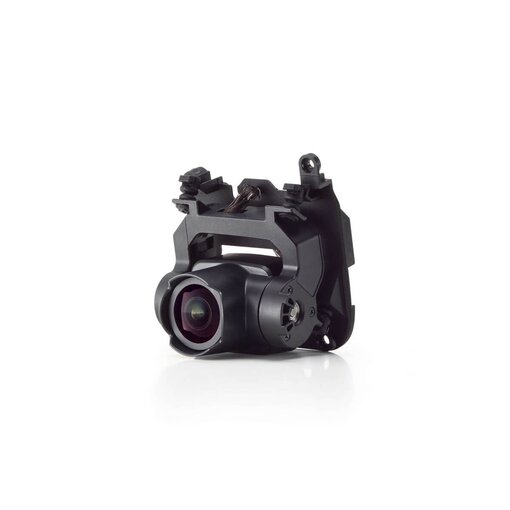
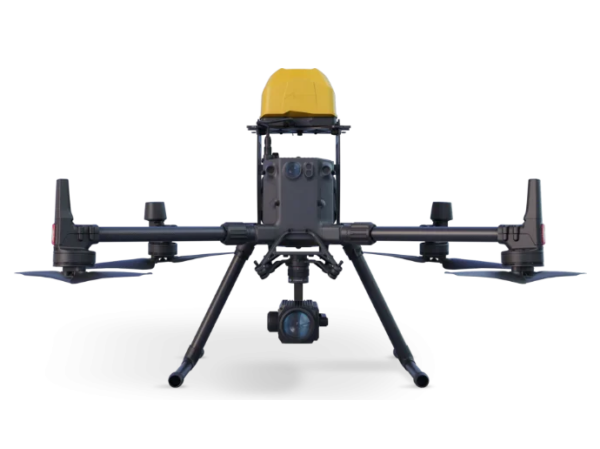


Home > Shop > DJI Matrice 4 > DJI Matrice 4E
€4.599,00€3.800,83
Excl. btw
Incl. btw
Available to Order
✔ Klantbeoordeling: 9,6 / 10
✔ Gratis verzending bij bestellingen boven €99
✔ Standaard EU-garantie inbegrepen
✔ Veilige betalingen met SSL-versleuteling
✔ Persoonlijke klantenservice
✔ Snelle & betrouwbare levering
✔ Meerdere betaalmethoden beschikbaar
✔ ISO 9001 gecertificeerd




✔ Klantbeoordeling: 9,6 / 10
✔ Gratis verzending bij bestellingen boven €99
✔ Standaard EU-garantie inbegrepen
✔ Veilige betalingen met SSL-versleuteling
✔ Persoonlijke klantenservice
✔ Snelle & betrouwbare levering
✔ Meerdere betaalmethoden beschikbaar
✔ ISO 9001 gecertificeerd
✔ Klantbeoordeling: 9,6 / 10
✔ Gratis verzending bij bestellingen boven €99
✔ Standaard EU-garantie inbegrepen
✔ Veilige betalingen met SSL-versleuteling
✔ Persoonlijke klantenservice
✔ Snelle & betrouwbare levering
✔ Meerdere betaalmethoden beschikbaar
✔ ISO 9001 gecertificeerd
€4.599,00€3.800,83
Excl. BTW
Incl. BTW
Available to Order
✔ Klantbeoordeling: 9,6 / 10
✔ Gratis verzending bij bestellingen boven €99
✔ Standaard EU-garantie inbegrepen
✔ Veilige betalingen met SSL-versleuteling
✔ Persoonlijke klantenservice
✔ Snelle & betrouwbare levering
✔ Meerdere betaalmethoden beschikbaar
✔ ISO 9001 gecertificeerd

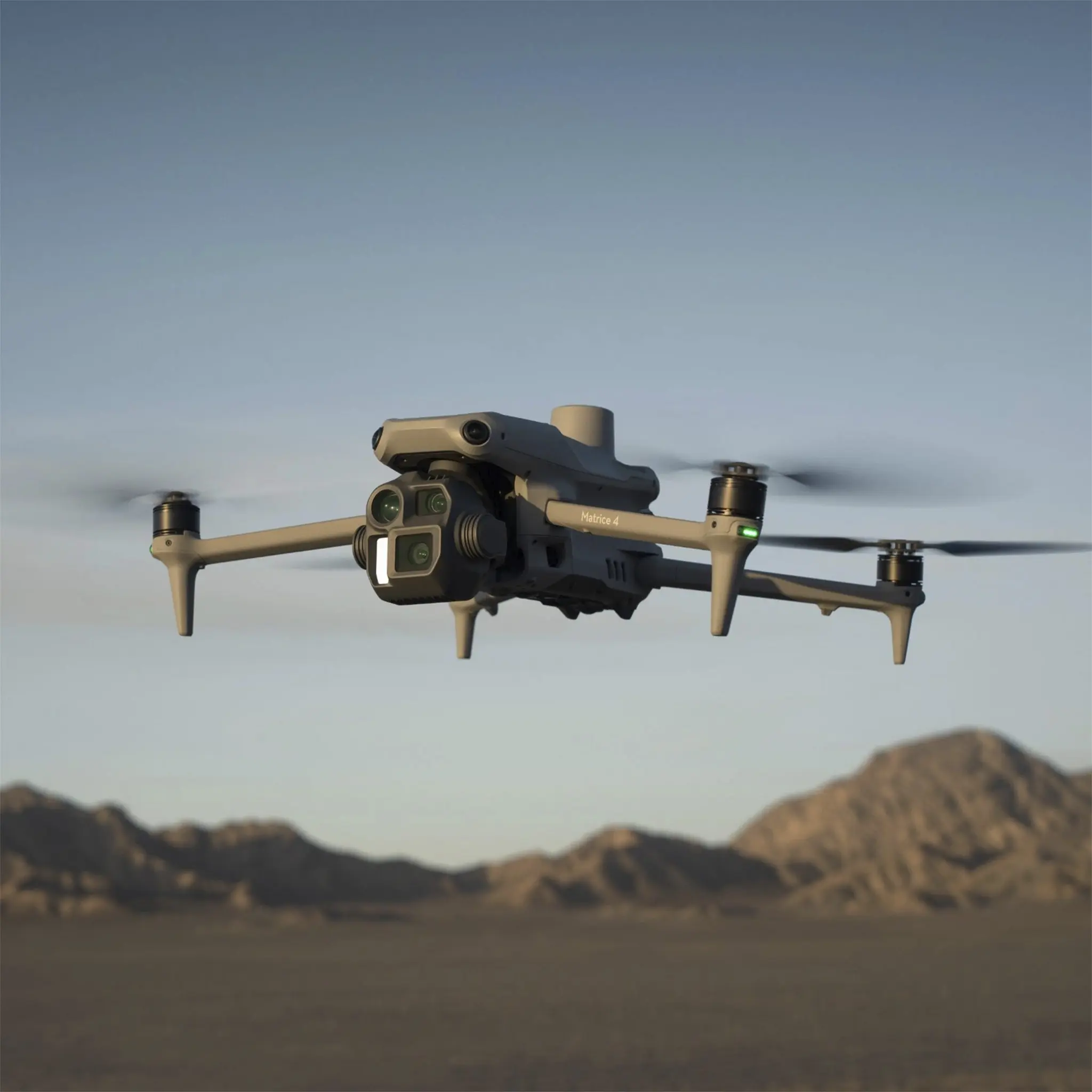
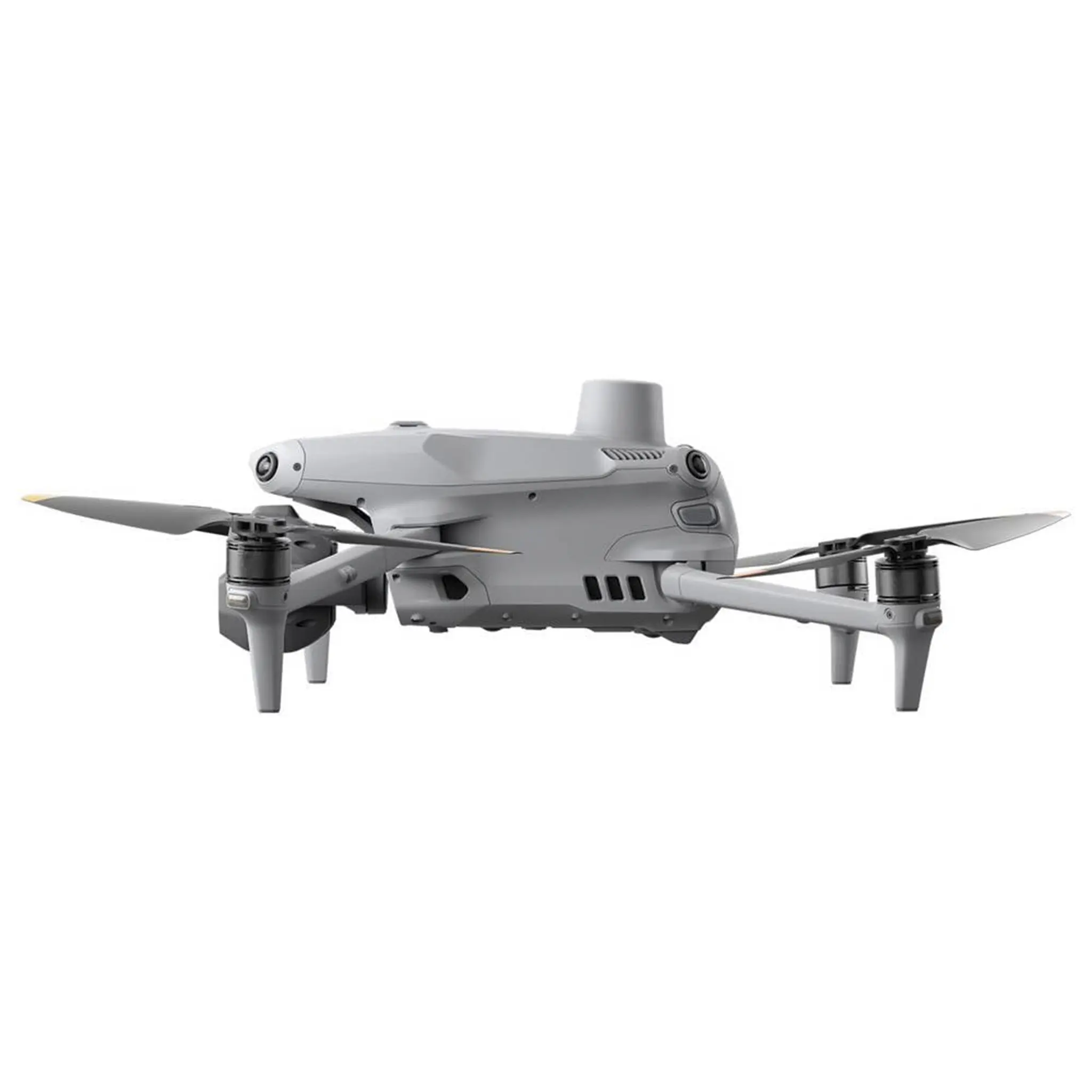
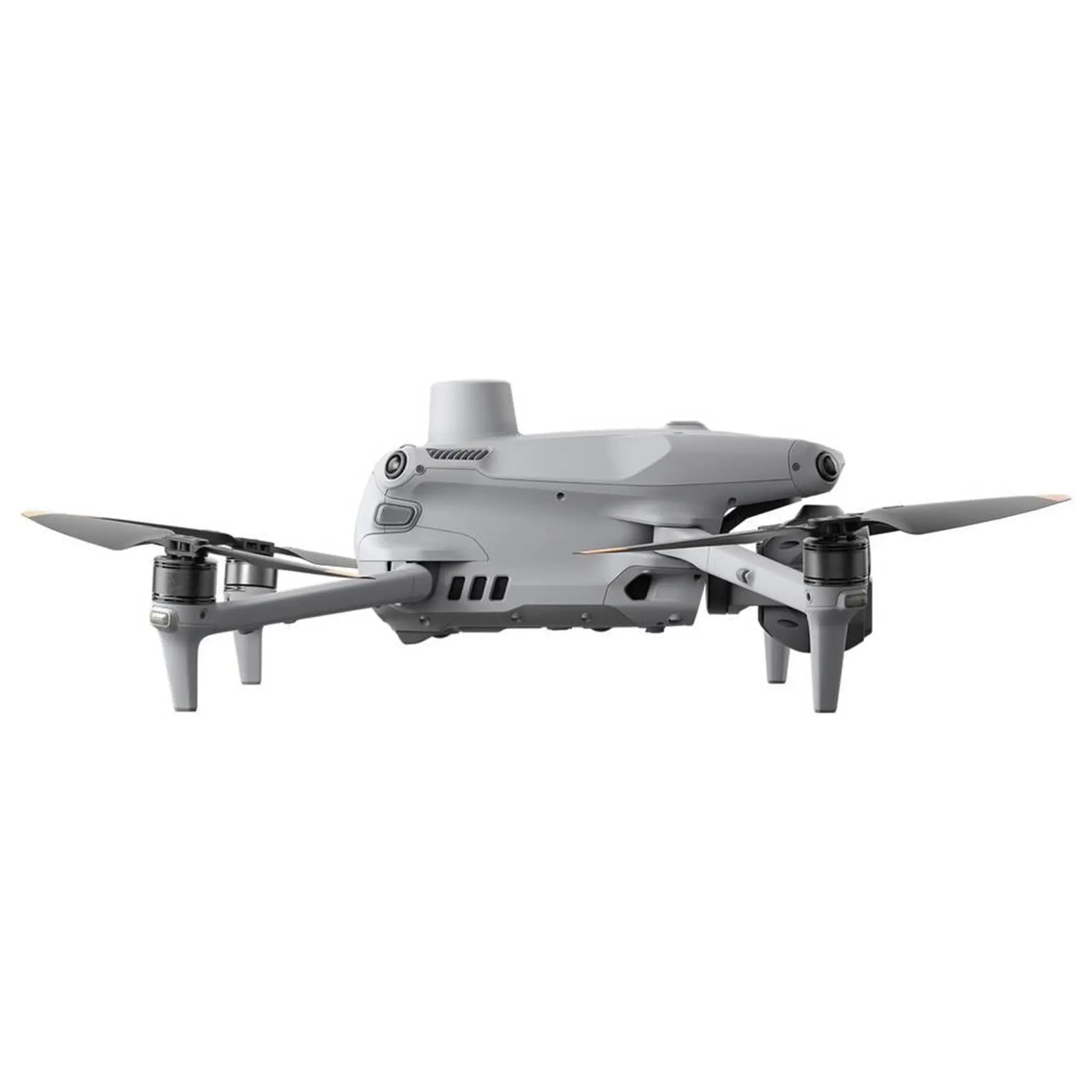
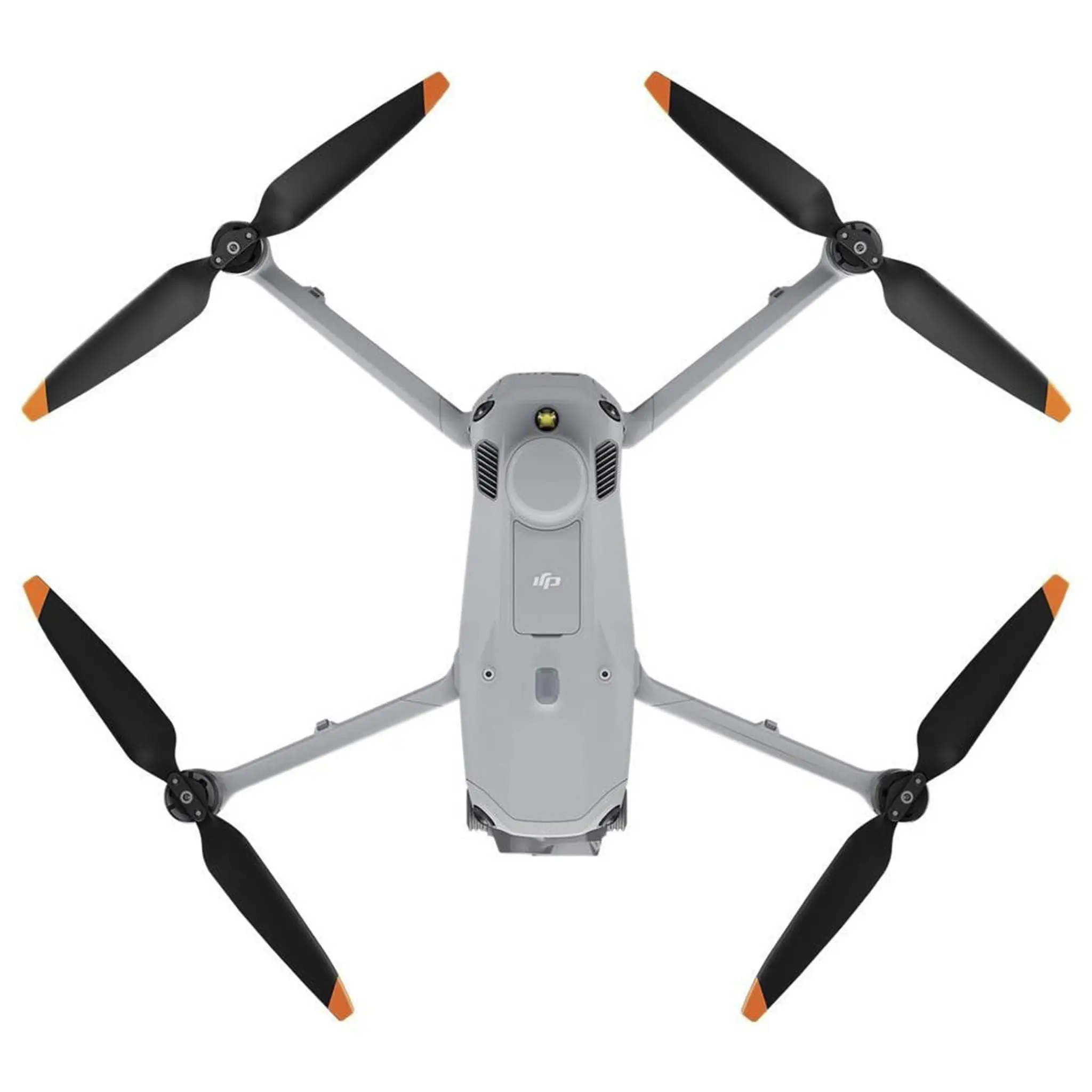
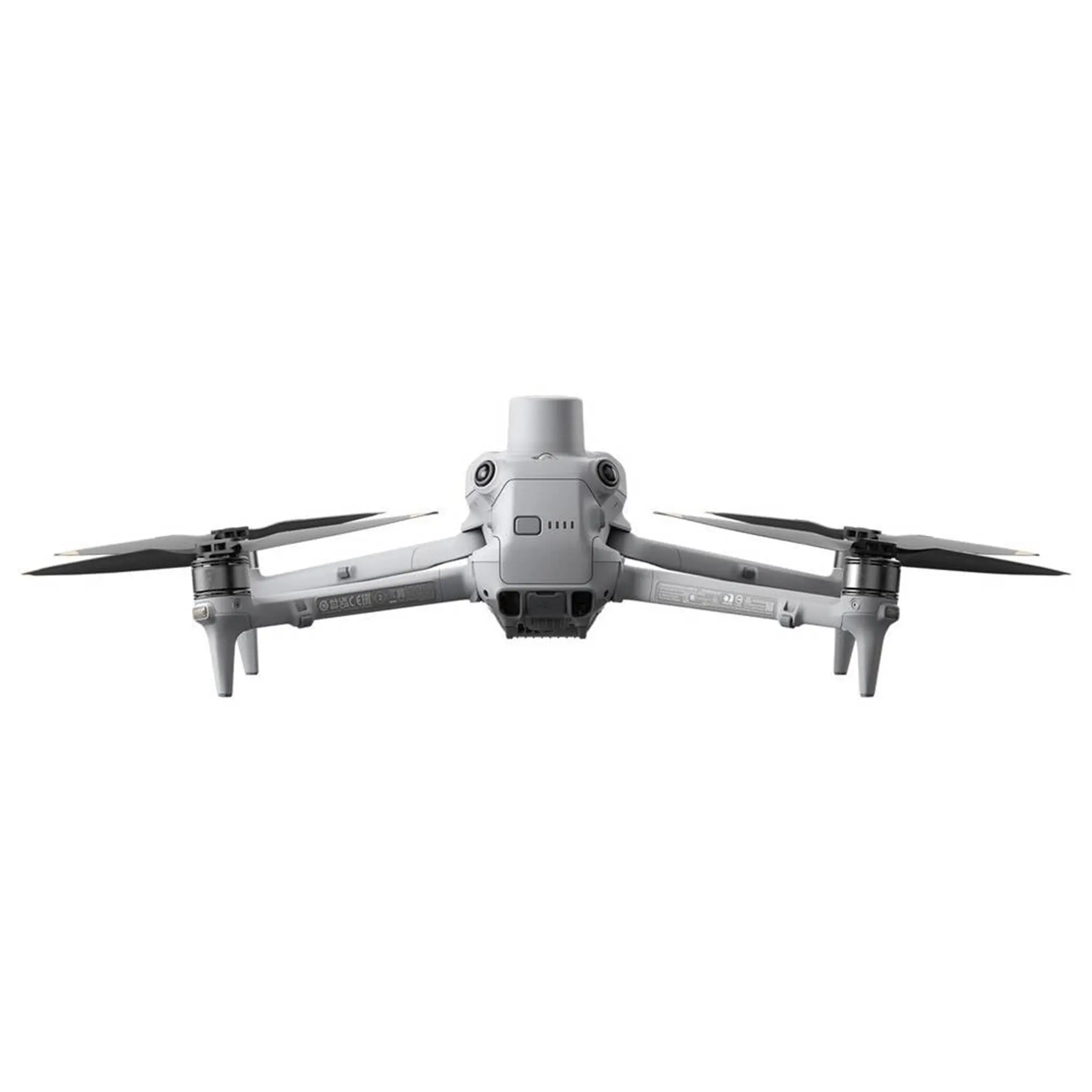
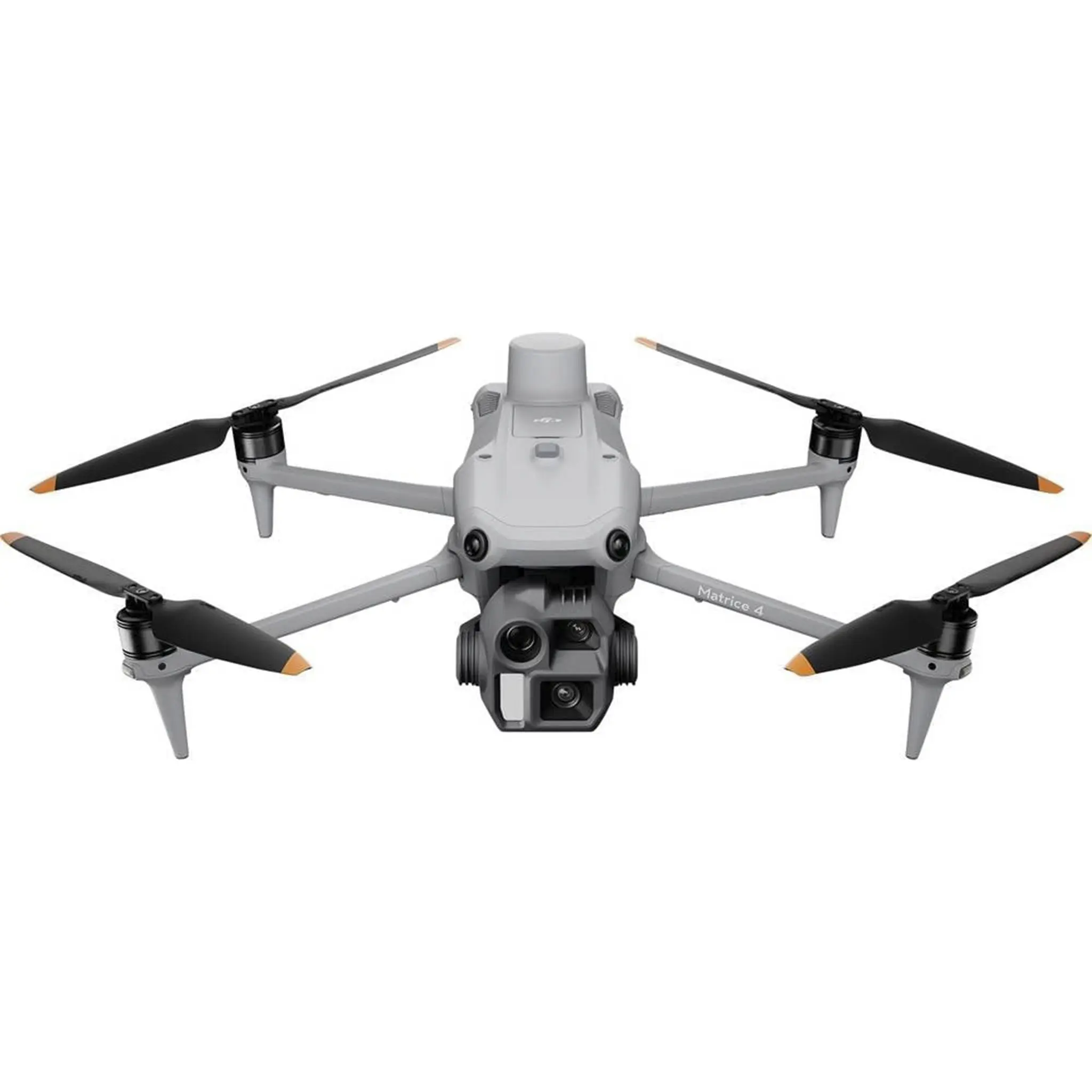
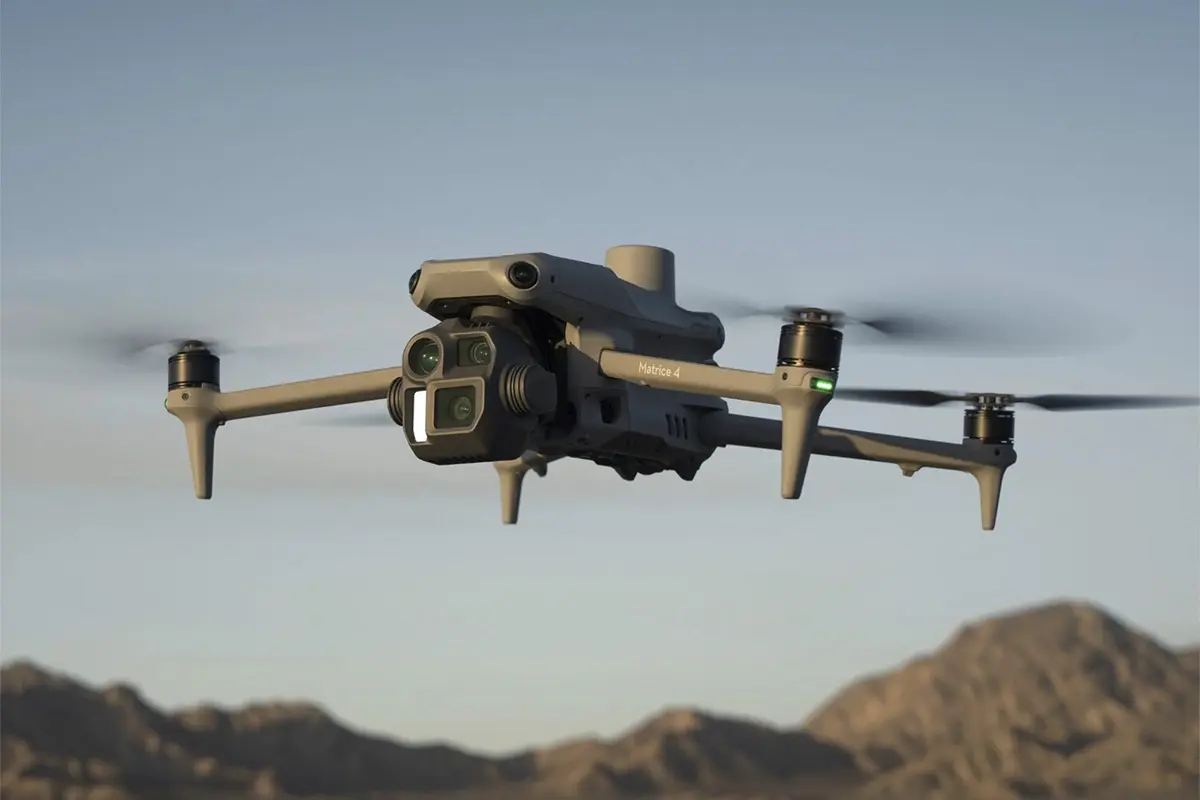
De DJI Matrice 4E (EU) SP Plus is een geavanceerd enterprise-platform dat specifiek is ontworpen om de gouden standaard te zetten voor landmeten, mapping en industriële analyse. Waar precisie en snelheid samenkomen, biedt de Matrice 4E een alles-in-één oplossing voor professionals in de bouw, energie en geospatiale sector. Door de integratie van superieure beeldsensoren met intelligente automatisering transformeren complexe data-acquisities in gestroomlijnde, uiterst nauwkeurige workflows, ongeacht de schaal van het project.
| Pdroduct | DJI Matrice 4E(EU) SP Plus |
| EAN | 6941565998071 |
| Drone | |
| Gewicht | 1219 g (with standard propellers) |
| Afmetingen opgevouwen | Length: 260.59 mm, Width: 113.66 mm, Height: 138.23 mm |
| Afmetingen uitgevouwen | Length: 307 mm, Width: 387.5 mm, Height: 149.43 mm |
| Maximale laadcapaciteit | 200 g |
| Vliegtijd | 49 minutes |
| Maximale starthoogte | 6000 m |
| Maximale windweerstand | 12 m/s |
| Maximale horizontale snelheid | 21 m/s |
| Laadcapaciteit | |
| Breed | 4/3 CMOS, 20 MP, f/2.8 – f/11, Equivalent Focal Length: 24 mm, Mechanical Shutter |
| 3x zoom | 1/1.3 CMOS, 48 MP, f/2.8, Equivalent Focal Length: 70 mm |
| 7x zoom | 1/1.5 CMOS, 48 MP, f/2.8, Equivalent Focal Length: 168 mm |
| Infrarood thermische camera | |
| Resolutie | 640 × 512, f/1.0 |
| Equivalente brandpuntsafstand | 53 mm |
| Sensortype | Uncooled Vanadium Oxide |
| Superresolutiemodus | Supported |
| NIR-hulpverlichting FOV | 6° |
| Verlichtingsafstand | 100 m |
| Laserafstandsmeter | |
| Meetbereik | 1800 m (1 Hz) |
| Schuin invalsbereik (1:5 schuine afstand) | 600 m (1 Hz) |
| Blinde zone | 1 m |
| Bereiknauwkeurigheid | 0.2 + 0.005 × D (m) |
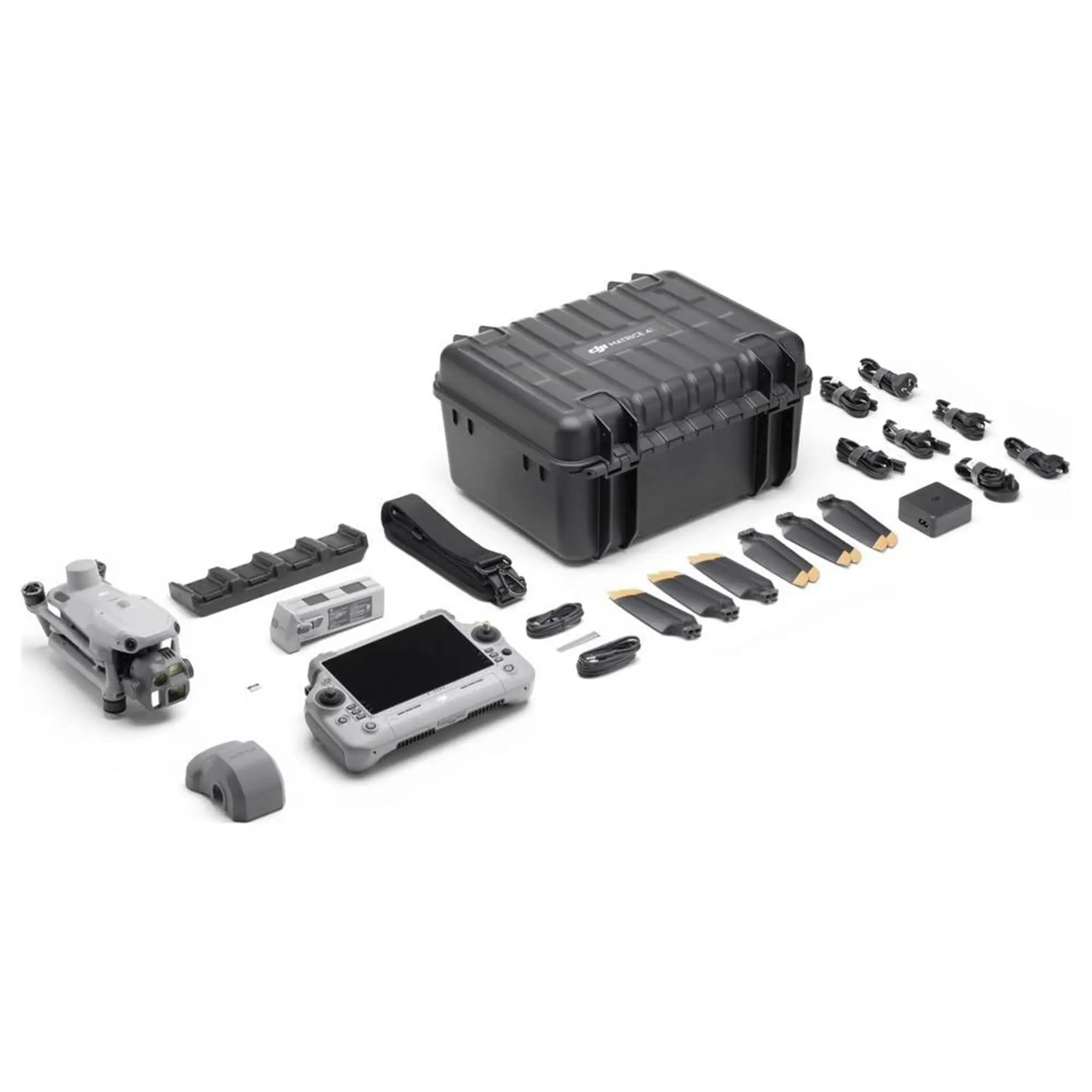
| 1 x DJI Matrice 4E Drone |
| 1 x DJI RC Plus 2 Enterprise Afstandsbediening |
| 1 x Intelligente Vluchtbatterij |
| 3 x Propellers (paar) |
| 1 x Batterij Oplaadhub |
| 1 x Oplader |
| 1 x Stroomkabel |
| 1 x USB-C Kabel |
| 1 x USB-C naar USB-C Kabel |
| 1 x Transportkoffer |
| 1 x Gereedschap / Pryltool |
| DJI RC Plus 2 Enterprise |
| DJI Pilot 2 App |
| DJI Terra |
| DJI AL1 Spotlight |
| DJI AS1 Speaker |
| DJI RTK Module |
| DJI Cellular Dongle 2 |
| DJI Enterprise Intelligent Flight Battery |


DJI Matice 4 Series includes two versions – DJI Matrice 4T and DJI Matrice 4E.
DJI Matrice 4T is equipped with a 1/1.3-inch CMOS 48MP wide-angle camera, a 1/1.3-inch CMOS 48MP medium telephoto camera, a 1/1.5-inch CMOS 48MP telephoto camera, a thermal imaging camera, a nir auxiliary light, and a laser rangefinding module. It features thermal imaging perception and powerful night capturing capabilities.
The DJI Matrice 4E is equipped with a 4/3-inch CMOS 20MP wide-angle camera, a 1/1.3-inch CMOS 48MP medium telephoto camera, a 1/1.5-inch CMOS 48MP telephoto camera, and a laser rangefinding module, providing powerful imaging capabilities.
DJI Matrice 4 Series is C2 certified by the European Union Aviation Safety Agency (EASA).
No. Avoid contact with water during use as it may lead to damage of the device. If it rains during the flight, return and land as soon as possible, and wait until the aircraft is fully dry inside and out before using it again.
When using DJI RC Plus 2 Enterprise Edition, for the first time, connect to the internet via Wi-Fi or a smartphone hotspot, and then follow the instructions on the remote controller to activate the device. After activating the DJI RC Plus 2 Enterprise Edition, use the DJI Pilot 2 app to connect the remote controller with the DJI Matrice 4 Series aircraft, and follow the prompts on the DJI Pilot 2 app interface to activate the aircraft.
You can connect to Network RTK via Wi-Fi on the remote controller.
Remote controller.
DO NOT expose the infrared camera lenses to strong sources of energy such as the sun, lava, or a laser beam. Otherwise, the camera sensor may be burned leading to permanent damage.
It will not damage the gimbal.
It is recommended to power on the aircraft after unfolding the arms to avoid collisions between the gimbal and the arms during the self-check.
No.
No.
The DJI Matrice 4 series supports two types of remote controllers: DJI RC Plus 2 Enterprise Edition and DJI RC Plus 2 Enterprise Enhanced Edition. Among them, the DJI RC Plus 2 Enterprise Edition is the standard remote controller for the DJI Matrice 4 Series, while the DJI RC Plus 2 Enterprise Enhanced Edition needs to be purchased separately.
The DJI RC Plus 2 Enterprise Enhanced Edition has added expansion interface components, making it compatible with more industry products.
Yes. To ensure charging speed, it is recommended to prioritize using the DJI Portable Charger (100W) and other chargers with a power output of over 100 watts that support the PD protocol.
Yes.
No.
The DJI Matrice 4 Series batteries can only be charged using the DJI Matrice 4 Series Charging Hub.
DJI Matrice 4 Series Charging Hub Supports two charging modes. By toggling the mode switch on the side of the Charging Hub, you can switch between charging modes.
Standard Mode: Each battery is charged to 100% in sequence.
Ready-to-Fly Mode: Charges each battery to 90% sequentially and maintains that level, enabling quick deployment.
Using the standard DJI Matrice 4 Series Charging Hub (100W) and DJI 100W Portable Charger:
In Standard Mode, it takes approximately 78 minutes to fully charge one DJI Matrice 4 Series battery.
In Ready-to-Fly Mode, it takes approximately 60 minutes to charge one DJI Matrice 4 Series battery to 90%.
Using the 200W Charging Hub and DJI 240W Portable Charger (model: CDX230-240):
In Standard Mode, it takes approximately 55 minutes to fully charge one DJI Matrice 4 Series battery.
In Ready-to-Fly Mode, it takes approximately 40 minutes to charge one battery to 90%.
The DJI Matrice 4 Series Charging Hub (200W) is not sold in certain countries or regions. Please contact your local dealer for more information.
Yes. To ensure charging speed, it is recommended to prioritize using the DJI Portable Charger (100W) and other chargers with a power output of over 100 watts that support the PD protocol.
It is recommended to connect to the C1 port.
DJI Matrice 4 Series batteries and DJI Matrice 4 Series Charging Hub (100W) support PD fast charging protocol.
No.
DJI Matrice 4 Series batteries can work at the operating environment from -10° to 40° C (14° to 104° F). The battery life will be shortened when used in low temperature environment. Please schedule the flight time properly.
No.
No. It is only compatible with the DJI 240W Portable Charger (model: CDX230-240) or DJI Power 1000 and must be used with the dedicated SDC cable included in the package. The USB-C port on the Charging Hub (200W) is for configuration and firmware updates only and cannot be used for charging.
The DJI Matrice 4 Series Charging Hub (200W) is not sold in certain countries or regions. Please contact your local dealer for more information.
The DJI AS1 Speaker supports recording, media import, and text-to-speech functions*. It also features real-time broadcasting and echo cancellation**, making emergency search and rescue operations more efficient and flexible.
The spotlight and speaker can be used independently or in combination,meeting the needs of more operational scenarios.
* The current text-to-speech function only supports Mandarin Chinese and English.
** Please upgrade the firmware to the latest version.
Support for use with DJI Matrice 4 Series aircraft.
1. Tighten the screws to ensure secure installation.
2. When using the speaker and spotlight together, please remove the speaker adapter bracket.
3. After installation, please upgrade all devices to the latest firmware and activate the speaker and calibrate the aircraft compass according to the App prompts.
Please pay attention to the following when using the speaker:
1. After installing the speaker, the aircraft’s power performance will be affected. Please pay attention to flight safety.
2. Use the standard remote controller to play human voices for optimal playback effect. It is not recommended to play single-frequency sounds to avoid irreversible damage to the speaker.
3. DO NOT use the speaker near people or in an urban area where noise-sensitive structures are concentrated, as the loudness could lead to accidents or injuries.
Currently only supports Mandarin Chinese and English.
Please speak close to the top of the remote controller microphone and maintain a steady pace.
It supports shortcuts to start/stop real-time broadcasting, which can be set in the custom buttons of the App remote controller for quick operation during tasks.
Install the speaker on the aircraft. When the aircraft firmware is upgraded, the speaker will be upgraded simultaneously.There are three ways to upgrade the firmware:
1. Connect the aircraft to the computer and use the DA2 software to adjust parameters and upgrade.
2. Click on the firmware upgrade in the main interface of the App to upgrade directly.
3. When the system prompts for a consistency upgrade, click upgrade.
1. DJI AL1 SpotLight supports always-on and strobe modes; support enabling and disabling follow gimbal orientation mode.
2. The spotlight and speaker can be used independently or in combination,meeting the needs of more operational scenarios.
3. Added wide fov lighting mode, which can illuminate a wider area.*
* Please upgrade the firmware to the latest version.
Support for use with DJI Matrice 4 Series aircraft.
1. It is recommended to enable the electronic defogging function when using the spotlight in wide-angle or 1X mode on the aircraft to achieve better image quality.
2. It is recommended to appropriately reduce the brightness of the spotlight and turn it on as needed to minimize the impact on the drone’s flight time.
1. When installing the spotlight, please tighten the screws to ensure a secure installation.
2. After installing the spotlight, please activate the spotlight according to the App prompts and upgrade all devices to the latest firmware.
When using the speaker and spotlight together, please remove the adapter bracket at the bottom of the speaker, install the speaker onto the top interface of the spotlight, and tighten the screws.
Please pay attention to the following when using the spotlight:
1. After installing the spotlight, the obstacle avoidance and power performance of the aircraft will be affected. When the spotlight is turned on, the obstacle avoidance function will deactivate automatically. Please pay attention to flight safety.
2. DO NOT point the spotlight directly at people’s eyes to avoid causing eye damage.
3. The spotlight may become hot after prolonged operation. Please be careful to avoid burns.
In the app’s spotlight settings, turn on the wide fov mode to increase the illumination range and field of view.This feature is linked to the camera zoom ratio and is only effective with the wide-angle camera and 1X zoom.
Install the spotlight on the aircraft. When the aircraft firmware is upgraded, the spotlight will be upgraded simultaneously.There are three ways to upgrade the firmware:
1. Connect the aircraft to the computer and use the DA2 software to adjust parameters and upgrade.
2. Click on the firmware upgrade in the main interface of the App to upgrade directly.
3. When the system prompts for a consistency upgrade, click upgrade.
It supports shortcuts to turn on/off/ strobe. These can be set in the App remote controller’s custom buttons for quick operation during tasks.
In the spotlight settings, you can choose to disable the follow gimbal orientation mode. Please note that once disabled, the spotlight will maintain its current angle; when re-enabled, the spotlight will automatically adjust to align with the gimbal’s orientation.
Yes.
In the speaker settings, you can choose between a male or female voice and adjust the speed and pitch.
1. The product may be damaged or malfunction due to external impacts. Please handle with care during use and avoid dropping it.
2. The aircraft can be directly stored in the protector case with the spotlight installed.
No.
Install the speaker on the aircraft. When the aircraft firmware is upgraded, the speaker will be upgraded simultaneously. You can update the firmware in the following ways:
1. Connect the aircraft to the computer to upgrade the firmware of the aircraft and remote controller through DJI Assistant 2 (Enterprise Series).
2. Use DJI Pilot 2 to update the firmware of the aircraft, remote controller.
3. Visit the official DJI website to download the offline firmware update package for the aircraft and remote controller. Then, insert the SD card storing the firmware package into the remote controller for offline update.
DJI Pilot 2 app and other software developed by using MSDK.
Yes.
The DJI Matrice 4T supports smart oblique capture in the oblique collection function of the area route.
The DJI Matrice 4 series aircraft features 5-direction smart oblique capture, which allows data collection to be completed with just one route. In contrast, the DJI Mavic 3E features 3-direction smart oblique capture, requiring two routes to complete data collection.
Both the DJI Matrice 4 series and the Zenmuse P1 feature 5-direction smart oblique capture. However, the DJI Matrice 4 series smart oblique capture is in an “X” shape, while the Zenmuse P1 smart oblique capture is in a “+” shape.
Yes.
DJI Matrice 4 series can control both payloads and aircraft simultaneously and supports live flight controls through FlightHub 2.
DJI Matrice 4E supports precise mapping after enabling RTK function.
Equipping DJI Matrice 4T with the RTK module can’t guarantee the final precision.
DJI Matrice 4 Series supports Payload SDK, Mobile SDK, and Cloud API.
For technical support, please contact dev@dji.com.
Visit the DJI Developer Platform for more information or contact dev@dji.com for technical assistance.
No. Please confirm the applicable countries and regions with your dealer before purchasing.
No.
De DJI Matrice 4 Series omvat twee versies – de DJI Matrice 4T en de DJI Matrice 4E.
De DJI Matrice 4T is uitgerust met een 1/1.3-inch CMOS 48MP groothoekcamera, een 1/1.3-inch CMOS 48MP medium telelens, een 1/1.5-inch CMOS 48MP telelens, een thermische camera, een nir hulplamp en een lasermodule voor afstandsmeting. Het biedt thermische beeldvorming en krachtige nachtfilmcaptatiemogelijkheden.
De DJI Matrice 4E is uitgerust met een 4/3-inch CMOS 20MP groothoekcamera, een 1/1.3-inch CMOS 48MP medium telelens, een 1/1.5-inch CMOS 48MP telelens en een lasermodule voor afstandsmeting, wat krachtige beeldvormingsmogelijkheden biedt.
De DJI Matrice 4 Series is C2-gecertificeerd door de European Union Aviation Safety Agency (EASA).
Nee. Vermijd contact met water tijdens gebruik, aangezien dit schade aan het apparaat kan veroorzaken. Als het tijdens de vlucht regent, keer dan zo snel mogelijk terug en land, en wacht tot het vliegtuig van binnen en van buiten volledig droog is voordat je het opnieuw gebruikt.
Bij het gebruik van de DJI RC Plus 2 Enterprise Edition, verbind voor de eerste keer met internet via Wi-Fi of een smartphone-hotspot, en volg vervolgens de instructies op de afstandsbediening om het apparaat te activeren. Na het activeren van de DJI RC Plus 2 Enterprise Edition, gebruik de DJI Pilot 2 app om de afstandsbediening met het DJI Matrice 4 Series vliegtuig te verbinden, en volg de aanwijzingen op de interface van de DJI Pilot 2 app om het vliegtuig te activeren.
Je kunt verbinding maken met Network RTK via Wi-Fi op de afstandsbediening.
Afdistandbediening.
EXPOSEER de lenzen van de infraroodcamera NIET aan sterke energiebronnen zoals de zon, lava of een laserstraal. Anders kan de camerasensor verbrand raken en blijvende schade oplopen.
Het zal de gimbal niet beschadigen.
Het wordt aanbevolen om het vliegtuig pas in te schakelen na het uitvouwen van de armen om botsingen tussen de gimbal en de armen tijdens de zelfcheck te voorkomen.
Nee.
Nee.
De DJI Matrice 4 Series ondersteunt twee soorten afstandsbedieningen: de DJI RC Plus 2 Enterprise Edition en de DJI RC Plus 2 Enterprise Enhanced Edition. Daarvan is de DJI RC Plus 2 Enterprise Edition de standaard afstandsbediening voor de DJI Matrice 4 Series, terwijl de DJI RC Plus 2 Enterprise Enhanced Edition apart aangeschaft moet worden.
De DJI RC Plus 2 Enterprise Enhanced Edition heeft extra uitbreidingsinterfacecomponenten toegevoegd, waardoor deze compatibel is met meer industrieproducten.
Ja. Om de oplaadsnelheid te waarborgen, wordt aanbevolen om prioriteit te geven aan het gebruik van de DJI Portable Charger (100W) en andere laders met een vermogen van meer dan 100 watt die het PD-protocol ondersteunen.
Ja.
Nee.
De batterijen van de DJI Matrice 4 Series kunnen alleen worden opgeladen met de DJI Matrice 4 Series Oplaadhub.
De DJI Matrice 4 Series Oplaadhub ondersteunt twee oplaadmodi. Door de modus-schakelaar aan de zijkant van de Oplaadhub om te schakelen, kun je tussen de oplaadmodi wisselen.
Standaardmodus: Elke batterij wordt achtereenvolgens tot 100% opgeladen.
Klaar-om-te-vliegen-modus: Iedere batterij wordt achtereenvolgens tot 90% opgeladen en houdt dat niveau aan, waardoor snelle inzet mogelijk is.
Bij gebruik van de standaard DJI Matrice 4 Series Oplaadhub (100W) en de DJI 100W Portable Charger:
In Standaardmodus duurt het ongeveer 78 minuten om één batterij van de DJI Matrice 4 Series volledig op te laden.
In Klaar-om-te-vliegen-modus duurt het ongeveer 60 minuten om één batterij van de DJI Matrice 4 Series tot 90% op te laden.
Bij gebruik van de 200W Oplaadhub en de DJI 240W Portable Charger (model: CDX230-240):
In Standaardmodus duurt het ongeveer 55 minuten om één batterij van de DJI Matrice 4 Series volledig op te laden.
In Klaar-om-te-vliegen-modus duurt het ongeveer 40 minuten om één batterij tot 90% op te laden.
De DJI Matrice 4 Series Oplaadhub (200W) wordt in bepaalde landen of regio’s niet verkocht. Neem contact op met uw lokale dealer voor meer informatie.
Ja. Om de oplaadsnelheid te waarborgen, wordt aanbevolen om prioriteit te geven aan het gebruik van de DJI Portable Charger (100W) en andere laders met een vermogen van meer dan 100 watt die het PD-protocol ondersteunen.
Het wordt aanbevolen om verbinding te maken met de C1-poort.
De batterijen van de DJI Matrice 4 Series en de DJI Matrice 4 Series Oplaadhub (100W) ondersteunen het PD-snelladingsprotocol.
Nee.
De batterijen van de DJI Matrice 4 Series kunnen functioneren in een omgevingstemperatuur van -10° tot 40° C (14° tot 104° F). De levensduur van de batterij wordt verkort bij gebruik in een omgeving met lagere temperaturen. Plan de vliegtijd goed.
Nee.
Nee. Het is alleen compatibel met de DJI 240W Portable Charger (model: CDX230-240) of DJI Power 1000 en moet worden gebruikt met de bijgeleverde speciale SDC-kabel. De USB-C-poort op de Oplaadhub (200W) is alleen voor configuratie en firmware-updates en kan niet voor opladen worden gebruikt.
De DJI Matrice 4 Series Oplaadhub (200W) wordt in bepaalde landen of regio’s niet verkocht. Neem contact op met uw lokale dealer voor meer informatie.
De DJI AS1 Luidspreker ondersteunt opname, media-import en tekst-naar-spraakfuncties*. Het biedt ook real-time uitzenden en echo-onderdrukking**, waardoor noodhulp- en reddingsoperaties efficiënter en flexibeler worden.
De spotlight en luidspreker kunnen onafhankelijk of in combinatie worden gebruikt, waardoor ze voldoen aan de behoeften van meer operationele scenario’s.
* De huidige tekst-naar-spraakfunctie ondersteunt alleen Mandarijn en Engels.
** Gelieve de firmware naar de laatste versie bij te werken.
Compatibel voor gebruik met DJI Matrice 4 Series vliegtuigen.
1. Draai de schroeven aan om een veilige installatie te waarborgen.
2. Wanneer je de luidspreker en spotlight samen gebruikt, verwijder dan de luidsprekeradapterbeugel.
3. Na installatie, werk alle apparaten bij naar de laatste firmware en activeer de luidspreker en kalibreer de kompas van het vliegtuig volgens de App-aanwijzingen.
Let op het volgende bij het gebruik van de luidspreker:
1. Na het installeren van de luidspreker, zal de prestatie van het vliegtuig door de voeding beïnvloed worden. Let op de vliegveiligheid.
2. Gebruik de standaard afstandsbediening om menselijke stemmen af te spelen voor het optimale afspeel effect. Het is niet aanbevolen om enkel frequentiegeluiden af te spelen, om onherstelbare schade aan de luidspreker te voorkomen.
3. Gebruik de luidspreker NIET in de nabijheid van mensen of in een stedelijk gebied waar geluidsgevoelige structuren geconcentreerd zijn, aangezien het volume kan leiden tot ongelukken of verwondingen.
Momenteel ondersteunt alleen Mandarijn en Engels.
Spreek dicht bij de bovenkant van de microfoon van de afstandsbediening en houd een gelijkmatige snelheid aan.
Het ondersteunt snelkoppelingen om real-time uitzenden te starten/stoppen, die kunnen worden ingesteld in de aangepaste knoppen van de App afstandsbediening voor snelle bediening tijdens taken.
Installeer de luidspreker op het vliegtuig. Wanneer de firmware van het vliegtuig wordt bijgewerkt, wordt de luidspreker gelijktijdig geüpgraded. Er zijn drie manieren om de firmware bij te werken:
1. Verbind het vliegtuig met de computer en gebruik de DA2-software om parameters aan te passen en bij te werken.
2. Klik op de firmware-update in de hoofdinterface van de App voor een directe update.
3. Wanneer het systeem om een consistente update vraagt, klik op bijwerken.
1. De DJI AL1 Spotlight ondersteunt altijd aan en stroboscoopmodi; ondersteunt het in- en uitschakelen van de volg-gimbaloriëntatiemodus.
2. De spotlight en luidspreker kunnen onafhankelijk of in combinatie worden gebruikt, waardoor ze voldoen aan de behoeften van meer operationele scenario’s.
3. Toegevoegd breed fov-verlichtingsmodus, die een groter gebied kan verlichten.*
* Gelieve de firmware naar de laatste versie bij te werken.
Compatibel voor gebruik met DJI Matrice 4 Series vliegtuigen.
1. Het wordt aanbevolen om de elektronische ontwasemfunctie in te schakelen wanneer je de spotlight gebruikt in groothoek- of 1X-modus op het vliegtuig om een betere beeldkwaliteit te verkrijgen.
2. Het wordt aanbevolen om de helderheid van de spotlight gepast te verlagen en hem alleen in te schakelen indien nodig om de impact op de vliegtijd van de drone te minimaliseren.
1. Wanneer je de spotlight installeert, draai de schroeven aan om een veilige installatie te waarborgen.
2. Na installatie van de spotlight, activeer de spotlight volgens de App-aanwijzingen en werk alle apparaten bij naar de nieuwste firmware.
Bij het gebruik van de luidspreker en spotlight samen, verwijder de adapterbeugel aan de onderkant van de luidspreker, installeer de luidspreker op de bovenste interface van de spotlight, en draai de schroeven aan.
Let op het volgende bij het gebruik van de spotlight:
1. Na het installeren van de spotlight zullen de obstakelvermijdings- en krachtprestaties van het vliegtuig beïnvloed worden. Wanneer de spotlight aan staat, zal de obstakelvermijdingsfunctie automatisch deactiveren. Let op de vliegveiligheid.
2. WIJ MOETEN de spotlight niet rechtstreeks in de ogen van mensen richten om oogbeschadiging te voorkomen.
3. De spotlight kan heet worden na langdurig gebruik. Wees voorzichtig om brandwonden te voorkomen.
Schakel in de spotlight-instellingen van de app de brede fov-modus in om het verlichtingsbereik en het zichtveld te vergroten. Deze functie is gekoppeld aan de zoomverhouding van de camera en is alleen effectief met de groothoekcamera en 1X-zoom.
Installeer de spotlight op het vliegtuig. Wanneer de firmware van het vliegtuig wordt bijgewerkt, zal de spotlight gelijktijdig worden geüpgraded. Er zijn drie manieren om de firmware bij te werken:
1. Verbind het vliegtuig met de computer en gebruik de DA2-software om parameters aan te passen en bij te werken.
2. Klik op de firmware-update in de hoofdinterface van de App voor een directe update.
3. Wanneer het systeem om een consistente update vraagt, klik op bijwerken.
Het ondersteunt snelkoppelingen om aan/uit/ of stroboscoop in te schakelen. Deze kunnen worden ingesteld in de aangepaste knoppen van de App afstandsbediening voor snelle bediening tijdens taken.
In de spotlight-instellingen kun je kiezen om de volg-gimbaloriëntatiemodus uit te schakelen. Houd er rekening mee dat zodra deze is uitgeschakeld, de spotlight zijn huidige hoek zal behouden; wanneer deze weer wordt ingeschakeld, zal de spotlight automatisch worden aangepast om samen te vallen met de oriëntatie van de gimbal.
Ja.
In de instellingen van de luidspreker kun je kiezen tussen een mannen- of vrouwenstem en de snelheid en toonhoogte aanpassen.
1. Het product kan beschadigd of defect raken door externe invloeden. Behandel het voorzichtig tijdens gebruik en vermijd het laten vallen.
2. Het vliegtuig kan direct worden opgeslagen in de beschermhoes met de spotlight geïnstalleerd.
Nee.
Installeer de luidspreker op het vliegtuig. Wanneer de firmware van het vliegtuig wordt bijgewerkt, wordt de luidspreker gelijktijdig geüpgraded. Je kunt de firmware op de volgende manieren bijwerken:
1. Verbind het vliegtuig met de computer om de firmware van het vliegtuig en de afstandsbediening bij te werken via DJI Assistant 2 (Enterprise Series).
2. Gebruik DJI Pilot 2 om de firmware van het vliegtuig en de afstandsbediening bij te werken.
3. Bezoek de officiële DJI-website om het offline firmware-updatepakket voor het vliegtuig en de afstandsbediening te downloaden. Plaats vervolgens de SD-kaart met het firmwarepakket in de afstandsbediening voor een offline update.
De DJI Pilot 2-app en andere software die ontwikkeld is met behulp van MSDK.
Ja.
De DJI Matrice 4T ondersteunt slimme hellingscaptatie in de hellingsverzamelingsfunctie van de gebiedsroute.
De DJI Matrice 4 series heeft 5-richting slimme hellingscaptatie, die het mogelijk maakt om de dataverzameling met slechts één route te voltooien. In tegenstelling hiermee heeft de DJI Mavic 3E 3-richting slimme hellingscaptatie, wat vereist dat er twee routes nodig zijn om de dataverzameling te voltooien.
Zowel de DJI Matrice 4 series als de Zenmuse P1 beschikken over 5-richting slimme hellingscaptatie. Echter, de slimme hellingscaptatie van de DJI Matrice 4 series is in een “X”-vorm, terwijl de slimme hellingscaptatie van de Zenmuse P1 in een “+”-vorm is.
Ja.
De DJI Matrice 4 series kan zowel ladingen als vliegtuigen gelijktijdig aansturen en ondersteunt live vluchtbesturing via FlightHub 2.
De DJI Matrice 4E ondersteunt nauwkeurige mapping nadat de RTK-functie is ingeschakeld.
Het uitrusten van de DJI Matrice 4T met de RTK-module kan de uiteindelijke precisie niet garanderen.
De DJI Matrice 4 Series ondersteunt Payload SDK, Mobile SDK en Cloud API.
Voor technische ondersteuning, neem contact op met dev@dji.com.
Bezoek het DJI Developer Platform voor meer informatie of neem contact op met dev@dji.com voor technische ondersteuning.
Nee. Bevestig de toepasselijke landen en regio’s met uw dealer voordat u koopt.
Nee.
| Pdroduct | DJI Matrice 4E(EU) SP Plus |
| EAN | 6941565998071 |
| Drone | |
| Gewicht | 1219 g (with standard propellers) |
| Afmetingen opgevouwen | Length: 260.59 mm, Width: 113.66 mm, Height: 138.23 mm |
| Afmetingen uitgevouwen | Length: 307 mm, Width: 387.5 mm, Height: 149.43 mm |
| Maximale laadcapaciteit | 200 g |
| Vliegtijd | 49 minutes |
| Maximale starthoogte | 6000 m |
| Maximale windweerstand | 12 m/s |
| Maximale horizontale snelheid | 21 m/s |
| Laadcapaciteit | |
| Breed | 4/3 CMOS, 20 MP, f/2.8 – f/11, Equivalent Focal Length: 24 mm, Mechanical Shutter |
| 3x zoom | 1/1.3 CMOS, 48 MP, f/2.8, Equivalent Focal Length: 70 mm |
| 7x zoom | 1/1.5 CMOS, 48 MP, f/2.8, Equivalent Focal Length: 168 mm |
| Infrarood thermische camera | |
| Resolutie | 640 × 512, f/1.0 |
| Equivalente brandpuntsafstand | 53 mm |
| Sensortype | Uncooled Vanadium Oxide |
| Superresolutiemodus | Supported |
| NIR-hulpverlichting FOV | 6° |
| Verlichtingsafstand | 100 m |
| Laserafstandsmeter | |
| Meetbereik | 1800 m (1 Hz) |
| Schuin invalsbereik (1:5 schuine afstand) | 600 m (1 Hz) |
| Blinde zone | 1 m |
| Bereiknauwkeurigheid | 0.2 + 0.005 × D (m) |
| 1 x DJI Matrice 4E Drone |
| 1 x DJI RC Plus 2 Enterprise Afstandsbediening |
| 1 x Intelligente Vluchtbatterij |
| 3 x Propellers (paar) |
| 1 x Batterij Oplaadhub |
| 1 x Oplader |
| 1 x Stroomkabel |
| 1 x USB-C Kabel |
| 1 x USB-C naar USB-C Kabel |
| 1 x Transportkoffer |
| 1 x Gereedschap / Pryltool |
De DJI Matrice 4E (EU) SP Plus is een geavanceerd enterprise-platform dat specifiek is ontworpen om de gouden standaard te zetten voor landmeten, mapping en industriële analyse. Waar precisie en snelheid samenkomen, biedt de Matrice 4E een alles-in-één oplossing voor professionals in de bouw, energie en geospatiale sector. Door de integratie van superieure beeldsensoren met intelligente automatisering transformeren complexe data-acquisities in gestroomlijnde, uiterst nauwkeurige workflows, ongeacht de schaal van het project.
| DJI RC Plus 2 Enterprise |
| DJI Pilot 2 App |
| DJI Terra |
| DJI AL1 Spotlight |
| DJI AS1 Speaker |
| DJI RTK Module |
| DJI Cellular Dongle 2 |
| DJI Enterprise Intelligent Flight Battery |
Er zijn geen producten gevonden voor deze zoekopdracht.


| Cookie | Looptijd | Omschrijving |
|---|---|---|
| __cf_bm | 30 minutes | Cloudflare set the cookie to support Cloudflare Bot Management. |
| _sn_n | 1 year | SleekNote sets this cookie to ensure that the user only gets the Sleeknote popup on the first visit. |
| wp-wpml_current_language | session | WordPress multilingual plugin sets this cookie to store the current language/language settings. |
| Cookie | Looptijd | Omschrijving |
|---|---|---|
| __kla_id | 1 year 1 month 4 days | Klaviyo sets this cookie to collect information on the visitor’s behavior. This information is used for internal analytics and to optimise the website. It also registers if the visitor has subscribed to a news letter. |
| _drip_client_* | 1 year 1 month 4 days | Drip sets this cookie to track user behaviour on a website and to collect information about the user's preferences and interests. |
| _ga | 1 year 1 month 4 days | Google Analytics sets this cookie to calculate visitor, session and campaign data and track site usage for the site's analytics report. The cookie stores information anonymously and assigns a randomly generated number to recognise unique visitors. |
| _ga_* | 1 year 1 month 4 days | Google Analytics sets this cookie to store and count page views. |
| _gat | 1 minute | Google Universal Analytics sets this cookie to restrain request rate and thus limit data collection on high-traffic sites. |
| _gat_UA-* | 1 minute | Google Analytics sets this cookie for user behaviour tracking. |
| _gcl_au | 3 months | Google Tag Manager sets the cookie to experiment advertisement efficiency of websites using their services. |
| _gid | 1 day | Google Analytics sets this cookie to store information on how visitors use a website while also creating an analytics report of the website's performance. Some of the collected data includes the number of visitors, their source, and the pages they visit anonymously. |
| _sn_a | 1 year | SleekNote sets this cookie to measure visitor analytics. in order to identify the visitor across sessions, a visitor ID is set. |
| CONSENT | 2 years | YouTube sets this cookie via embedded YouTube videos and registers anonymous statistical data. |
| SNS | session | This is an analytic cookie used to collect information like how the website is being used and to check how effective the marketing campaigns are. |