DJI ENTERPRISE

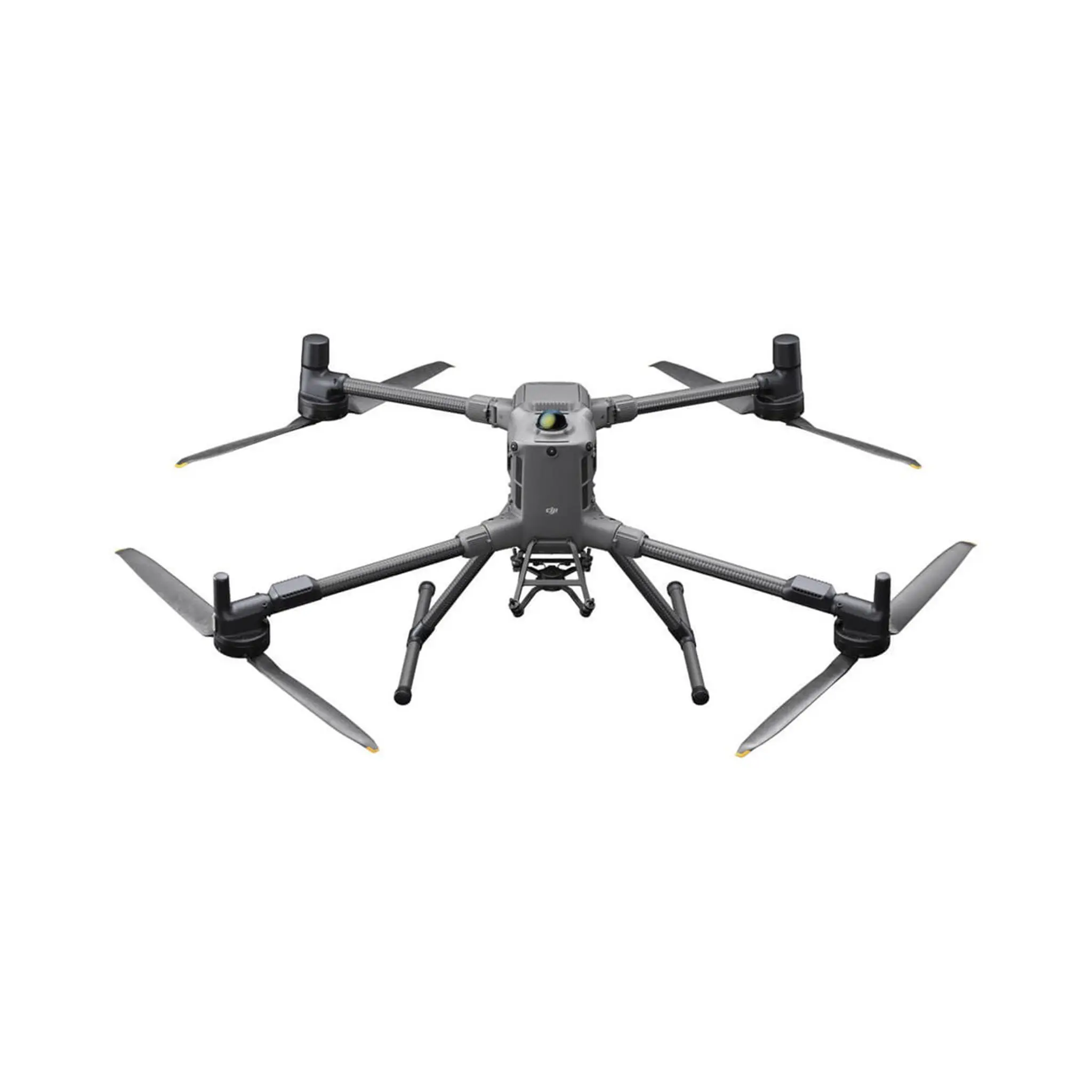
DJI Matrice 400

9.648,007.973,55

7.973,556.589,71 ex. btw

Excl. BTW

Incl. BTW

Op voorraad

Highlights

  • Tot 59 minuten echte vliegtijd, zelfs met lading.
  • Maximaal laadvermogen van 6 kg met ondersteuning voor maximaal zeven gemonteerde sensoren of gereedschappen.
  • Geavanceerde obstakeldetectie met behulp van roterende LiDAR, mmWave-radar en visiesystemen.
  • Videotransmissie over lange afstanden tot 40 km met het O4 Enterprise Enhanced-systeem.
  • Robuust IP55-ontwerp en breed temperatuurbereik voor betrouwbare werking in veeleisende omgevingen.

Klantbeoordeling: 9,6 / 10
Gratis verzending bij bestellingen boven €99
Standaard EU-garantie inbegrepen
Veilige betalingen met SSL-versleuteling
Persoonlijke klantenservice
Snelle & betrouwbare levering
Meerdere betaalmethoden beschikbaar
ISO 9001 gecertificeerd

Bancontact Sofort iDEAL Klarna PayPal
De DJI Matrice 400 heeft de volgende C-klasse: C3
C3 class
De DJI Matrice 400 heeft de volgende C-klasse:

DJI Matrice 400

9.648,007.973,55

7.973,556.589,71 ex. btw

Excl. BTW

Incl. BTW

Op voorraad

Estimate Delivery

Highlights

  • Tot 59 minuten echte vliegtijd, zelfs met lading.
  • Maximaal laadvermogen van 6 kg met ondersteuning voor maximaal zeven gemonteerde sensoren of gereedschappen.
  • Geavanceerde obstakeldetectie met behulp van roterende LiDAR, mmWave-radar en visiesystemen.
  • Videotransmissie over lange afstanden tot 40 km met het O4 Enterprise Enhanced-systeem.
  • Robuust IP55-ontwerp en breed temperatuurbereik voor betrouwbare werking in veeleisende omgevingen.

Klantbeoordeling: 9,6 / 10
Gratis verzending bij bestellingen boven €99
Standaard EU-garantie inbegrepen
Veilige betalingen met SSL-versleuteling
Persoonlijke klantenservice
Snelle & betrouwbare levering
Meerdere betaalmethoden beschikbaar
ISO 9001 gecertificeerd

Bancontact Sofort iDEAL Klarna PayPal
De DJI Matrice 400 heeft de volgende C-klasse: C3
C3 class
De DJI Matrice 400 heeft de volgende C-klasse:

DJI Matrice 400 – Enterprise Kracht in de Lucht

De DJI Matrice 400 is ontwikkeld voor professionals en biedt ongeëvenaarde uithoudingsvermogen, zware-ladingcapaciteit en industriële betrouwbaarheid. Van inspecties van hoogspanningslijnen tot zoek- en reddingsacties, mapping en offshore-operaties, deze drone presteert wanneer het er echt toe doet.

Uitgebreide Vliegtijd & Hoge Snelheid

  • Tot 59 Minuten Vliegtijd: Dek grote gebieden, lijnmissies en observatie van bosbranden in één batterijsessie.
  • Cruisen op 25 m/s (~56 mph): Verminder reistijden en verhoog de efficiëntie van elke missie.
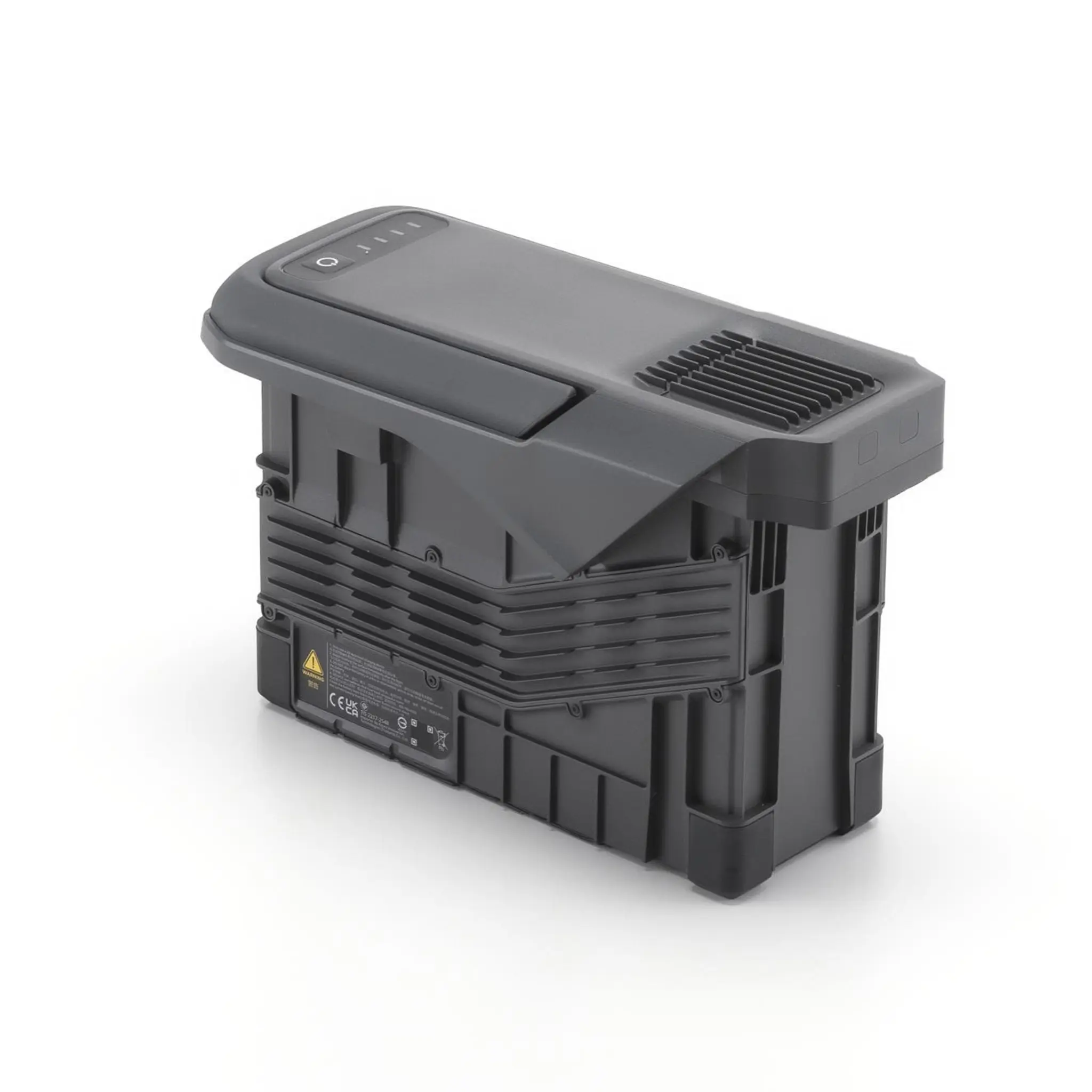
  • TB100 Intelligente Batterijen: Zelfverwarmend tot onder 10 °C, tot 400 cycli, volledig opgeladen in slechts 45 minuten.
DJI Matrice 400

Hoge Payload & Multi-Scene Flexibiliteit

  • Maximaal 6 kg Payload: Vlieg tot zeven payloads tegelijkertijd via vier E-Port V2-aansluitingen, twee neerwaartse gimbals en een derde ondergehangen gimbal.
  • Compatibele Payloads:
    • Zenmuse H30 Series: Breedbeeld, zoom, thermisch, afstandsmeter, NIR — ideaal voor dag- en nachtoperaties.
    • Zenmuse L3 LiDAR: Een revolutionair 2.000.000 pts/s LiDAR-systeem met duale 100 MP RGB-camera’s voor ultra-gedetailleerde, centimeter-nauwkeurige mapping en superieure penetratie door vegetatie.
    • Zenmuse P1 Fotogrammetrie: Full-frame 45MP beelden om 0,7s voor surveying en 3D-modellering.
    • Zenmuse S1 Spotlight & V1 Speaker: 32W krachtige verlichting en 114 dB PA voor nachtoperaties en communicatie.
    • Manifold 3 Computer: Onboard AI voor geavanceerde autonomie en realtime verwerking.
Matrice 400 DJI

Veilig & Betrouwbaar in Elke Omgeving

  • IP55 Weerbestendig: Regen, stof of mist — de M400 blijft presteren. Werkt van –20 °C tot 50 °C.
  • Drie-laags Obstakel Detectie: Roterende LiDAR, mmWave radar en full-color low-light vision detecteren obstakels vanaf 21,6 mm, zelfs in totale duisternis.
  • Airborne Relay & Videotransmissie: O4 Enterprise Enhanced streamt 1080p/60fps tot 40 km, met dual 4G en sub-2 GHz fallback voor moeilijke signalen.

Intelligente Vluchten & Operationele Efficiëntie

  • Smart Tracking & Automatische Missies: Auto-orbit, cruise en POI voor continue doeltracking.
  • Realtime Terreinvolging: Behoud constante hoogte over hellingen of oneffen terrein voor SAR, fotogrammetrie en bosbeheer.
  • Schip Takeoff & Landing: Deck pattern recognition voor veilige operaties op schepen tot 10 knopen.
  • AR Overlays: Markeer hoogspanningslijnen, gebouwen en belangrijke punten om de werklast van de piloot te verminderen.
DJI Matrice 400 drone

Compleet Accessoire-Ecosysteem

  • DJI RC Plus 2 Enterprise Enhanced: 7,02” 1400-nit touchscreen, IP54, sub-2 GHz ready.
  • BS100 Batterijstation: Laadt drie TB100-batterijen in 45 minuten op, fluisterstil met 36 dB.
  • D-RTK 3 Multifunctioneel Station: Base, rover of relay; centimeter-nauwkeurigheid voor meerdere drones.
  • TB100C Tethered Battery: 24/7 stroom voor langdurige verlichting of LTE mesh-communicatie.

Software & Developer Tools

  • DJI FlightHub 2: Cloud-based fleet management, live multi-feed en remote flight control.
  • DJI Terra: Snelle 2D/3D reconstructie van RGB of LiDAR.
  • DJI Modify: AI-assisted point-cloud en mesh-cleanup voor BIM en as-built deliverables.
  • Open Developer Ecosystem: PSDK 2.0, MSDK 5, Manifold 3 AI integratie en ruwe LiDAR/radar feeds voor custom analytics.
Matrice 400 DJI drone

Waarom Professionals Kiezen voor de DJI Matrice 400

De Matrice 400 is meer dan een drone; het is een complete luchtoplossing. Vertrouwd door surveyors, hulpdiensten, industriële engineers en mapping professionals, levert hij ongeëvenaarde veelzijdigheid, betrouwbaarheid en intelligentie. Of het nu dag of nacht is, regen of zon, landinwaarts of offshore, de M400 stelt je in staat meer terrein te dekken in minder vluchten.

Product DJI Matrice 400
EAN 6937224120570
Takeoff Weight (without batteries) 5020 ± 20 g
Takeoff Weight (with batteries) 9740 ± 40 g
Max Takeoff Weight 15.8 kg
Dimensions (Unfolded) 980×760×480 mm
Dimensions (Folded) 490×490×480 mm
Carrying Case Dimensions 779×363×528 mm
Max Payload 6 kg
Propeller Size 25 in
Diagonal Wheelbase 1070 mm
Max Ascent Speed 10 m/s
Max Descent Speed 8 m/s
Max Horizontal Speed 25 m/s
Max Takeoff Altitude 7000 m
Max Flight Time (no wind) 59 min
Max Hover Time (no wind) 53 min
Max Flight Distance (no wind) 49 km
Max Wind Resistance 12 m/s
Max Yaw Angular Velocity 100°/s
Max Pitch Angle 35°
Operating Temperature -20 °C to 50 °C
GNSS GPS + Galileo + BeiDou + GLONASS
Hovering Accuracy (Vertical, Vision) ±0.1 m
Hovering Accuracy (Vertical, Satellite) ±0.5 m
Hovering Accuracy (Vertical, RTK) ±0.1 m
Hovering Accuracy (Horizontal, Vision) ±0.3 m
Hovering Accuracy (Horizontal, Satellite) ±0.5 m
Hovering Accuracy (Horizontal, RTK) ±0.1 m
RTK GNSS Accuracy 1 cm + 1 ppm horizontal, 1.5 cm + 1 ppm vertical
RTK Heading Accuracy better than 2°
Airborne ADS-B In Standard receiver, dual antennas, 20 km range
Ports USB-C Debug ×1, E-Port V2 ×4, Cellular Dongle 2 ×2
Propeller Model 2510F
Motor Model 7510
Beacon Built-in
Ingress Protection IP55
Single Gimbal Connector Max Payload 1400 g
Dual Gimbal Connector Max Payload 950 g
Third Gimbal Connector Max Payload 3 kg (quick-release), 6 kg (screw lock)
Zenmuse L3 Max Payload 2100 g
Sensing Type Omnidirectional binocular vision, horizontal rotating LiDAR, upper LiDAR, downward 3D infrared range sensor, six-direction mmWave radar
Forward Measurement Range 0.4–21 m
Forward Detection Range 0.4–200 m
Forward FOV 90° horizontal, 90° vertical
Backward Measurement Range 0.4–21 m
Backward Detection Range 0.4–200 m
Backward FOV 90° horizontal, 90° vertical
Lateral Measurement Range 0.6–21 m
Lateral Detection Range 0.5–200 m
Lateral FOV 90° horizontal, 90° vertical
Downward Measurement Range 0.5–19 m
Downward FOV 160° front/rear, 105° left/right
Rotating LiDAR Measurement Range 0.5–100 m @ 100,000 lux, 10% reflectivity target
Rotating LiDAR FOV 360° horizontal, 58° vertical
Rotating LiDAR Point Frequency 520,000 points/sec
Rotating LiDAR Laser Wavelength 905 nm
Upper LiDAR (3D ToF) Measurement Range 0.5–25 m at night, reflectivity >10%
Upper LiDAR FOV 60° up/down, 60° left/right
Downward 3D Infrared Sensor Range 0.3–8 m, reflectivity >10%
Downward Sensor FOV 60° front/back, 60° left/right
mmWave Radar Power Line Range 36 m (12 mm wire), 50 m (21.6 mm wire)
mmWave Radar FOV ±45° horizontal and vertical
FPV Camera Resolution 1080p
FPV Camera FOV 150° DFOV, 139.6° HFOV, 95.3° VFOV
FPV Camera Frame Rate 30 fps
FPV Night Vision Starlight Grade
Video Transmission System DJI O4 Enterprise Enhanced
Max Transmission Distance (Unobstructed) 40 km (FCC), 20 km (CE/SRRC/MIC)
Max Transmission Distance (With Interference) 1.5–40 km
Max Download Speed 80 Mbps downlink
Antennas WLAN ×8, sub2G ×2, 4G ×4
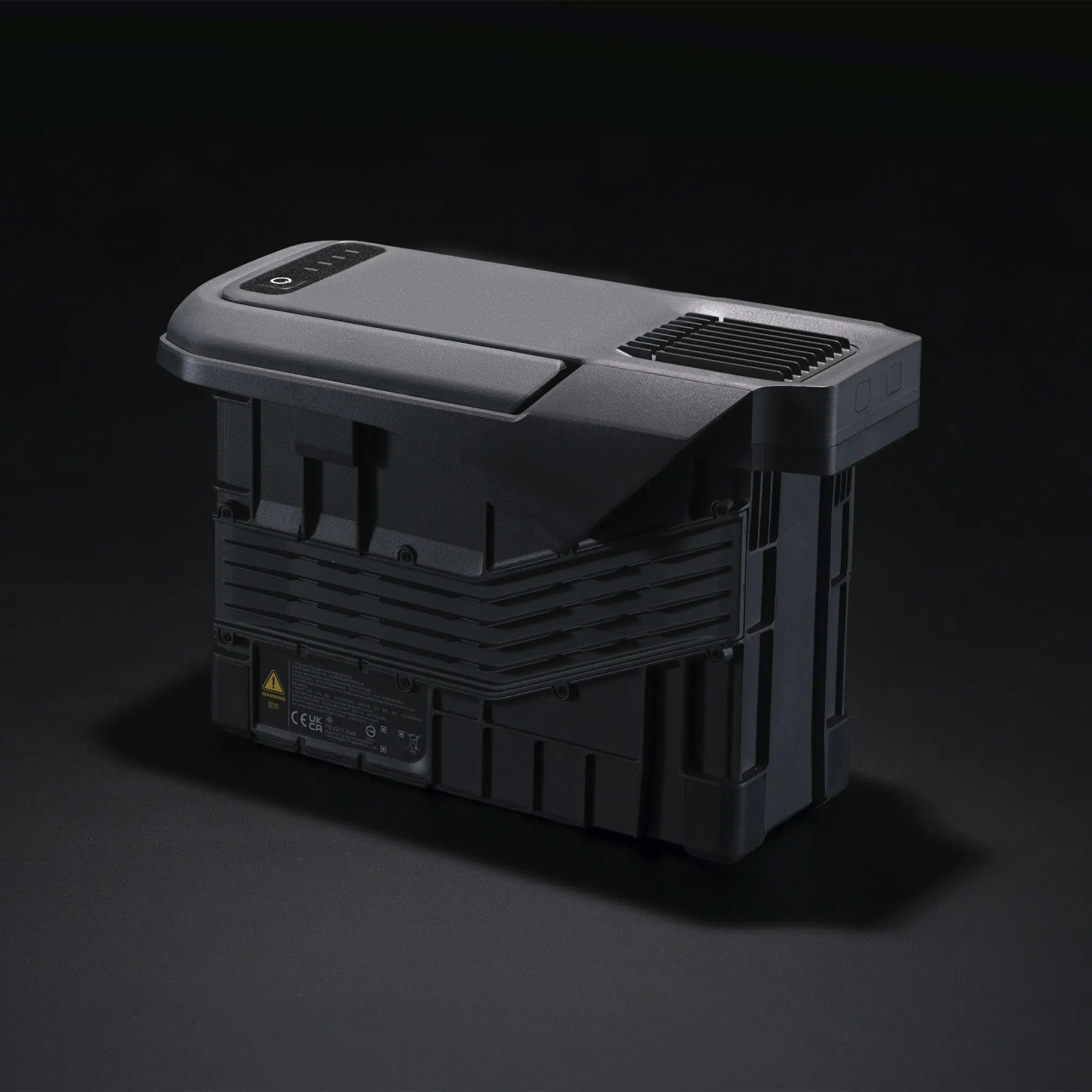
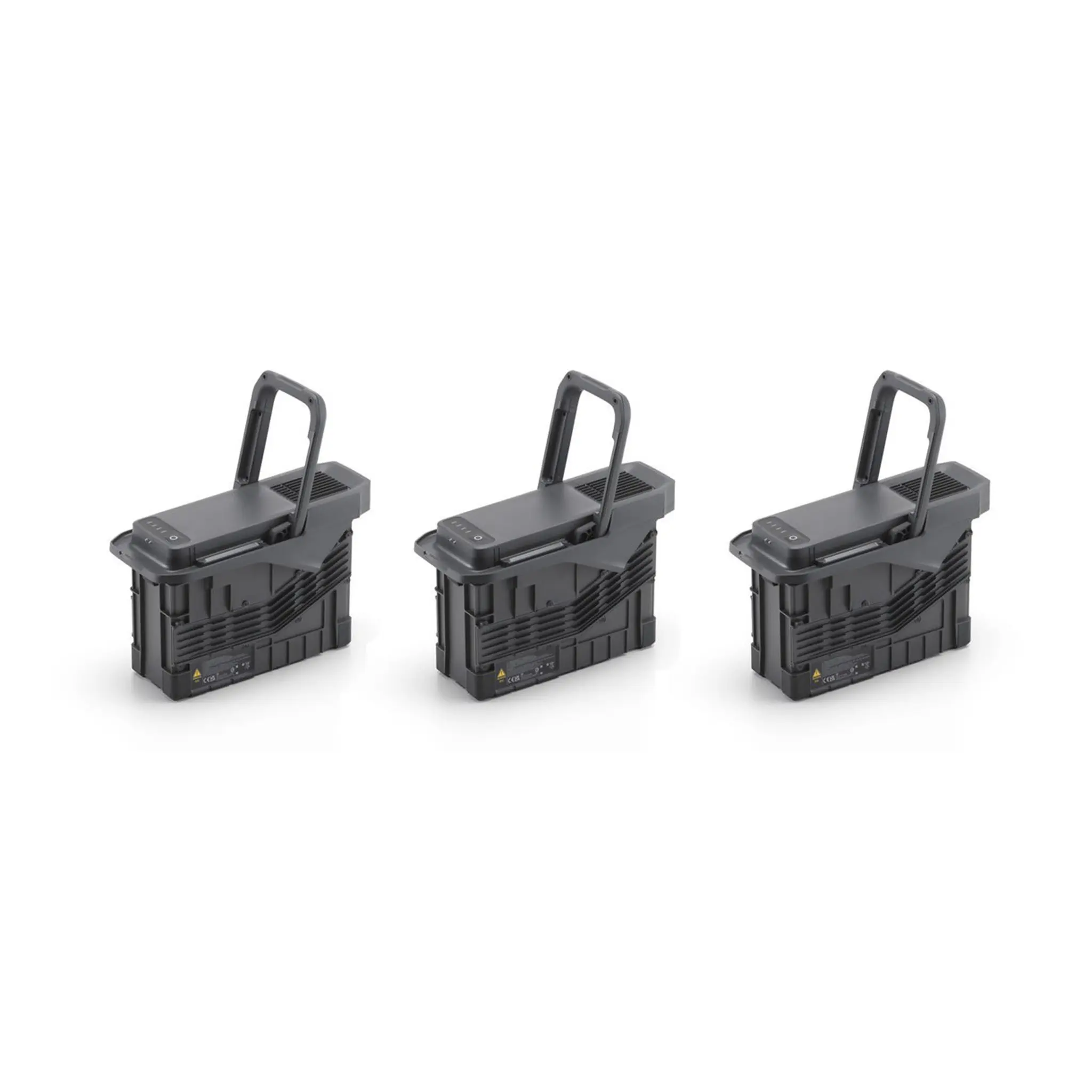
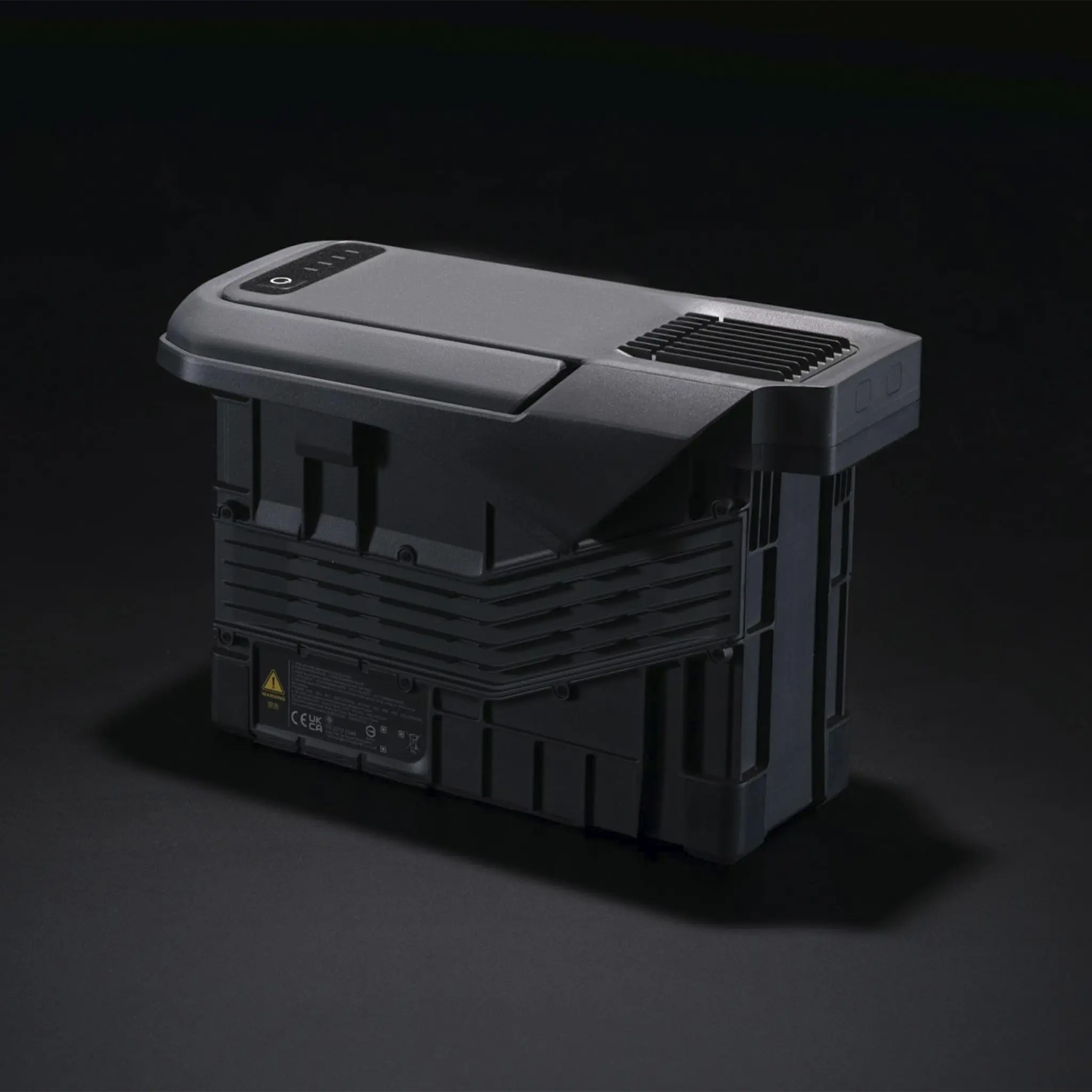
Battery Model TB100
Battery Capacity 20254 mAh, 977 Wh
Battery Voltage 48.23 V (max 54.6 V)
Battery Weight 4720 ± 20 g
Battery Charging Temp 5–45 °C
Battery Discharging Temp -20–75 °C
Battery Cycle Count 400
Battery Discharge Rate 4C
Max Charging Power 2C
Low-Temperature Charging Supported
Intelligent Battery Station (BS100) Weight 11.8 kg
BS100 Dimensions 605×410×250 mm
BS100 Supported Batteries TB100, TB100C, WB37
BS100 Input 100–240 V AC, 50–60 Hz, 10 A
BS100 Output TB100: 1185–2184 W depending on input, WB37: 52 W, USB-C: 5–20 V/3–3.25 A
BS100 Charging Channels 3×TB100, 2×WB37
TB100 Charging Time (220 V) 45 min (Fast), 110 min (Silent)
TB100 Charging Time (110 V) 70 min (Fast), 110 min (Silent)
Remote Controller DJI RC Plus 2 Enterprise Enhanced
Controller Screen 7.02 in, 1920×1200, 60 fps, 1400 nits
Controller Touchscreen 10-point multi-touch
Controller Built-in Battery 2S2P 18650 Li-ion, 6500 mAh, 46.8 Wh
Controller External Battery Optional WB37, 4920 mAh, 37 Wh
Controller Charging PD fast charge, max 20 V/3.25 A
Controller Storage RAM 8 GB + ROM 128 GB UFS, expandable via microSD
Controller Runtime Internal: 3.8 h, External: 3.2 h
Controller Wi-Fi 2×2 MIMO, dual-band, up to 1774.5 Mbps
Controller Bluetooth 5.2, <10 dBm
Controller Operating Temp -20–50 °C
Supported Gimbals Zenmuse L3, H30, H30T, L2, P1
Supported Accessories Zenmuse S1, V1, Manifold 3, DJI RC Plus 2 sub2G SDR Module, DJI Cellular Dongle 2
Supported RTK D-RTK 3 Multifunctional Station, D-RTK 2 Mobile Station
Ecosystem Accessories DJI X-Port, E-Port V2 Dev Kit, SKYPORT V3 Adapter & Cable Kits
1x Matrice 400
1x RC Plus 2 Enterprise Enhanced
1x RC Plus 2 sub2G SDR-module
1x RC Plus 2 riem- en beugelset
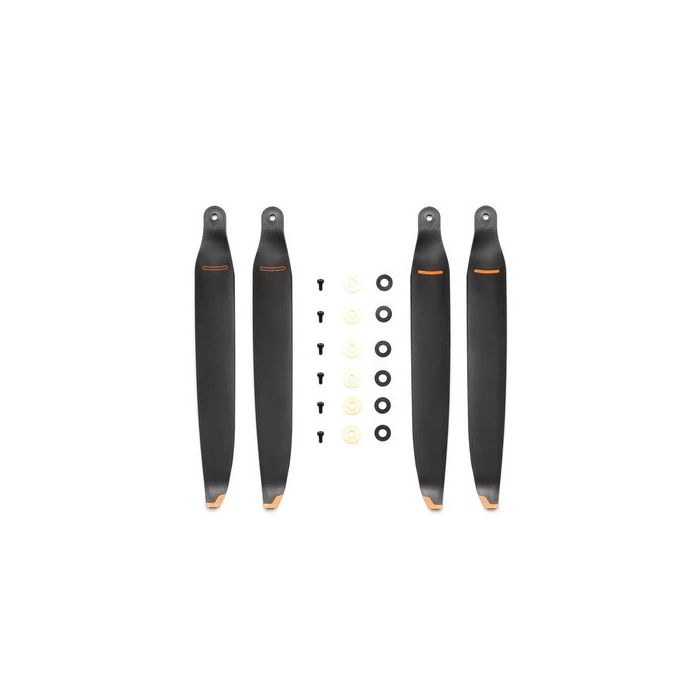
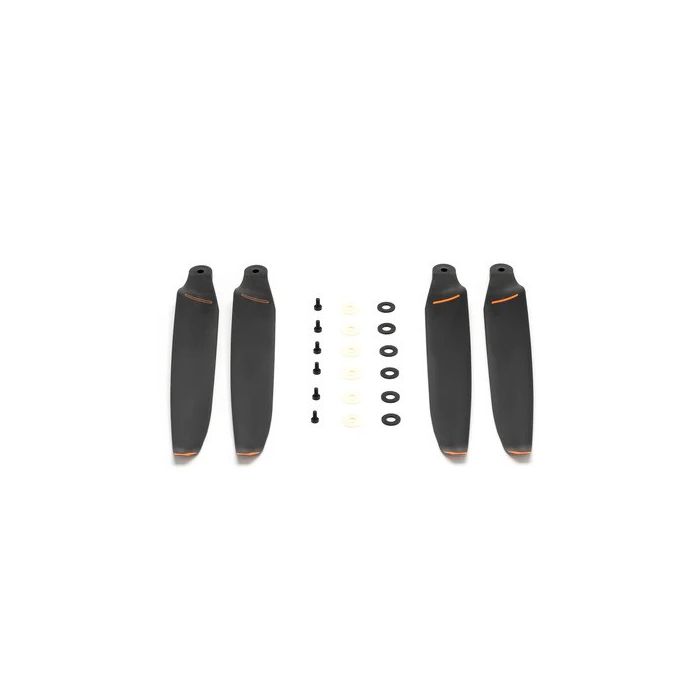
1x Matrice 400 2510F propeller
1x Matrice 400 gimbal-demper
1x Matrice 400 draagtas
1x Roterende LiDAR-kalibratieafdekking
1x Voorste propellerhouder
1x Achterste propellerhouder
1x USB-C naar USB-C datakabel
1x WB37-batterij
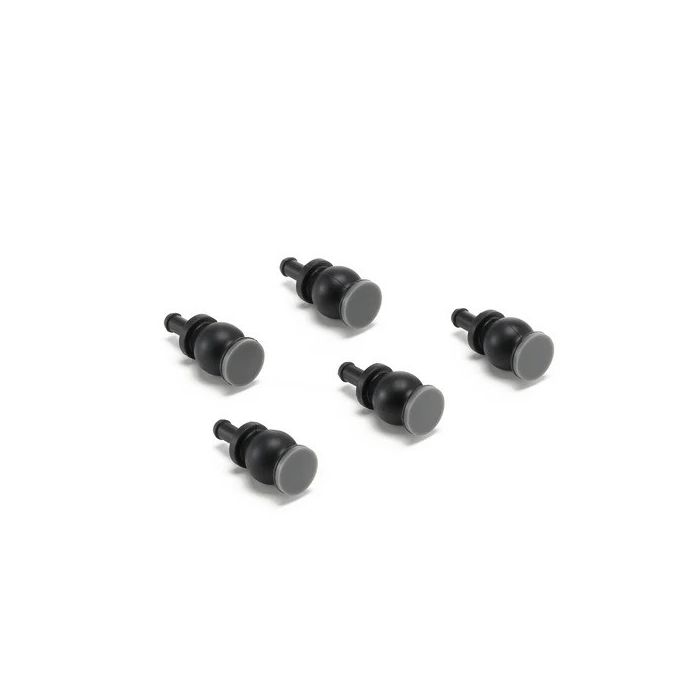
2x E-Port V2 rubberen poortafdekking
4x rubberen plugschroeven (2×2)
1x Schroeven en gereedschap
1x Reinigingsgereedschap
Gimbalcamera’s: Zenmuse L3, Zenmuse H30, Zenmuse H30T, Zenmuse L2 en Zenmuse P1
Accessoires: Zenmuse S1 (drone-spotlight), Zenmuse V1 (drone-luidspreker), Manifold 3, DJI RC Plus 2 sub2G SDR-module*, DJI Cellular Dongle 2
RTK-station: D-RTK 3 multifunctioneel station, D-RTK 2 mobiel station
Ecosysteemaccessoires: DJI X-Port
DJI E-Port V2-ontwikkelingskit
DJI E-Port V2 coaxkabelkit
DJI SKYPORT V3-adapterset
DJI SKYPORT V3 coaxkabelkit
View Product
View Product
View Product
View Product
View Product
View Product
View Product
View Product
View Product
View Product
View Product
View Product
View Product
View Product
View Product
View Product
View Product
View Product

DJI Matrice 400

Aircraft

What is the ingress protection (IP) rating of DJI Matrice 400? Can I fly the drone in the rain?

It is IP55 rated. Do not fly in rain heavier than 100 mm/24 hr.
The IP rating is not permanently effective and may decrease due to product wear and tear.

What does the sensing system of DJI Matrice 400 consist of?

Omnidirectional binocular vision system
Downward-facing binocular vision system
LiDAR (including horizontal rotating LiDAR and upward LiDAR)
Downward 3D infrared range sensor
6-directional mmWave radar

How is the obstacle avoidance capability of DJI Matrice 400?

Power line obstacle sensing capability:
When directly facing a main line (21.6 mm steel-core aluminum stranded wire), obstacle sensing is supported at speeds up to 25 m/s.
When both main lines (21.6 mm steel-core aluminum stranded wire) and distribution lines (12 mm steel-core aluminum stranded wire) are present, obstacle sensing is supported at speeds up to 17 m/s.

Obstacle sensing performance may vary depending on environmental conditions (such as cloud, fog, rain, or snow), as well as the material, position, and shape of the target object.
Due to the limitations of the safety system, the aircraft cannot actively avoid fast-moving objects; please fly with caution in such environments. Refer to the user manual for more information.
The mmWave radar function is unavailable in some countries/regions.

How is the payload capacity of DJI Matrice 400?

The third gimbal connector supports up to 6 kg payload.
When using the single downward gimbal, the dual downward gimbal, and the third gimbal connector simultaneously, the total weight of non-DJI payloads must not exceed 6 kg. Please contact the payload manufacturer to provide a test report to ensure safe flight during low battery conditions.

Does DJI Matrice 400 support dual batteries or a single battery?

Single battery.

What is the certification level of DJI Matrice 400 in Europe?

DJI Matrice 400 is C3 certified by the European Union Aviation Safety Agency (EASA).

How do I activate DJI Matrice 400?

When using DJI RC Plus 2 Enterprise Enhanced for the first time, connect to the internet via Wi-Fi or a smartphone hotspot, and then follow the instructions on the remote controller to activate the device. After activating DJI RC Plus 2 Enterprise Enhanced, use the DJI Pilot 2 app to connect the remote controller with DJI Matrice 400 aircraft, and follow the prompts on the DJI Pilot 2 app interface to activate the aircraft.

Without 4G dongle (SIM card included), how can I use Network RTK services with DJI Matrice 400?

You can connect to Network RTK via Wi-Fi on the remote controller.

Are Network RTK services of DJI Matrice 400 bound to the remote controller or the aircraft?

Remote controller.

Does DJI Matrice 400 support quick start?

DJI Matrice 400 features a built-in capacitor that provides backup power to essential components during battery replacement. If the battery swap is completed within 45 seconds, the aircraft can resume operation quickly.

Which payloads and accessories are compatible with DJI Matrice 400?

Gimbal Cameras: Zenmuse L3, Zenmuse H30, Zenmuse H30T, Zenmuse L2 and Zenmuse P1
Functional Accessories: Zenmuse S1 Spotlight, Zenmuse V1 Speaker, Manifold 3, DJI RC Plus 2 sub2G SDR Module*, DJI Cellular Dongle 2
RTK Stations: D-RTK 3 Multifunctional Station, D-RTK 2 Mobile Station
Ecosystem Accessories: DJI X-Port
DJI E-Port V2 Development Kit
DJI E-Port V2 Coaxial Cable Kit
DJI SKYPORT V3 Adapter Set
DJI SKYPORT V3 Coaxial Cable Kit

* Operating frequency allowed varies among countries and regions. Refer to local laws and regulations for more information.

Can I install an upward gimbal connector on DJI Matrice 400?

No.

What mounting options does DJI Matrice 400 support?

It supports mounting payloads via the single downward, dual downward, third gimbal connector, and Zenmuse L3 single gimbal connector.

How many payload ports does DJI Matrice 400 have?

It has four external E-Port V2 ports. The E4 port of the E-Port V2 can be expanded into four payload ports via the E-Port HUB expansion plate, allowing DJI Matrice 400 to support up to seven payloads in total.

Does DJI Matrice 400 have high-altitude propellers?

No, high-altitude propellers are not provided, but the standard propellers support flights up to 7,000 meters above sea level.

What types of propellers does DJI Matrice 400 support?

It comes with the standard 2510F Propellers.

What are the performance benefits of having the front and rear propellers of the DJI Matrice 400 positioned at different heights?

It improves propulsion efficiency and enhances flight stability.

Can I replace the propellers of DJI Matrice 400 by myself?

Yes, but it is only recommended in emergency situations. After completing your operations for the day, please have the dealer check that the propellers are properly and securely installed.

What precautions should be taken when using the top-mounted rotating LiDAR on DJI Matrice 400 aircraft?

1. Always install the protective cover on the rotating LiDAR when it is not in use.
2. If the dome becomes dirty, promptly clean it with the included cleaning cloth to ensure optimal obstacle avoidance performance.

Does DJI Matrice 400 support relay functionality? How many aircraft can be relayed at the same time?

Yes, DJI Matrice 400 supports onboard relay and can provide relay functionality for one additional Matrice 400 aircraft at a time.

This feature is unavailable in countries or regions without 5GHz frequency support. Refer to local laws and regulations for more information.

Does DJI Matrice 400 support D-RTK 3?

Yes.

Does DJI Matrice 400 support 4G Enhanced Transmission?

Yes. The aircraft supports the installation of two enhanced 4G video transmission modules.

Can I use the accessories of DJI Matrice 400 on DJI Matrice 350?

Accessories for DJI Matrice 400 and DJI Matrice 350 are not compatible with each other.

Boat Launch

When the aircraft is placed on a vessel and the Boat Launch mode is off, I see warnings like sensor error or ship speed too high, what should I do?

Once you enable Boat Launch, these warnings will disappear.

When enabling Dynamic Home Point, a “Failed to Enable” message appears. How do I resolve this?

Turn off Dynamic Home Point and then turn it back on. If the issue continues, fully close the app and reopen it.

After enabling Boat Launch, will the obstacle avoidance be turned off?

Yes. When Boat Launch is enabled, the downward obstacle avoidance is automatically disabled to allow for automatic takeoff and landing. If you fly over land or other environments, make sure to check the status of downward obstacle avoidance to ensure safe operation.

What should I be aware of when using Boat Launch?

1. It is recommended to use the rear of the vessel for takeoff and landing. Currently, DJI Matrice 400 supports takeoff from static vessels and landing on moving vessels with speeds below 10 knots.
2. Reserve a flat, unobstructed area of 3 m × 3 m on the deck for takeoff and landing. Ensure there is clear overhead space. Place the official landing point pattern in the center, making sure its size, color, and shape match DJI’s specifications. Do not attach any payloads to the underside of the aircraft.
3. During takeoff and landing, combine using the remote controller’s live video feed with direct visual observation to quickly notice any changes in the surrounding environment.
4. After the drone detects the landing point pattern, the remote controller will have sound and vibration alerts. You can press the C1 button to trigger auto landing.
5. During auto landing, when the drone is above the landing point pattern, continue to hold the throttle stick down to ensure a fast descent and reduce the risk of failed landing due to sudden changes in the environment.
6. During auto landing, the aircraft may automatically ascend due to failure in recognizing the landing point pattern, and exit landing mode if it rises above 20 meters. If the landing point pattern is successfully recognized during ascent, it will automatically re-enter landing mode.

After enabling Boat Launch, the Health Management System (HMS) indicates insufficient onboard satellite acquisition and suggests moving to an open area. What should I do?

This is normal. Remain stationary and wait for satellite signals to converge and obtain a stable position fix. This usually takes about 20 to 30 seconds, and may take longer if the signal is weak.

After powering on, an IMU abnormality or large IMU deviation warning persists. What should I do?

Power on the drone while holding it in your hands. After startup is complete, place the drone back on the vessel. The warning will disappear.

Remote Controller

What are the differences between DJI RC Plus 2 Enterprise and DJI RC Plus 2 Enterprise Enhanced?

The DJI RC Plus 2 Enterprise Enhanced can be equipped with the DJI RC Plus 2 sub2G SDR Module, which supports sub2G communication frequency bands.

Operating frequency allowed varies among countries and regions. Refer to local laws and regulations for more information.

What does the DJI RC Plus 2 sub2G SDR Module do?

The module enables the use of supported sub2G (below 2 GHz) frequency bands, increasing the transmission range and anti-interference capability between the aircraft and the remote controller.

Operating frequency allowed varies among countries and regions. Refer to local laws and regulations for more information.

Does the DJI RC Plus 2 Enterprise Enhanced remote controller support the Matrice 4 series, Matrice 4D series, Mavic 3 Enterprise series, Matrice 3D Enterprise series and Matrice 350 RTK?

1. It does not support the Mavic 3 Enterprise series, Matrice 3D Enterprise series or Matrice 350 RTK.
2. It supports the Matrice 4 series and Matrice 4D series, but they must be upgraded to version 14.1 to support pairing.
3. None of these drones support the sub2G communication frequency band.

Do DJI RC Plus 2 Enterprise and DJI RC Plus 2 Enterprise Enhanced support charging their batteries with third-party USB-C chargers?

Yes. To ensure optimal charging speed, we recommend using the USB-C port on the BS100 battery station, or other USB-C chargers that support the PD protocol and have a power output of at least 65W.

Do DJI RC Plus 2 Enterprise and DJI RC Plus 2 Enterprise Enhanced support MSDK?

Yes.

Battery & Battery Station

How to recharge the TB100 battery?

You can use the BS100 battery station for charging.

How long does it take to fully recharge one TB100 Intelligent Flight Battery?

With a 220 V power supply: In fast charging mode, it takes approximately 45 minutes to fully recharge one DJI Matrice 400 battery. In silent mode, it takes approximately 110 minutes to fully recharge one DJI Matrice 400 battery.
With a 110 V power supply: In fast charging mode, it takes approximately 70 minutes to fully recharge one DJI Matrice 400 battery. In silent mode, it takes approximately 110 minutes to fully recharge one DJI Matrice 400 battery.

Charging time is measured in a test environment with a temperature of 25° C (77° F).

Does DJI Matrice 400 battery support self-heating functionality?

Yes.
1. When using the battery with the battery station: If the temperature of the TB100/TB100C battery is below 5°C, insert the battery into the battery station and turn on the power. The battery will automatically begin to heat. Once the battery temperature exceeds 20°C, self-heating will stop and charging will start.
2. When using the battery with the aircraft: If the battery temperature is below 20°C, insert the battery into the aircraft. The battery will automatically heat up to 20°C, then stop heating and enter a temperature maintenance mode.

What are the precautions for using the TB100C Tethered Battery?

The TB100C Tethered Battery must be used with a DJI ecosystem partner’s tethered power system (tethered mode) or a DJI ecosystem partner’s drone dock (dock mode). For specific details, please consult the relevant ecosystem partner.

Can the tethered battery’s tethered connection cable be used to lift the battery?

The connection cable extended from the tethered battery is a current-carrying cable. Please do not use it directly to lift the battery.

How is the power-off endurance function implemented?

1. To use the power-off endurance function, you can hot-swap the battery directly without needing to short press and then long press the power button to shut down.
2. If you do not want to use the power-off endurance function, shut down the device by short pressing once and then long pressing the power button.

What are the precautions when inserting or removing the battery?

1. After inserting the battery into the aircraft, ensure it is fully locked in place before pressing down the handle. This helps prevent the handle from interfering with the pivot and potentially breaking.
2. After the WB37 battery is fully charged, press the unlock button before removing the battery from the battery station.

How to confirm the battery is properly installed?

When installing the battery onto the device, press down the handle until you hear a “click.” This indicates that the handle is securely in place.

What is the function of the USB-C port?

The USB-C port can be used for both recharging and data transfer.

What are the precautions for using the small battery?

After the WB37 battery is fully charged, press the unlock button before removing the battery from the battery station.

What is the maximum charging power of the BS100 battery station?

TB100 battery interface:
100–110 V AC input: 54.6 V DC output, maximum current 21.7 A
110-180 V AC input: 54.6 V DC output, maximum current 27 A
180-240 V AC input: 54.6 V DC output, maximum current 40 A

Software

How to upgrade the firmware of DJI Matrice 400?

The following methods can be used to upgrade the firmware:
1. Connect the aircraft to the computer to upgrade the firmware of the aircraft and remote controller through DJI Assistant 2 (Enterprise Series).

2. Use DJI Pilot 2 to update the firmware of the aircraft, remote controller.

3. Visit the official DJI website to download the offline firmware update package for the aircraft and remote controller. Then, insert the SD card storing the firmware package into the remote controller for offline update.

What apps are supported by DJI Matrice 400?

DJI Pilot 2 app and other software developed by using MSDK.

Does DJI Matrice 400 support dual controls?

Yes.

Does DJI Matrice 400 support integration with DJI FlightHub 2 for remote control of the aircraft and DJI payloads?

Yes. DJI Matrice 400 supports remote control of flights, gimbal cameras, PSDK accessories, and route-related functions through DJI FlightHub 2.

Open Developer Ecosystem

Which kinds of SDK development does DJI Matrice 400 support?

It supports Manifold 3, Payload SDK, Mobile SDK, and Cloud API.
For technical support, contact dev@dji.com.

How can I access information and technical support for the DJI Matrice 400 Intelligent Algorithm Developer?

You can visit the DJI Developer webpage for relevant information or contact dev@dji.com for technical assistance.

Others

Can I use DJI Matrice 400 across countries or regions?

No. Please confirm the applicable countries and regions with your dealer before purchasing.

Vliegtuig

Wat is de ingangsbescherming (IP) rating van de DJI Matrice 400? Kan ik de drone in de regen vliegen?

Het is IP55 gecertificeerd. Vlieg niet in regen die zwaarder is dan 100 mm/24 uur.
De IP-rating is niet permanent effectief en kan afnemen door slijtage van het product.

Waaruit bestaat het sensorsysteem van de DJI Matrice 400?

Omnidirectioneel binoculair visiesysteem
Neerwaarts gericht binoculair visiesysteem
LiDAR (inclusief horizontaal draaiende LiDAR en opwaartse LiDAR)
Neerwaartse 3D infrarood afstandssensor
6-directionele mmWave radar

Hoe is de obstakelvermijdingscapaciteit van de DJI Matrice 400?

Kabelobstakel detectiecapaciteit:
Wanneer je recht tegenover een hoofdkabel staat (21.6 mm staalkern aluminium gestraand draad), wordt obstakeldetectie ondersteund bij snelheden tot 25 m/s.
Wanneer zowel de hoofdkabels (21.6 mm staalkern aluminium gestraand draad) als distributiekabels (12 mm staalkern aluminium gestraand draad) aanwezig zijn, wordt obstakeldetectie ondersteund bij snelheden tot 17 m/s.

De prestaties van de obstakeldetectie kunnen variëren afhankelijk van de omgevingsomstandigheden (zoals bewolking, mist, regen of sneeuw), evenals het materiaal, de positie en de vorm van het doelobject.
Vanwege de beperkingen van het veiligheidssysteem kan het vliegtuig snel bewegende objecten niet actief vermijden; vlieg alstublieft voorzichtig in dergelijke omgevingen. Raadpleeg de gebruikershandleiding voor meer informatie.
De mmWave radar functie is in sommige landen/gebieden niet beschikbaar.

Wat is de draagcapaciteit van de DJI Matrice 400?

De derde gimbalconnector ondersteunt tot 6 kg payload.
Bij gebruik van de enkele neerwaartse gimbal, de dubbele neerwaartse gimbal en de derde gimbalconnector tegelijkertijd, mag het totale gewicht van niet-DJI payloads niet meer dan 6 kg bedragen. Neem contact op met de payload fabrikant om een testrapport te leveren om een veilige vlucht bij lage batterijcondities te waarborgen.

Ondersteunt de DJI Matrice 400 dubbele batterijen of een enkele batterij?

Enkele batterij.

Wat is het certificeringsniveau van de DJI Matrice 400 in Europa?

DJI Matrice 400 is C3 gecertificeerd door de Europese Unie Luchtvaartveiligheidsorganisatie (EASA).

Hoe activeer ik de DJI Matrice 400?

Wanneer je voor de eerste keer gebruik maakt van de DJI RC Plus 2 Enterprise Enhanced, verbinding maakt met internet via Wi-Fi of een smartphone hotspot, volg dan de instructies op de afstandsbediening om het apparaat te activeren. Na activatie van de DJI RC Plus 2 Enterprise Enhanced, gebruik de DJI Pilot 2 app om de afstandsbediening met het DJI Matrice 400 vliegtuig te verbinden, en volg de aanwijzingen op de interface van de DJI Pilot 2 app om het vliegtuig te activeren.

Zonder 4G dongle (SIM kaart inbegrepen), hoe kan ik netwerk RTK diensten gebruiken met de DJI Matrice 400?

Je kunt verbinding maken met netwerk RTK via Wi-Fi op de afstandsbediening.

Zijn netwerk RTK-diensten van de DJI Matrice 400 gebonden aan de afstandsbediening of het vliegtuig?

Afsandsbediening.

Ondersteunt de DJI Matrice 400 snelle start?

De DJI Matrice 400 heeft een ingebouwde condensator die back-up stroom biedt aan essentiële componenten tijdens het vervangen van de batterij. Als de batterijwissel binnen 45 seconden is voltooid, kan het vliegtuig snel weer operationeel worden.

Welke payloads en accessoires zijn compatibel met de DJI Matrice 400?

Gimbal Camera’s: Zenmuse L3, Zenmuse H30, Zenmuse H30T, Zenmuse L2 en Zenmuse P1
Functionele accessoires: Zenmuse S1 Spotlight, Zenmuse V1 Speaker, Manifold 3, DJI RC Plus 2 sub2G SDR Module*, DJI Cellular Dongle 2
RTK Stations: D-RTK 3 Multifunctionele Station, D-RTK 2 Mobiele Station
Ecosysteem Accessoires: DJI X-Port
DJI E-Port V2 Ontwikkelkit
DJI E-Port V2 Coaxiale Kabelkit
DJI SKYPORT V3 Adapterset
DJI SKYPORT V3 Coaxiale Kabelkit

* Toegestane werkfrequentie varieert per land en regio. Raadpleeg lokale wetten en regelgeving voor meer informatie.

Kan ik een opwaartse gimbalconnector op de DJI Matrice 400 installeren?

Nee.

Welke montageopties ondersteunt de DJI Matrice 400?

Het ondersteunt het monteren van payloads via de enkele neerwaartse, dubbele neerwaartse, derde gimbalconnector, en Zenmuse L3 enkele gimbalconnector.

Hoeveel payloadpoorten heeft de DJI Matrice 400?

Het heeft vier externe E-Port V2 poorten. De E4 poort van de E-Port V2 kan worden uitgebreid naar vier payloadpoorten via de E-Port HUB uitbreidingsplaat, waardoor de DJI Matrice 400 in totaal tot zeven payloads kan ondersteunen.

Heeft de DJI Matrice 400 hoge-altitude propellers?

Nee, hoge-altitude propellers worden niet meegeleverd, maar de standaard propellers ondersteunen vluchten tot 7.000 meter boven zeeniveau.

Welke soorten propellers ondersteunt de DJI Matrice 400?

Het wordt geleverd met de standaard 2510F propellers.

Wat zijn de prestatievoordelen van het plaatsen van de voor- en achterpropellers van de DJI Matrice 400 op verschillende hoogtes?

Het verbetert de aandrijf efficiëntie en verhoogt de vlieg stabiliteit.

Kan ik de propellers van de DJI Matrice 400 zelf vervangen?

Ja, maar dit wordt alleen in noodsituaties aanbevolen. Nadat je je operaties voor de dag hebt voltooid, laat de dealer controleren of de propellers goed en stevig zijn bevestigd.

Welke voorzorgsmaatregelen moeten worden genomen bij het gebruik van de boven gemonteerde roterende LiDAR op de DJI Matrice 400?

1. Installeer altijd de beschermkap op de roterende LiDAR wanneer deze niet in gebruik is.
2. Als de koepel vuil wordt, maak deze dan snel schoon met de meegeleverde reinigingsdoek om optimale obstakelvermijdingsprestaties te waarborgen.

Ondersteunt de DJI Matrice 400 relaisfunctionaliteit? Hoeveel vliegtuigen kunnen tegelijk worden doorgestuurd?

Ja, de DJI Matrice 400 ondersteunt onboard relais en kan relaisfunctionaliteit bieden voor één extra Matrice 400 vliegtuig tegelijk.

Deze functie is niet beschikbaar in landen of regio’s zonder ondersteuning voor de 5GHz-frequentie. Raadpleeg lokale wetten en regelgeving voor meer informatie.

Ondersteunt de DJI Matrice 400 D-RTK 3?

Ja.

Ondersteunt de DJI Matrice 400 4G Enhanced Transmission?

Ja. Het vliegtuig ondersteunt de installatie van twee verbeterde 4G videotransmissiemodules.

Kan ik de accessoires van de DJI Matrice 400 op de DJI Matrice 350 gebruiken?

Accessoires voor de DJI Matrice 400 en DJI Matrice 350 zijn niet met elkaar compatibel.

Bootlancering

Wanneer het vliegtuig op een vaartuig is geplaatst en de Bootlancering modus is uitgeschakeld, zie ik waarschuwingen zoals sensor fout of schip snelheid te hoog, wat moet ik doen?

Zodra je Bootlancering inschakelt, verdwijnen deze waarschuwingen.

Wanneer Dynamisch Thuispunt wordt ingeschakeld, verschijnt er een "Inschakelen mislukt" bericht. Hoe los ik dit op?

S schakelpunt Dynamisch Thuispunt uit en zet het vervolgens weer aan. Als het probleem aanhoudt, sluit de app volledig af en open deze opnieuw.

Wordt de obstakelvermijding uitgeschakeld na het inschakelen van Bootlancering?

Ja. Wanneer Bootlancering is ingeschakeld, wordt de neerwaartse obstakelvermijding automatisch uitgeschakeld om automatische opstijging en landing mogelijk te maken. Als je over land of andere omgevingen vliegt, zorg ervoor dat je de status van de neerwaartse obstakelvermijding controleert voor veilige bediening.

Waar moet ik op letten bij het gebruik van Bootlancering?

1. Het wordt aanbevolen om de achterkant van het vaartuig te gebruiken voor opstijgen en landen. Momenteel ondersteunt de DJI Matrice 400 het opstijgen vanaf statische vaartuigen en landing op bewegende vaartuigen met snelheden onder de 10 knopen.
2. Reserveer een vlak, ononderbroken gebied van 3 m × 3 m op het dek voor opstijging en landing. Zorg voor voldoende vrije ruimte erboven. Plaats het officiële landingspunt patroon in het midden, waarbij je ervoor zorgt dat de grootte, kleur en vorm voldoen aan de specificaties van DJI. Bevestig geen payloads aan de onderkant van het vliegtuig.
3. Combineer tijdens het opstijgen en landen het gebruik van de live videofeed van de afstandsbediening met directe visuele observatie om snel veranderingen in de omliggende omgeving op te merken.
4. Nadat de drone het landingspunt patroon heeft gedetecteerd, zal de afstandsbediening geluid- en trilsignalen geven. Je kunt op de C1-knop drukken om de automatische landing te activeren.
5. Tijdens de automatische landing, wanneer de drone boven het landingspunt patroon is, blijf je de gasstick omlaag houden om een snelle daling te garanderen en het risico op een mislukte landing door plotselinge veranderingen in de omgeving te verminderen.
6. Tijdens de automatische landing kan het vliegtuig automatisch stijgen omdat het het landingspunt patroon niet herkent, en uit de landingsmodus gaan als het boven de 20 meter stijgt. Als het landingspunt patroon met succes wordt herkend tijdens de stijging, keert het automatisch terug naar de landingsmodus.

Na het inschakelen van Bootlancering geeft het Gezondheidsbeheersysteem (HMS) onvoldoende acquisitie van satellieten aan en suggereert het om naar een open gebied te verplaatsen. Wat moet ik doen?

Dit is normaal. Blijf stil staan en wacht tot de satellietsignalen convergeren en een stabiele positiefix verkrijgen. Dit duurt meestal ongeveer 20 tot 30 seconden en kan langer duren als het signaal zwak is.

Na het inschakelen van de voeding komt er een waarschuwing voor een afwijking van de IMU of een grote IMU afwijking. Wat moet ik doen?

Zet de drone aan terwijl je deze in je handen houdt. Zodra de opstart is voltooid, plaats je de drone weer op het vaartuig. De waarschuwing zal verdwijnen.

Afstandsbediening

Wat zijn de verschillen tussen de DJI RC Plus 2 Enterprise en de DJI RC Plus 2 Enterprise Enhanced?

De DJI RC Plus 2 Enterprise Enhanced kan worden uitgerust met de DJI RC Plus 2 sub2G SDR Module, die ondersteuning biedt voor sub2G communicatiefrequentiebanden.

De toegestane werkfrequentie varieert per land en regio. Raadpleeg lokale wetten en regelgeving voor meer informatie.

Wat doet de DJI RC Plus 2 sub2G SDR Module?

De module maakt het mogelijk om ondersteunde sub2G (onder 2 GHz) frequentiebanden te gebruiken, waardoor het transmissBereik verbetert en de anti-storingscapaciteit tussen het vliegtuig en de afstandsbediening toeneemt.

De toegestane werkfrequentie varieert per land en regio. Raadpleeg lokale wetten en regelgeving voor meer informatie.

Ondersteunt de afstandsbediening van de DJI RC Plus 2 Enterprise Enhanced de Matrice 4-serie, Matrice 4D-serie, Mavic 3 Enterprise-serie, Matrice 3D Enterprise-serie en Matrice 350 RTK?

1. Het ondersteunt de Matrice 4-serie en Matrice 4D-serie, maar ze moeten worden geüpgraded naar versie 14.1 om pairing te ondersteunen.
2. Het ondersteunt niet de Mavic 3 Enterprise-serie, Matrice 3D Enterprise-serie of Matrice 350 RTK.
3. Geen van deze drones ondersteunt de sub2G communicatiefrequentieband.

Ondersteunen DJI RC Plus 2 Enterprise en DJI RC Plus 2 Enterprise Enhanced het opladen van hun batterijen met USB-C laders van derden?

Ja. Om een optimale oplaadsnelheid te waarborgen, raden we aan de USB-C poort op het BS100 batterijstation te gebruiken, of andere USB-C laders die het PD-protocol ondersteunen en een uitgangsvermogen van minimaal 65W hebben.

Ondersteunen DJI RC Plus 2 Enterprise en DJI RC Plus 2 Enterprise Enhanced MSDK?

Ja.

Batterij & Batterijstations

Hoe laad ik de TB100 batterij op?

Je kunt de BS100 batterijstation voor het opladen gebruiken.

Hoe lang duurt het om een TB100 Intelligent Flight Battery volledig op te laden?

Bij een 220 V voedingsbron: In de snellaadmethode duurt het ongeveer 45 minuten om een DJI Matrice 400 batterij volledig op te laden. In de stille modus duurt het ongeveer 110 minuten om een DJI Matrice 400 batterij volledig op te laden.
Bij een 110 V voedingsbron: In de snellaadmethode duurt het ongeveer 70 minuten om een DJI Matrice 400 batterij volledig op te laden. In de stille modus duurt het ongeveer 110 minuten om een DJI Matrice 400 batterij volledig op te laden.

De oplaadtijd is gemeten in een testomgeving met een temperatuur van 25°C (77°F).

Ondersteunt de batterij van de DJI Matrice 400 zelfverwarmfunctie?

Ja.
1. Wanneer je de batterij met het batterijstation gebruikt: Als de temperatuur van de TB100/TB100C batterij onder de 5°C ligt, steek je de batterij in het batterijstation en zet je de voeding aan. De batterij begint automatisch te verwarmen. Zodra de temperatuur van de batterij boven de 20°C komt, stopt de zelfverwarming en begint het opladen.
2. Wanneer je de batterij met het vliegtuig gebruikt: Als de temperatuur van de batterij onder de 20°C ligt, steek je de batterij in het vliegtuig. De batterij verwarmt automatisch tot 20°C, stopt dan met verwarmen en gaat in een temperatuuronderhoudmodus.

Wat zijn de voorzorgsmaatregelen voor het gebruik van de TB100C Tethered Battery?

De TB100C Tethered Battery moet worden gebruikt met een tethered power systeem van een DJI ecosysteempartner (tethered modus) of een drone dock van een DJI ecosysteempartner (dock modus). Voor specifieke details, raadpleeg de relevante ecosysteempartner.

Kan de tethered batterij verbinding kabel worden gebruikt om de batterij op te tillen?

De verbindingskabel die uit de tethered batterij komt, is een stroomdrager. Gebruik deze alstublieft niet direct om de batterij op te tillen.

Hoe wordt de power-off endurance functie geïmplementeerd?

1. Om de power-off endurance functie te gebruiken, kun je de batterij direct hot-swappen zonder dat je de aan /uit-knop kort en dan lang hoeft in te drukken om het apparaat uit te schakelen.
2. Als je de power-off endurance functie niet wilt gebruiken, schakel het apparaat uit door eenmaal kort en daarna lang op de aan/uit-knop te drukken.

Wat zijn de voorzorgsmaatregelen bij het inbrengen of verwijderen van de batterij?

1. Zorg ervoor dat de batterij volledig vergrendeld is voordat je de handgreep naar beneden drukt nadat je hem in het vliegtuig hebt gestoken. Dit helpt te voorkomen dat de handgreep de draaias verstoort en mogelijk breekt.
2. Druk de ontgrendelknop in nadat de WB37 batterij volledig is opgeladen voordat je de batterij uit het batterijstation haalt.

Hoe bevestig ik dat de batterij correct is geïnstalleerd?

Wanneer je de batterij op het apparaat installeert, druk je de handgreep naar beneden totdat je een “klik” hoort. Dit geeft aan dat de handgreep veilig op zijn plaats zit.

Wat is de functie van de USB-C poort?

De USB-C poort kan worden gebruikt voor zowel opladen als gegevensoverdracht.

Wat zijn de voorzorgsmaatregelen voor het gebruik van de kleine batterij?

Druk de ontgrendelknop in nadat de WB37 batterij volledig is opgeladen voordat je de batterij uit het batterijstation haalt.

Wat is het maximale oplaadvermogen van het BS100 batterijstation?

TB100 batterij interface:
100–110 V AC invoer: 54.6 V DC-uitvoer, maximale stroom 21.7 A
110-180 V AC invoer: 54.6 V DC-uitvoer, maximale stroom 27 A
180-240 V AC invoer: 54.6 V DC-uitvoer, maximale stroom 40 A

Software

Hoe upgrade ik de firmware van de DJI Matrice 400?

De volgende methoden kunnen worden gebruikt om de firmware te upgraden:
1. Verbind het vliegtuig met de computer om de firmware van het vliegtuig en de afstandsbediening te upgraden via DJI Assistant 2 (Enterprise Series).

2. Gebruik DJI Pilot 2 om de firmware van het vliegtuig en de afstandsbediening bij te werken.

3. Bezoek de officiële DJI website om het offline firmware-updatepakket voor het vliegtuig en de afstandsbediening te downloaden. Steek vervolgens de SD-kaart met het firmwarepakket in de afstandsbediening voor offline update.

Welke apps worden ondersteund door de DJI Matrice 400?

DJI Pilot 2 app en andere software die is ontwikkeld met behulp van MSDK.

Ondersteunt de DJI Matrice 400 dubbele bediening?

Ja.

Ondersteunt de DJI Matrice 400 integratie met DJI FlightHub 2 voor het op afstand bedienen van het vliegtuig en DJI payloads?

Ja. De DJI Matrice 400 ondersteunt het op afstand besturen van vluchten, gimbal camera’s, PSDK accessoires en route-gerelateerde functies via DJI FlightHub 2.

Open Developer Ecosystem

Welke soorten SDK-ontwikkeling ondersteunt de DJI Matrice 400?

Het ondersteunt Manifold 3, Payload SDK, Mobile SDK en Cloud API.
Voor technische ondersteuning, neem contact op met dev@dji.com.

Hoe kan ik toegang krijgen tot informatie en technische ondersteuning voor de DJI Matrice 400 Intelligent Algorithm Developer?

Je kunt de DJI Developer webpagina bezoeken voor relevante informatie of contact opnemen met dev@dji.com voor technische assistentie.

Overige

Kan ik de DJI Matrice 400 in verschillende landen of regio's gebruiken?

Nee. Bevestig de toepasselijke landen en regio’s met je dealer voordat je koopt.

Specificaties

SKU: 6937224120570
Product DJI Matrice 400
EAN 6937224120570
Takeoff Weight (without batteries) 5020 ± 20 g
Takeoff Weight (with batteries) 9740 ± 40 g
Max Takeoff Weight 15.8 kg
Dimensions (Unfolded) 980×760×480 mm
Dimensions (Folded) 490×490×480 mm
Carrying Case Dimensions 779×363×528 mm
Max Payload 6 kg
Propeller Size 25 in
Diagonal Wheelbase 1070 mm
Max Ascent Speed 10 m/s
Max Descent Speed 8 m/s
Max Horizontal Speed 25 m/s
Max Takeoff Altitude 7000 m
Max Flight Time (no wind) 59 min
Max Hover Time (no wind) 53 min
Max Flight Distance (no wind) 49 km
Max Wind Resistance 12 m/s
Max Yaw Angular Velocity 100°/s
Max Pitch Angle 35°
Operating Temperature -20 °C to 50 °C
GNSS GPS + Galileo + BeiDou + GLONASS
Hovering Accuracy (Vertical, Vision) ±0.1 m
Hovering Accuracy (Vertical, Satellite) ±0.5 m
Hovering Accuracy (Vertical, RTK) ±0.1 m
Hovering Accuracy (Horizontal, Vision) ±0.3 m
Hovering Accuracy (Horizontal, Satellite) ±0.5 m
Hovering Accuracy (Horizontal, RTK) ±0.1 m
RTK GNSS Accuracy 1 cm + 1 ppm horizontal, 1.5 cm + 1 ppm vertical
RTK Heading Accuracy better than 2°
Airborne ADS-B In Standard receiver, dual antennas, 20 km range
Ports USB-C Debug ×1, E-Port V2 ×4, Cellular Dongle 2 ×2
Propeller Model 2510F
Motor Model 7510
Beacon Built-in
Ingress Protection IP55
Single Gimbal Connector Max Payload 1400 g
Dual Gimbal Connector Max Payload 950 g
Third Gimbal Connector Max Payload 3 kg (quick-release), 6 kg (screw lock)
Zenmuse L3 Max Payload 2100 g
Sensing Type Omnidirectional binocular vision, horizontal rotating LiDAR, upper LiDAR, downward 3D infrared range sensor, six-direction mmWave radar
Forward Measurement Range 0.4–21 m
Forward Detection Range 0.4–200 m
Forward FOV 90° horizontal, 90° vertical
Backward Measurement Range 0.4–21 m
Backward Detection Range 0.4–200 m
Backward FOV 90° horizontal, 90° vertical
Lateral Measurement Range 0.6–21 m
Lateral Detection Range 0.5–200 m
Lateral FOV 90° horizontal, 90° vertical
Downward Measurement Range 0.5–19 m
Downward FOV 160° front/rear, 105° left/right
Rotating LiDAR Measurement Range 0.5–100 m @ 100,000 lux, 10% reflectivity target
Rotating LiDAR FOV 360° horizontal, 58° vertical
Rotating LiDAR Point Frequency 520,000 points/sec
Rotating LiDAR Laser Wavelength 905 nm
Upper LiDAR (3D ToF) Measurement Range 0.5–25 m at night, reflectivity >10%
Upper LiDAR FOV 60° up/down, 60° left/right
Downward 3D Infrared Sensor Range 0.3–8 m, reflectivity >10%
Downward Sensor FOV 60° front/back, 60° left/right
mmWave Radar Power Line Range 36 m (12 mm wire), 50 m (21.6 mm wire)
mmWave Radar FOV ±45° horizontal and vertical
FPV Camera Resolution 1080p
FPV Camera FOV 150° DFOV, 139.6° HFOV, 95.3° VFOV
FPV Camera Frame Rate 30 fps
FPV Night Vision Starlight Grade
Video Transmission System DJI O4 Enterprise Enhanced
Max Transmission Distance (Unobstructed) 40 km (FCC), 20 km (CE/SRRC/MIC)
Max Transmission Distance (With Interference) 1.5–40 km
Max Download Speed 80 Mbps downlink
Antennas WLAN ×8, sub2G ×2, 4G ×4
Battery Model TB100
Battery Capacity 20254 mAh, 977 Wh
Battery Voltage 48.23 V (max 54.6 V)
Battery Weight 4720 ± 20 g
Battery Charging Temp 5–45 °C
Battery Discharging Temp -20–75 °C
Battery Cycle Count 400
Battery Discharge Rate 4C
Max Charging Power 2C
Low-Temperature Charging Supported
Intelligent Battery Station (BS100) Weight 11.8 kg
BS100 Dimensions 605×410×250 mm
BS100 Supported Batteries TB100, TB100C, WB37
BS100 Input 100–240 V AC, 50–60 Hz, 10 A
BS100 Output TB100: 1185–2184 W depending on input, WB37: 52 W, USB-C: 5–20 V/3–3.25 A
BS100 Charging Channels 3×TB100, 2×WB37
TB100 Charging Time (220 V) 45 min (Fast), 110 min (Silent)
TB100 Charging Time (110 V) 70 min (Fast), 110 min (Silent)
Remote Controller DJI RC Plus 2 Enterprise Enhanced
Controller Screen 7.02 in, 1920×1200, 60 fps, 1400 nits
Controller Touchscreen 10-point multi-touch
Controller Built-in Battery 2S2P 18650 Li-ion, 6500 mAh, 46.8 Wh
Controller External Battery Optional WB37, 4920 mAh, 37 Wh
Controller Charging PD fast charge, max 20 V/3.25 A
Controller Storage RAM 8 GB + ROM 128 GB UFS, expandable via microSD
Controller Runtime Internal: 3.8 h, External: 3.2 h
Controller Wi-Fi 2×2 MIMO, dual-band, up to 1774.5 Mbps
Controller Bluetooth 5.2, <10 dBm
Controller Operating Temp -20–50 °C
Supported Gimbals Zenmuse L3, H30, H30T, L2, P1
Supported Accessories Zenmuse S1, V1, Manifold 3, DJI RC Plus 2 sub2G SDR Module, DJI Cellular Dongle 2
Supported RTK D-RTK 3 Multifunctional Station, D-RTK 2 Mobile Station
Ecosystem Accessories DJI X-Port, E-Port V2 Dev Kit, SKYPORT V3 Adapter & Cable Kits

In de verpakking

1x Matrice 400
1x RC Plus 2 Enterprise Enhanced
1x RC Plus 2 sub2G SDR-module
1x RC Plus 2 riem- en beugelset
1x Matrice 400 2510F propeller
1x Matrice 400 gimbal-demper
1x Matrice 400 draagtas
1x Roterende LiDAR-kalibratieafdekking
1x Voorste propellerhouder
1x Achterste propellerhouder
1x USB-C naar USB-C datakabel
1x WB37-batterij
2x E-Port V2 rubberen poortafdekking
4x rubberen plugschroeven (2×2)
1x Schroeven en gereedschap
1x Reinigingsgereedschap

Over het product

DJI Matrice 400 – Enterprise Kracht in de Lucht

De DJI Matrice 400 is ontwikkeld voor professionals en biedt ongeëvenaarde uithoudingsvermogen, zware-ladingcapaciteit en industriële betrouwbaarheid. Van inspecties van hoogspanningslijnen tot zoek- en reddingsacties, mapping en offshore-operaties, deze drone presteert wanneer het er echt toe doet.

Uitgebreide Vliegtijd & Hoge Snelheid

  • Tot 59 Minuten Vliegtijd: Dek grote gebieden, lijnmissies en observatie van bosbranden in één batterijsessie.
  • Cruisen op 25 m/s (~56 mph): Verminder reistijden en verhoog de efficiëntie van elke missie.
  • TB100 Intelligente Batterijen: Zelfverwarmend tot onder 10 °C, tot 400 cycli, volledig opgeladen in slechts 45 minuten.
DJI Matrice 400

Hoge Payload & Multi-Scene Flexibiliteit

  • Maximaal 6 kg Payload: Vlieg tot zeven payloads tegelijkertijd via vier E-Port V2-aansluitingen, twee neerwaartse gimbals en een derde ondergehangen gimbal.
  • Compatibele Payloads:
    • Zenmuse H30 Series: Breedbeeld, zoom, thermisch, afstandsmeter, NIR — ideaal voor dag- en nachtoperaties.
    • Zenmuse L3 LiDAR: Een revolutionair 2.000.000 pts/s LiDAR-systeem met duale 100 MP RGB-camera’s voor ultra-gedetailleerde, centimeter-nauwkeurige mapping en superieure penetratie door vegetatie.
    • Zenmuse P1 Fotogrammetrie: Full-frame 45MP beelden om 0,7s voor surveying en 3D-modellering.
    • Zenmuse S1 Spotlight & V1 Speaker: 32W krachtige verlichting en 114 dB PA voor nachtoperaties en communicatie.
    • Manifold 3 Computer: Onboard AI voor geavanceerde autonomie en realtime verwerking.
Matrice 400 DJI

Veilig & Betrouwbaar in Elke Omgeving

  • IP55 Weerbestendig: Regen, stof of mist — de M400 blijft presteren. Werkt van –20 °C tot 50 °C.
  • Drie-laags Obstakel Detectie: Roterende LiDAR, mmWave radar en full-color low-light vision detecteren obstakels vanaf 21,6 mm, zelfs in totale duisternis.
  • Airborne Relay & Videotransmissie: O4 Enterprise Enhanced streamt 1080p/60fps tot 40 km, met dual 4G en sub-2 GHz fallback voor moeilijke signalen.

Intelligente Vluchten & Operationele Efficiëntie

  • Smart Tracking & Automatische Missies: Auto-orbit, cruise en POI voor continue doeltracking.
  • Realtime Terreinvolging: Behoud constante hoogte over hellingen of oneffen terrein voor SAR, fotogrammetrie en bosbeheer.
  • Schip Takeoff & Landing: Deck pattern recognition voor veilige operaties op schepen tot 10 knopen.
  • AR Overlays: Markeer hoogspanningslijnen, gebouwen en belangrijke punten om de werklast van de piloot te verminderen.
DJI Matrice 400 drone

Compleet Accessoire-Ecosysteem

  • DJI RC Plus 2 Enterprise Enhanced: 7,02” 1400-nit touchscreen, IP54, sub-2 GHz ready.
  • BS100 Batterijstation: Laadt drie TB100-batterijen in 45 minuten op, fluisterstil met 36 dB.
  • D-RTK 3 Multifunctioneel Station: Base, rover of relay; centimeter-nauwkeurigheid voor meerdere drones.
  • TB100C Tethered Battery: 24/7 stroom voor langdurige verlichting of LTE mesh-communicatie.

Software & Developer Tools

  • DJI FlightHub 2: Cloud-based fleet management, live multi-feed en remote flight control.
  • DJI Terra: Snelle 2D/3D reconstructie van RGB of LiDAR.
  • DJI Modify: AI-assisted point-cloud en mesh-cleanup voor BIM en as-built deliverables.
  • Open Developer Ecosystem: PSDK 2.0, MSDK 5, Manifold 3 AI integratie en ruwe LiDAR/radar feeds voor custom analytics.
Matrice 400 DJI drone

Waarom Professionals Kiezen voor de DJI Matrice 400

De Matrice 400 is meer dan een drone; het is een complete luchtoplossing. Vertrouwd door surveyors, hulpdiensten, industriële engineers en mapping professionals, levert hij ongeëvenaarde veelzijdigheid, betrouwbaarheid en intelligentie. Of het nu dag of nacht is, regen of zon, landinwaarts of offshore, de M400 stelt je in staat meer terrein te dekken in minder vluchten.
Highlights

  • Tot 59 minuten echte vliegtijd, zelfs met lading.
  • Maximaal laadvermogen van 6 kg met ondersteuning voor maximaal zeven gemonteerde sensoren of gereedschappen.

  • Geavanceerde obstakeldetectie met behulp van roterende LiDAR, mmWave-radar en visiesystemen.
  • Videotransmissie over lange afstanden tot 40 km met het O4 Enterprise Enhanced-systeem.
  • Robuust IP55-ontwerp en breed temperatuurbereik voor betrouwbare werking in veeleisende omgevingen.

Geschikt voor

Gimbalcamera’s: Zenmuse L3, Zenmuse H30, Zenmuse H30T, Zenmuse L2 en Zenmuse P1
Accessoires: Zenmuse S1 (drone-spotlight), Zenmuse V1 (drone-luidspreker), Manifold 3, DJI RC Plus 2 sub2G SDR-module*, DJI Cellular Dongle 2
RTK-station: D-RTK 3 multifunctioneel station, D-RTK 2 mobiel station
Ecosysteemaccessoires: DJI X-Port
DJI E-Port V2-ontwikkelingskit
DJI E-Port V2 coaxkabelkit
DJI SKYPORT V3-adapterset
DJI SKYPORT V3 coaxkabelkit

Related Products

Zo beoordelen onze klanten ons:
9.6 / 10

info@koningdrone.nl

info@koningdrone.nl

Offerte aanvragen voor: DJI Matrice 400

Vul hieronder uw gegevens in, en wij nemen snel contact met u op met een passende offerte!

Vul hieronder je gegevens in, dan nemen we zo spoedig mogelijk contact met je op.